

TeamViewer vs Parsec: Which Remote Desktop Software is Right for You?
In the "TeamViewer vs. Parsec" comparison, TeamViewer excels in remote access and IT tasks, whereas Parsec provides a seamless gaming experience. AnyViewer combines features from both, making it a strong choice. Your decision should reflect your specific needs.

By Ellie / Updated on March 27, 2026


When choosing a remote desktop tool, many users find themselves torn between TeamViewer and Parsec. While both allow for remote control, their technical DNA and target audiences are worlds apart.
This guide provides a deep dive into their performance, protocols, and use cases, while introducing AnyViewer, the perfect middle ground for those seeking a balance between speed and professional features.
At a Glance: Comparison Table
To help you make a quick decision, we’ve summarized the key differences between TeamViewer, Parsec, and AnyViewer:
| Feature | TeamViewer | Parsec | AnyViewer (Recommended) |
| Core Focus | IT Support & Enterprise | Gaming & Creative Work | All-in-one Remote Office |
| Latency/FPS | Moderate (Standard) | Ultra-Low (60-240 FPS) | Low Latency (Smooth) |
| File Transfer | Excellent (Drag & Drop) | Basic / Limited | High-Speed Transfer |
| Unattended Access | Professional Grade | Requires Configuration | One-Click Access |
| Multi-Monitor | Fully Supported | Paid Version Only | Supported in Free/Pro |
| Mobile App | Full-featured | Limited Functionality | Optimized Virtual Mouse |
| Pricing | Expensive (Strict Commercial) | Free for Personal / Paid Teams | High ROI (Powerful Free Ver.) |
TeamViewer vs Parsec: What are they?
Remote desktop software, or remote access software, lets users easily connect to and control a computer in another location over a network or the Internet. The remote computer works, while your device acts as the screen and controls. This is a great solution for remote workers who need to access company systems.
Now, let’s look at the main points about TeamViewer vs. Parsec.
What is TeamViewer?
TeamViewer is a remote access and support program that allows users to access and control devices from anywhere in the world. It offers features like file transfer, screen sharing, and remote printing, making remote work easy and efficient.
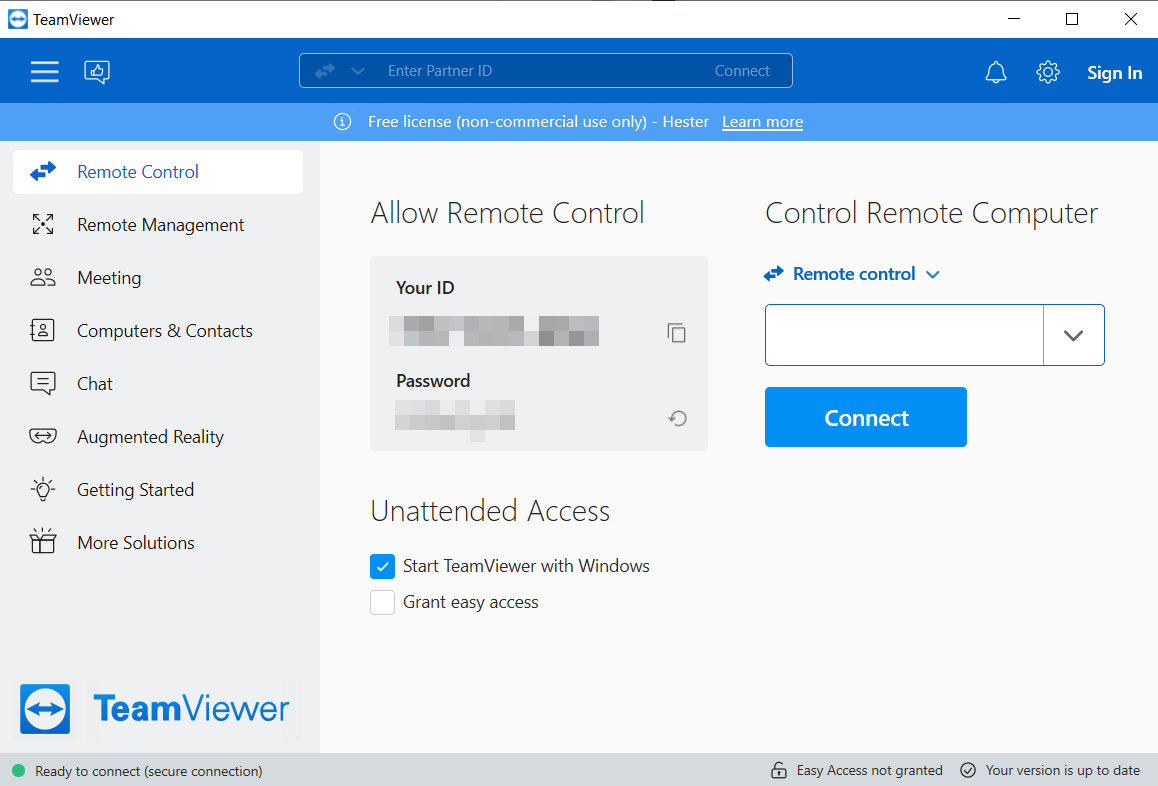
It’s available for free download for personal use, and businesses can try its features with a free trial before purchasing.
While TeamViewer dominates the remote desktop industry with a 55.51% market share, it faces stiff competition from 44 other tools. Although it is available for free download for personal use, many users helping family members report frustrations with mistaken identification of personal usage as commercial, leading to unexpected connection blocks for those with no commercial intentions.
Technical Insight: TeamViewer (Optimized TCP-based Protocol)
TeamViewer uses a highly sophisticated version of traditional remote desktop protocols. It prioritizes color accuracy and reliable command delivery. This makes it rock-solid for handling documents and server management, though it may stutter when streaming high-frame-rate video.
TeamViewer Features
Here are some of the standout features of TeamViewer:
- Remote access: Easily connect to a remote computer from anywhere in the world using an internet connection.
- File transfer: Seamlessly transfer files between your local and remote computers.
- Chat and video conferencing: Assist someone remotely while conducting a chat or video conference through TeamViewer.
- Screen recording: Record your remote sessions to refer back to them later.
- Wake-on-LAN: Wake up a sleeping remote computer using the Wake-on-LAN feature.
Pricing Options
TeamViewer offers premium plans to suit various needs and a free trial to explore its features before committing.
Here’s a quick breakdown:
- Free Plan: Ideal for personal use, it allows access to one computer at a time.
- Individual Plan: Starting at US$24.90 per month, ideal for individuals who need remote access.
- Team Plans: Starting at US$112.90 per month, designed for businesses, these plans include multiple user licenses and collaboration tools for team use.
- Enterprise Plan: Designed for organizations to deploy a large-scale IT management framework to access, support, and control any device or machine quickly.
What is Parsec?
Parsec is another remote desktop tool, specifically designed for smooth, high-quality connections during intense gaming sessions. With the introduction of Parsec for Teams, game development and launches have become more efficient.

After being acquired by Unity in 2021, Parsec gained widespread attention. Parsec for Teams was launched to streamline game creation, catering to the needs of development teams.
Its biggest strength is its proprietary networking protocol, Better User Datagram (BUD). This protocol boasts a 97% success rate for NAT traversal and offers fast recovery during power outages or network issues.
Technical Insight: Parsec (UDP & Video Streaming Technology)
Parsec operates like a high-bandwidth live stream. Built on the UDP protocol with proprietary video encoding (H.264/H.265), it aims for near-zero latency. This makes remote interactions feel as if you are sitting directly in front of the host PC, which is essential for motion-heavy tasks.
Features of Parsec
Parsec is a top choice for gamers thanks to its wide range of features:
- High-quality streaming: Enjoy up to 4K resolution at 60 frames per second with minimal latency, 4:4:4 color support, and perfectly synced audio and video.
- Robust security: Only authorized users can access computers through Parsec for Teams and Enterprise. End-to-end encryption is ensured via TLS.
- Seamless collaboration: Share sessions effortlessly, creating a collaborative experience regardless of physical distance. Parsec bridges the gap for remote teamwork.
- Cross-platform compatibility: Available on Windows, macOS, Linux, Android, and iOS, allowing access across various devices.
- User-friendly: Parsec is easy to set up and operate, even for non-technical users.
Pricing Options
Parsec offers flexible pricing plans for both individuals and businesses:
- Free Trial: Available for personal use to test Parsec's capabilities.
- Individual Plan: Starts at $8 per month, billed annually.
- Teams Plan: Costs $30 per month, with a minimum requirement of five users.
- Enterprise Plan: Provides tailored solutions for large organizations based on their specific needs.
Best Use Cases: Who Should Choose Which?
To help you make the right choice, we’ve broken down which software excels in specific scenarios, from high-end gaming to enterprise-level IT management.
TeamViewer vs. Parsec for Remote Work & IT Support
Winner: TeamViewer
If you are an IT administrator overseeing a vast fleet of company servers or a help-desk professional providing "hands-on" technical support to non-technical clients, TeamViewer remains the industry’s gold standard. It is built for reliability and administrative control rather than raw speed.
- Why it wins: It excels in "cold" access scenarios, where a PC might be sitting at a login screen or stuck in a crash loop. Its ability to maintain a rock-solid connection through strict corporate firewalls without manual port forwarding is unmatched.
- Pros: Advanced unattended access, remote rebooting into Safe Mode, and a comprehensive management console that allows you to organize thousands of endpoints with ease.
TeamViewer vs. Parsec for Gaming & Creative Design
Winner: Parsec
If you are a hardcore gamer wanting to play Cyberpunk 2077 on your laptop or a professional 3D artist/video editor who needs to harness the GPU power of a high-end workstation from home, Parsec is the undisputed king of performance.
- Why it wins: Parsec treats your remote session like a high-definition, low-latency interactive broadcast. It eliminates the frustrating "rubber-banding" of your mouse cursor and the screen tearing that plagues traditional office-oriented software.
- Pros: Supports 4:4:4 color accuracy (essential for editors), ultra-high frame rates (up to 240 FPS), and a specialized protocol that makes remote 3A gaming feel as if the PC is right under your desk.
The Balanced Choice: TeamViewer vs. Parsec for Daily Use
Top Pick: AnyViewer
Are you tired of TeamViewer feeling "bloated" or being abruptly disconnected by "Commercial Use Detected" flags? Does Parsec feel too technical to set up, or too restrictive when you want to grab a file or control your PC from an iPhone? AnyViewer is the perfect "third way" designed for the modern remote lifestyle.
- Why it wins: It strikes a masterful balance. It offers the snap-to-action responsiveness needed for smooth video viewing and light gaming, while retaining the essential productivity tools (like a dedicated file manager and mobile-friendly interface) that Parsec lacks.
- Pros: It combines the fluid, low-latency engine of a gaming tool with the robust file transfer and one-click access features of a professional suite, all without the enterprise price tag or the "commercial use" headaches.
Why AnyViewer is the Best Alternative?
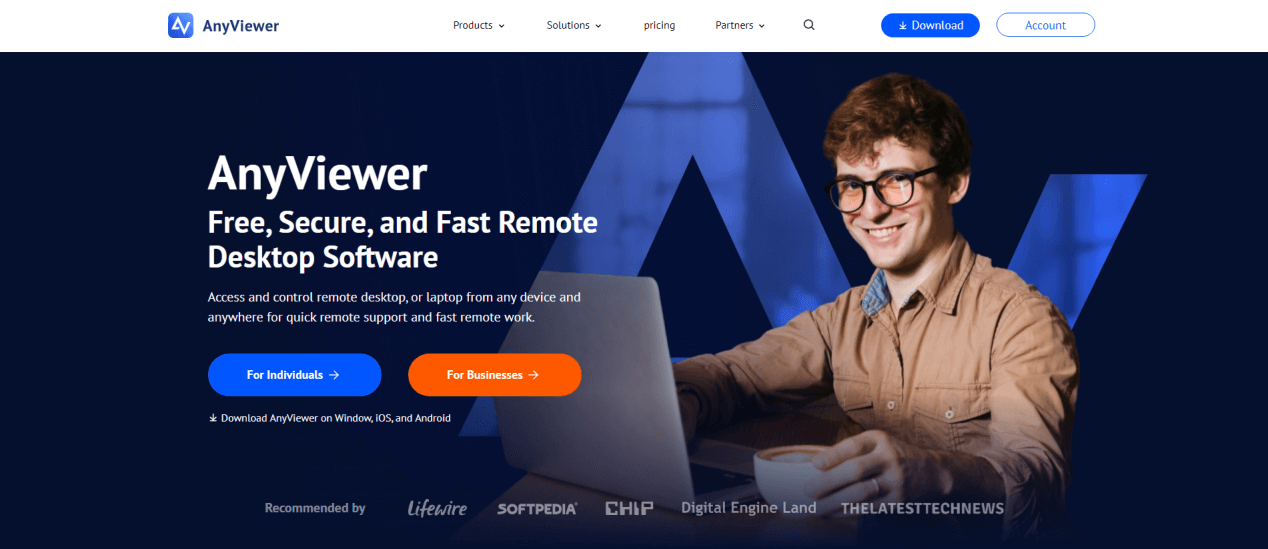
Choosing between TeamViewer and Parsec often feels like a trade-off between utility and performance. If you require heavy-duty IT infrastructure, TeamViewer is a logical choice; if you are a professional gamer, Parsec is hard to beat.
However, AnyViewer emerges as the versatile "bridge" for users who refuse to compromise. It delivers the professional feature set of an IT tool alongside the high-speed, low-latency engine of a gaming-grade streaming service. It is the ideal solution for those who want a powerful, lag-free experience without the complexity or high costs of its competitors.
- High-Speed Performance: Powered by proprietary streaming algorithms, AnyViewer automatically optimizes the fastest route to deliver a fluid, lag-free experience that rivals Parsec’s responsiveness.
- Truly Free, No Interruptions: Unlike TeamViewer’s notorious "Commercial Use Detected" triggers that cut sessions short, AnyViewer offers a stable, generous free version. Enjoy unattended remote access and long-term connections without the constant fear of being locked out.
- Enterprise-Grade Security: Rest easy with End-to-End ECC encryption. Your data and remote sessions are shielded by the same security standards used in high-level financial transactions.
- All-in-One Utility: No extra setup required. Get instant access to essential tools like high-speed file transfer, "Screen Walls" for multi-device monitoring, and seamless mobile mirroring.
- Scalable & Affordable: Professional remote access shouldn't break the bank. AnyViewer provides the industry's most competitive pricing, making premium features accessible to individuals and growing businesses alike.
Conclusion
In conclusion, choosing between TeamViewer and Parsec ultimately depends on your specific needs. TeamViewer excels in providing comprehensive remote access and IT support, making it suitable for businesses. In contrast, Parsec is optimized for gamers, offering high-quality streaming and low latency. For those seeking a versatile solution that combines features of both, AnyViewer stands out as an excellent alternative, catering to both remote desktop access and gaming needs. Evaluate your requirements to determine which option best fits your remote access goals.



 as a preferred
source on Google
as a preferred
source on Google