What is Role Permission Management?

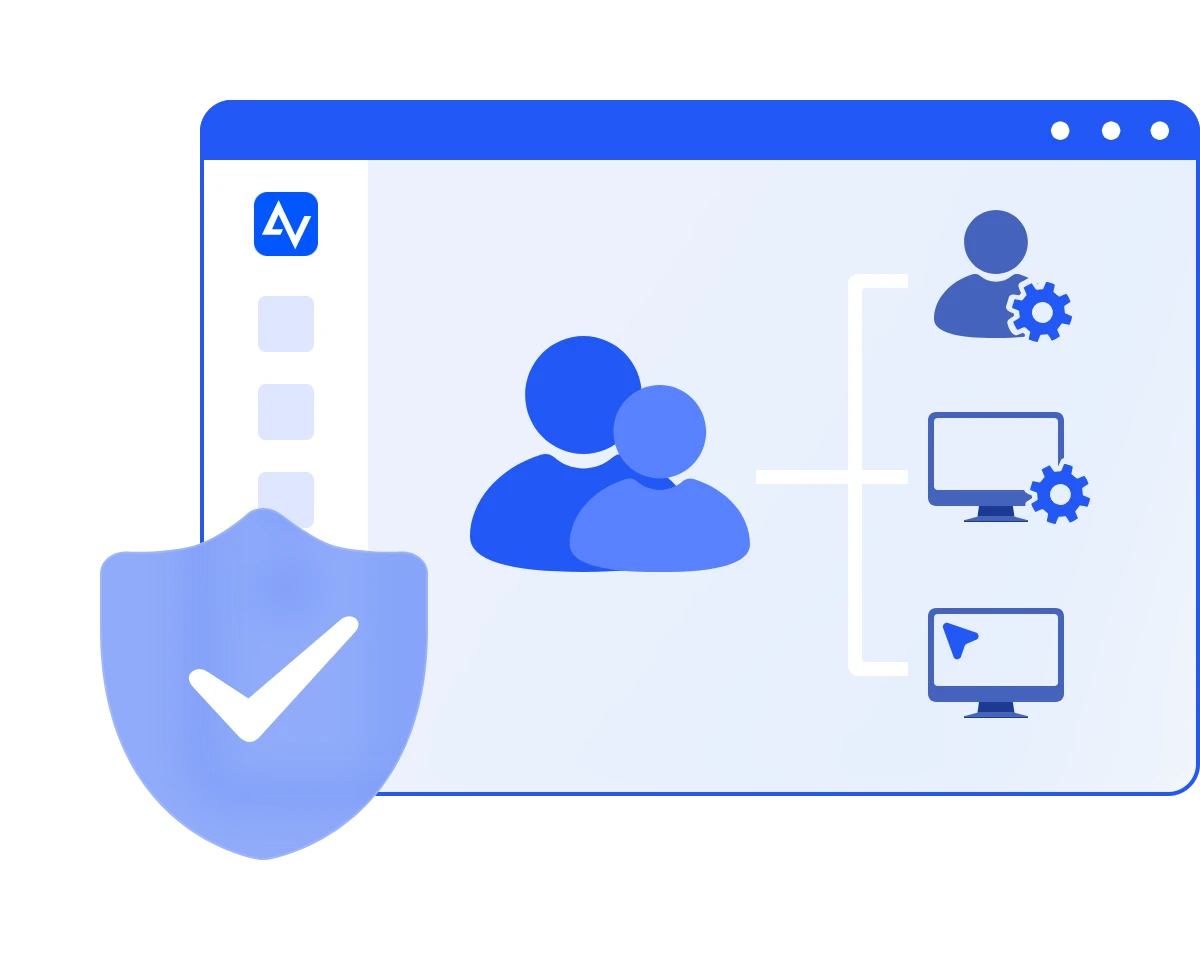
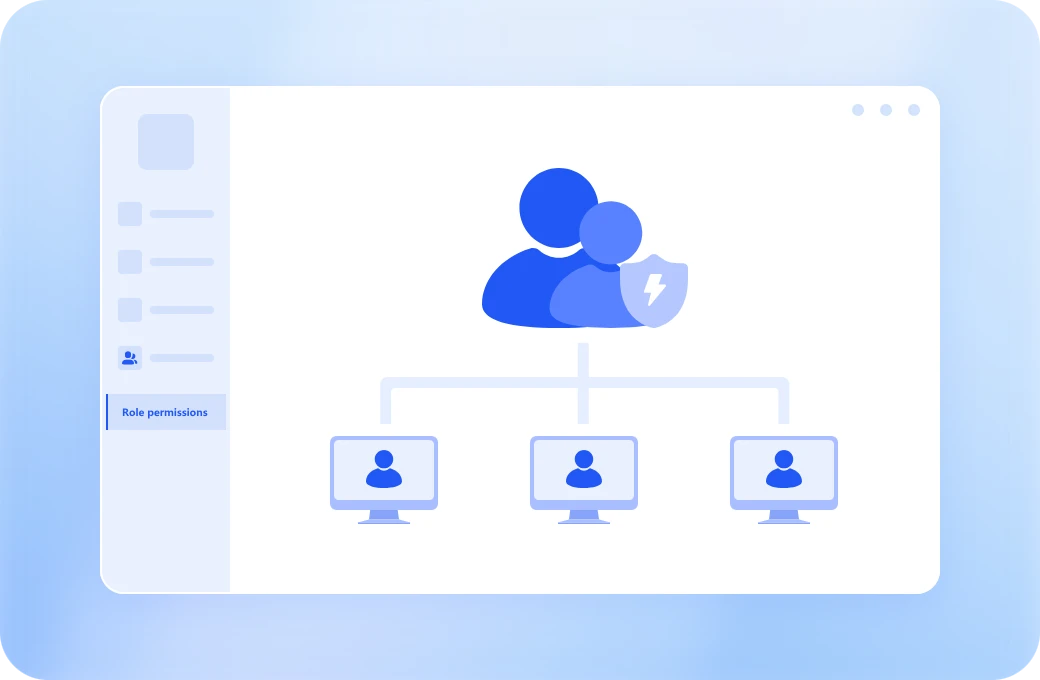
Role Permission Management, also known as role-based access control (RBAC), helps organizations control access to management dashboard and devices based on user roles.

Define Roles Clearly

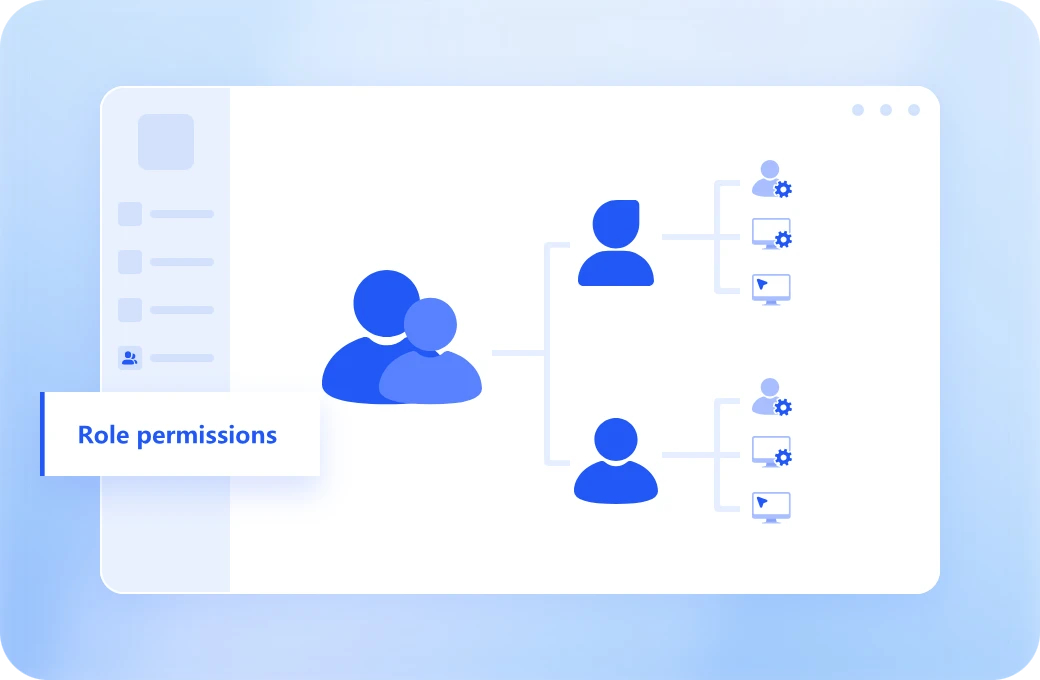
Establish a structured access system by assigning predefined roles such as Administrator, Operator, or Viewer, each with specific responsibilities and access levels. Instead of configuring permissions individually, standardize roles across your organization to ensure consistency, improve accountability, and simplify onboarding for new team members.

Control Permissions Precisely

Take full control over user actions with precise permission settings. Easily allow or block features such as remote control and device management based on role requirements. This ensures every user only accesses what they need, helping reduce risk while maintaining productivity across your team.

Enhance Security and Efficiency

Improve both security and operational efficiency with a structured permission system. By limiting access to essential actions, you minimize human error and prevent unauthorized operations. At the same time, role-based management simplifies administration, saves time, and keeps your growing team organized and secure.

How to Set up Role Permissions in Minutes

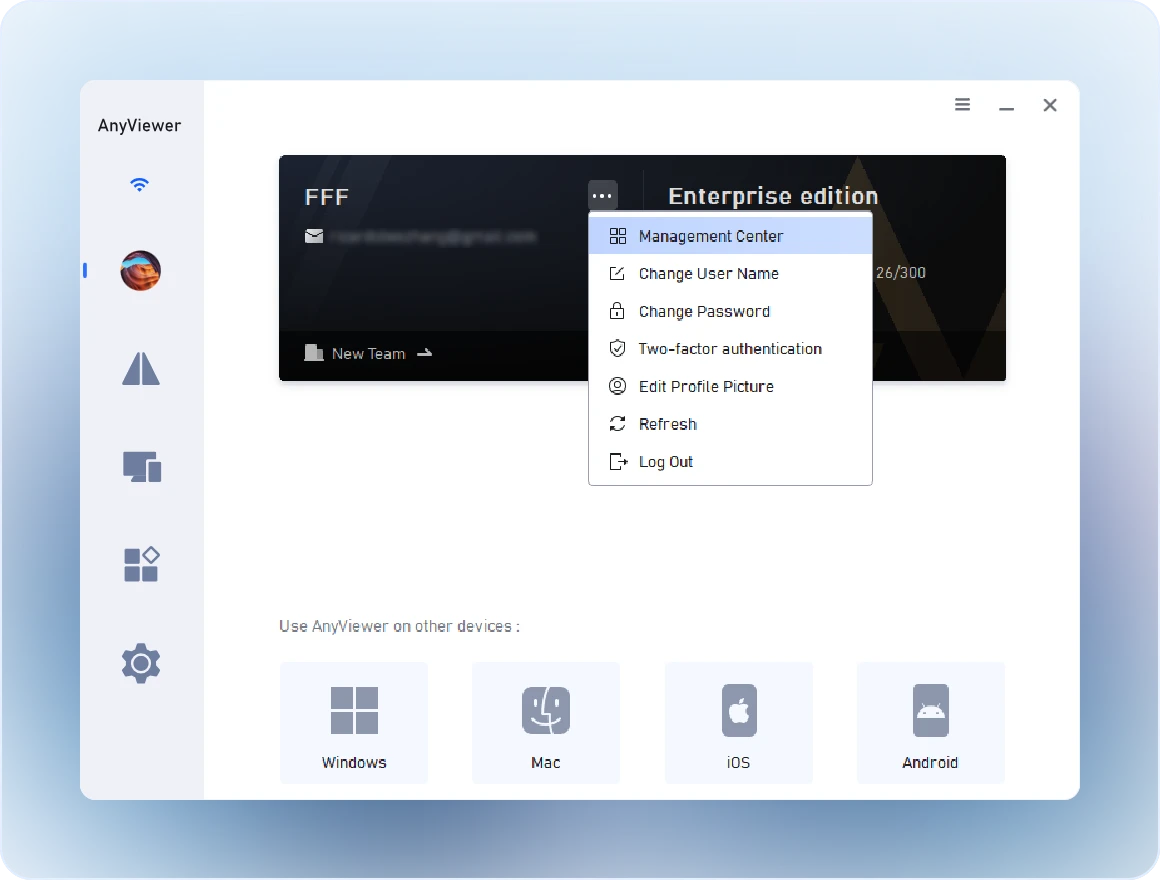
  • Step 1 Open AnyViewer Management Center

    On the account page of your AnyViewer, click Management Center in the menu. (The role permission management feature is exclusive to AnyViewer Enterprise Edition.)

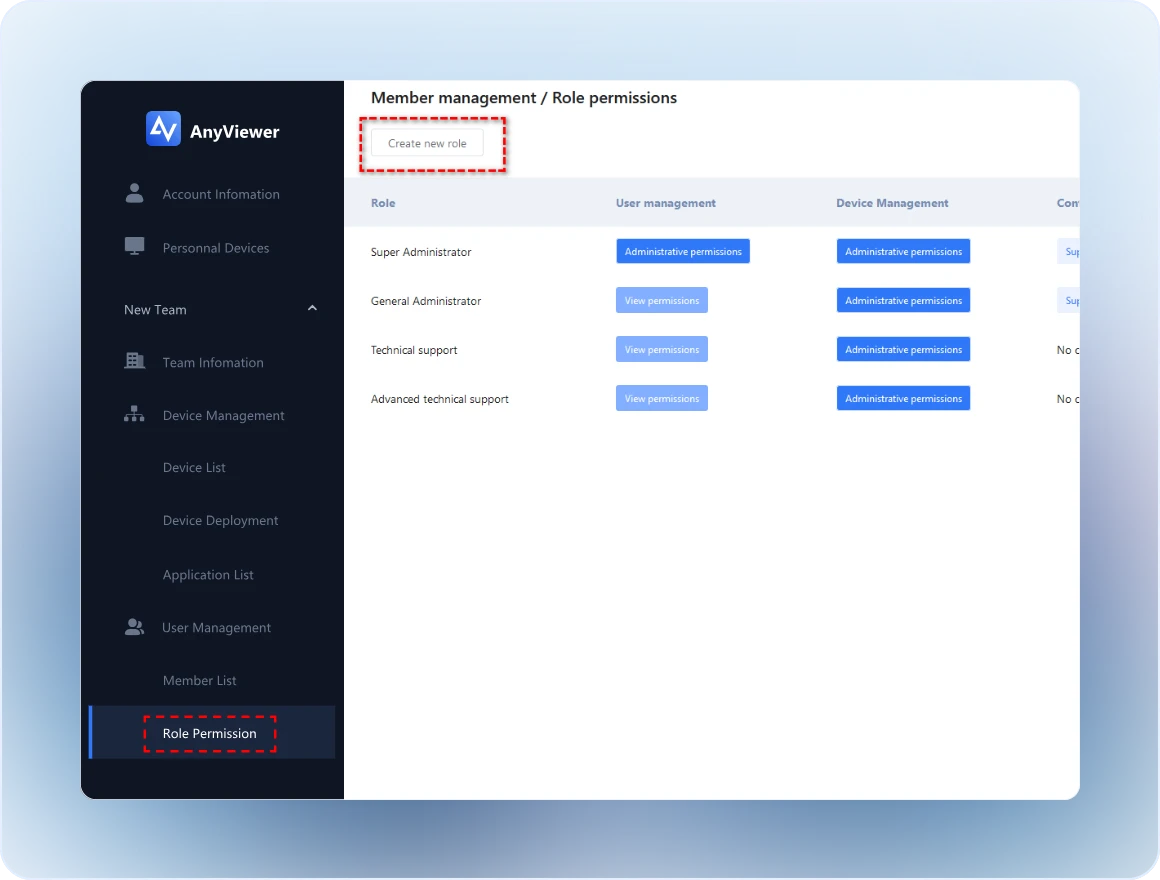
  • Step 2 Add A New Role

    Click Member Management > Role Permission in the left menu. Then click Create new role and name the role.

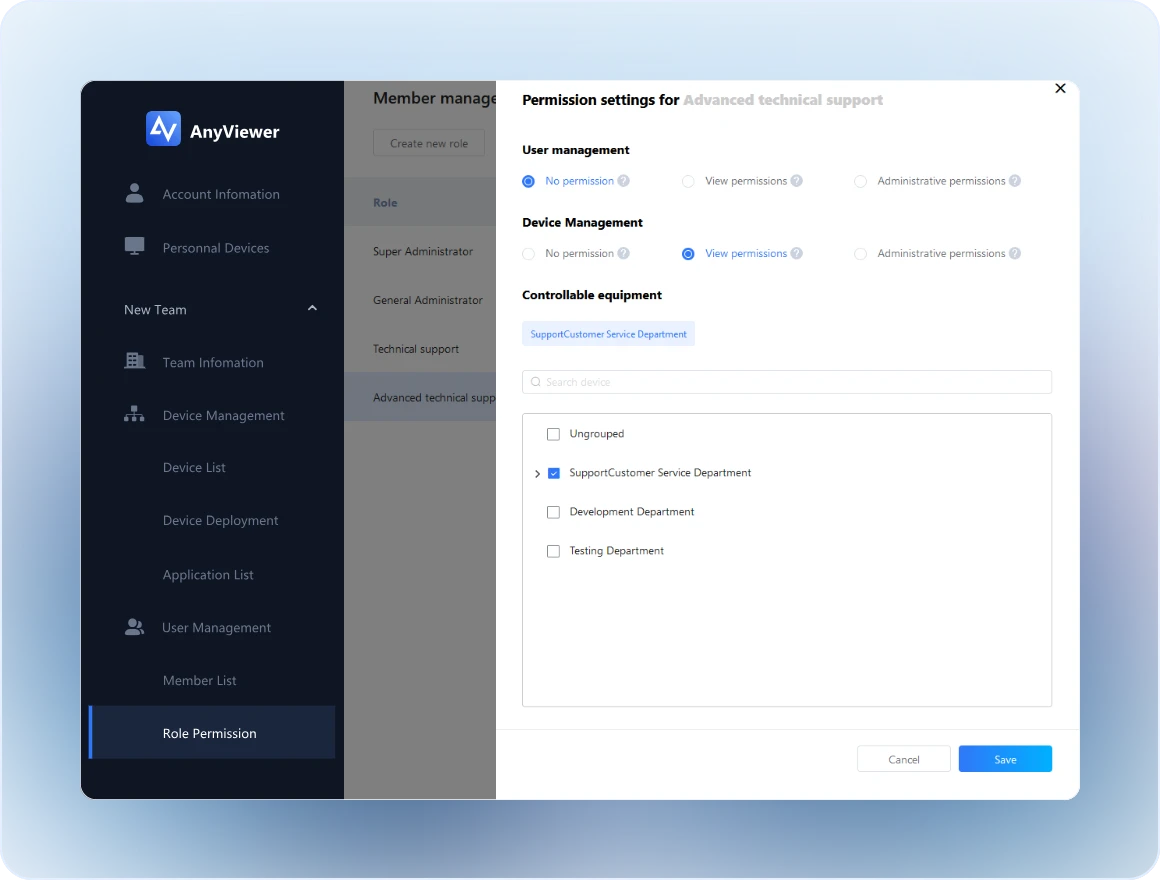
  • Step 3 Customize the Role

    Choose Edit permission settings on the right. You can assign permissions of member management, device management, and controllable equipment for the role.

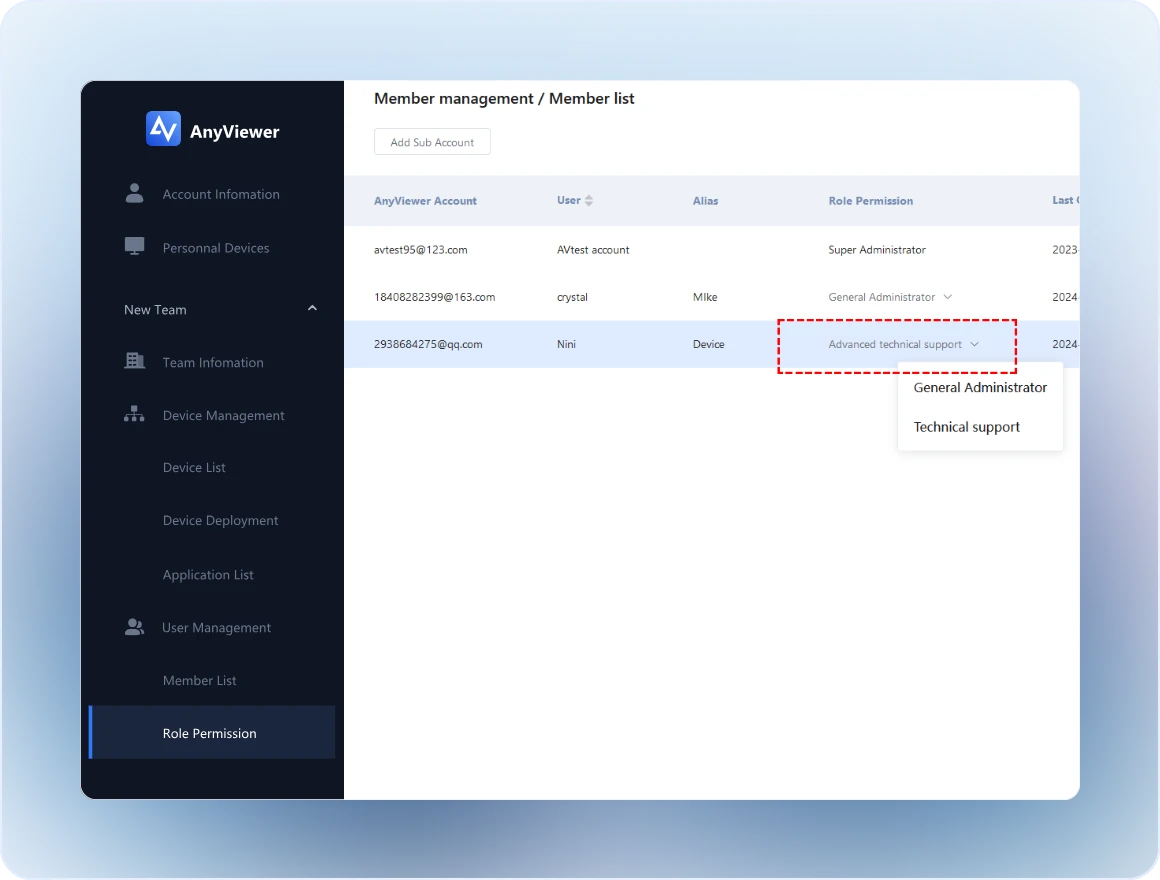
  • Step 4 Change the Role of Sub Account

    Change to the Member list tab, select a role permission for the sub account.

Powerful Role-Based Access Control

Custom Role Creation

Custom Role Creation

Create roles tailored to your organization’s structure. Whether you need full administrators or limited-access support agents, you can define roles that match your exact requirements.

Granular Permission Settings

Granular Permission Settings

Take full control over what each role can do. Enable or restrict specific actions such as remote control, member management, or device management with precision.

Real-Time Permission Updates

Real-Time Permission Updates

Make changes instantly and apply them across all users and devices. No delays, no downtime—your access control stays up to date at all times.

Secure Access Enforcement

Secure Access Enforcement

Protect critical systems by preventing unauthorized access or misuse. Ensure every action is aligned with your organization’s security policies.

Why Role Permission Management Matters?

Without a structured permission system, managing remote access can quickly become inefficient and risky.

Feature Without Role Permission Management AnyViewer Role-Based Access Control
Access Control All users have the same level of access, increasing the risk of misuse or accidental actions. Access levels are clearly defined, ensuring each user only interacts with what they are authorized to use.
Security Risk Higher risk of unauthorized access, data exposure, and operational mistakes. Significantly reduced risk through controlled permissions and restricted actions.
Team Management Managing permissions becomes complex and time-consuming as your team grows. Easily manage users and teams with scalable, role-based structures.
Accountability Lack of clarity around user responsibilities and actions. Clear role definitions improve accountability and visibility across your organization.

Designed for Every Team Structure

IT Teams

Maintain full control over internal systems while delegating limited access to other team members. Ensure sensitive operations are only handled by authorized personnel.

Customer Support Teams

Allow support agents to access customer devices with restricted permissions. For example, enable screen viewing without granting full control or file transfer capabilities.

Managed Service Providers

Manage multiple clients securely by assigning isolated roles and permissions. Keep each client environment separate while maintaining operational efficiency.

Enterprises

Implement structured access policies across departments. Enforce compliance, reduce internal risks, and maintain full visibility over who can access what.

FAQs

  • Is Role Permission Management suitable for small teams?

    Absolutely. Whether you have a small team or a large organization, role-based permissions help you stay organized and secure.

  • Can I update permissions after assigning roles?

    Yes, you can modify roles and permissions at any time, and changes take effect immediately.

  • How does role permission improve security?

    By limiting access based on roles, you reduce the risk of unauthorized actions, accidental errors, and internal security threats.

  • Can I assign multiple users to the same role?

    Absolutely. You can assign a single role to multiple users or entire teams, making permission management faster and more consistent.

  • Can I control access to specific devices?

    Yes, you can define which devices each role can access, giving you precise control over your remote environment.

  • Do I need technical expertise to set up roles?

    No, the interface is designed to be user-friendly, allowing you to create and manage roles without advanced technical knowledge.

What Our Users Say

Andrew

"We needed a solution that could scale with our enterprise security requirements, and this delivers exactly that. The flexibility and control over permissions are outstanding."

Melissa

"Before setting up role permissions in AnyViewer, managing permissions for our support team was time-consuming and risky. Now we can confidently give agents the exact level of access they need without compromising security."

William

"Role-based permissions completely transformed how we manage access across our organization. We no longer worry about who has access to critical systems—it’s all clearly defined and under control."

Kevin

"Onboarding new team members is much faster now. Assigning roles takes seconds, and we don’t have to manually configure permissions every time."

Take Full Control of Your Remote Access Security

Start building a more secure and organized remote access environment today.

Download Now