

Remote Desktop VPS USA: Benefits, Setup, and Best Providers
A Remote Desktop VPS USA lets you use a powerful U.S.-based server from any device. It's fast, secure, and ideal for business, trading, or remote work. This guide explains how it works and why it's a smart choice.

By Ellie / Updated on October 30, 2025


Introduction
In the digital era, flexibility and control are everything. Businesses, developers, and traders across the world are increasingly moving toward remote desktop VPS USA services to access high-speed, secure, and reliable computing environments from anywhere. But what makes a U.S.-based VPS so popular and powerful?

A remote desktop VPS USA (Virtual Private Server) offers users the ability to remotely connect to a computer hosted in a U.S. data center, complete with dedicated resources like CPU, RAM, and SSD storage. Whether you're running multiple applications, trading online, hosting a website, or managing servers, a VPS ensures better speed, performance, and reliability compared to shared hosting or low-end servers.
Imagine being able to log in from your laptop in Europe, access a desktop in New York, and work as if you were sitting right in front of it ; that's the power of a remote desktop VPS USA. It bridges distance with performance, providing both convenience and professional-grade reliability.
In this detailed guide, we'll explore everything from how remote desktop VPS USA works to why choosing a USA-based VPS could be your smartest tech investment this year.
What Is a Remote Desktop VPS?
A remote desktop VPS (Virtual Private Server) is essentially a virtual machine hosted on a physical server. Think of it as having your own personal computer, but instead of being in your home or office, it's located in a secure U.S. data center, and you can access it from anywhere through the internet.
This VPS gives you full control, root access, and dedicated computing resources that are isolated from other users on the same physical server. For users who prefer Microsoft systems, a Windows VPS with remote desktop offers a seamless experience and native RDP compatibility.
When you connect to your VPS, you can install applications, host websites, run trading bots, or manage data-heavy operations without worrying about performance bottlenecks. It behaves exactly like a high-performance personal computer but offers the flexibility and scalability that traditional desktops can't.
How Does Remote Desktop VPS Work?
To understand how a remote desktop VPS USA operates, let's break down the process. The hosting company divides a powerful physical server into multiple virtual machines using virtualization software such as VMware, KVM, or Hyper-V. Each virtual server acts as an independent environment, complete with its own operating system, storage, and dedicated hardware resources.
When you purchase a VPS, the provider gives you login credentials (IP address, username, and password). Using an RDP client (like Microsoft Remote Desktop), you connect to your VPS from your local device. Once connected, you'll see a full desktop interface just like you would on your computer, but this system runs on high-end infrastructure located in a U.S. data center.
If you're looking to test one out before committing, several hosting companies offer remote desktop VPS USA free trial plans, allowing you to explore performance and features risk-free.
Key Benefits of Remote Desktop VPS USA
A Remote Desktop VPS hosted in the USA provides numerous benefits that go beyond simple hosting. Let's explore some key advantages that make it an ideal choice for users across industries.
- 24/7 Accessibility
With a remote desktop VPS, you're not tied to one location. You can access your VPS from anywhere; your office, home, or even on vacation; as long as you have an internet connection. This is especially beneficial for remote teams and freelancers who need continuous access to their tools and data.
- Dedicated Resources
Unlike shared hosting where resources are distributed among multiple users, a VPS gives you guaranteed CPU, RAM, and storage. This ensures your performance remains consistent even during peak hours.
- Cost Efficiency
A Remote Desktop VPS is a cost-effective alternative to dedicated servers. You get nearly the same level of performance but at a fraction of the cost. Plus, you can upgrade or downgrade your plan as your needs evolve.
- Seamless Scalability
Whether you're managing an online business, hosting apps, or trading in financial markets, scalability matters. With a USA VPS, you can easily increase your system resources (RAM, CPU, or storage) as your workload grows; without any downtime or data loss.
Use Cases of Remote Desktop VPS USA
A Remote Desktop VPS USA is a versatile solution that caters to different users; from small business owners to developers, digital marketers, and traders. Its flexibility and high-speed connectivity make it suitable for a wide variety of purposes.
For Businesses
Small and medium-sized enterprises (SMEs) often lack the infrastructure and IT personnel needed to maintain on-premise servers. With a USA-based VPS, businesses can deploy applications, manage customer databases, and run resource-intensive tools remotely without worrying about physical maintenance.
Additionally, since these VPS servers run 24/7, businesses can automate backups, monitor performance in real-time, and ensure that customers can always access their services. Many e-commerce companies also use USA VPS solutions to host websites that target North American audiences for faster load times and better SEO results.
For Traders and Developers
Traders, especially those in forex or crypto markets, benefit significantly from U.S.-based VPS systems. These servers ensure ultra-low latency to major financial exchanges like NASDAQ, NYSE, and CME, which is essential for high-frequency trading.
For developers, a VPS provides a sandbox environment to test applications, deploy websites, and manage coding projects without affecting local resources. You can install custom libraries, configure environments, and even run automated scripts around the clock.
For Streaming and Gaming
Remote Desktop VPS servers are also becoming popular for gaming and streaming purposes. Users can set up game servers, stream high-quality content, or even host multiplayer environments. Thanks to high bandwidth and strong network infrastructure in the U.S., gamers experience minimal lag and improved performance.
Top Features to Look for in a Remote Desktop VPS USA
Choosing the right VPS provider can be tricky if you don't know what to look for. Here are some of the most essential features to consider before making a purchase:
- CPU, RAM, and Storage
The more CPU cores and RAM you have, the smoother your VPS will run. For instance, traders might prefer a 4-core CPU with 8GB RAM, while developers hosting multiple applications might go for 8-core servers with 16GB or more. SSD-based storage is also crucial because it drastically reduces data access time compared to traditional HDDs.
- Operating System Options
You'll usually have two main OS choices; Windows VPS or Linux VPS. Windows VPS is perfect for users who prefer a graphical interface or use Windows-based software. Linux VPS, on the other hand, is ideal for tech-savvy users who want to host websites or applications in a highly customizable environment.
-
Network Speed and Bandwidth
Always check for at least 1Gbps network speed and unmetered bandwidth. This ensures fast data transfers and prevents bottlenecks during high traffic or trading sessions.
-
Security Features
Top-tier VPS providers offer multiple layers of security: DDoS protection, firewalls, intrusion detection, and regular data backups. Since data breaches are a growing concern, security should never be an afterthought.
How to Choose the Right VPS Provider in the USA
Not all VPS providers are created equal, so choosing the right one requires some research and understanding of your own needs. Here's what to keep in mind before making a decision.
Factors to Consider
- Server Locations: Choose a provider with data centers in key U.S. cities like New York, Dallas, or Los Angeles for better connectivity and low latency.
- Performance Specs: Look at the number of CPU cores, RAM size, and type of storage (SSD preferred).
- Customer Support: Reliable 24/7 technical support ensures that any issues are resolved promptly.
- Uptime Guarantee: Opt for companies that offer at least 99.9% uptime; anything less can affect your productivity or website performance.
- Pricing and Scalability: Make sure you can upgrade resources easily as your needs grow without service interruptions.
- Security and Compliance: Ensure the provider complies with major U.S. security standards and includes robust data protection.
Comparing Top Providers
When evaluating providers, don't just compare prices. Examine what's included in the plan; bandwidth limits, remote access quality, DDoS protection, and control panel options. Some cheap VPS services cut corners on network performance or customer support, which can lead to future headaches.
Top Remote Desktop VPS Providers in the USA
As of 2025, several hosting companies stand out for offering reliable, secure, and high-performance Remote Desktop VPS USA services. Below are some of the top picks:
- Kamatera
Kamatera is known for its enterprise-grade infrastructure and instant scalability. You can deploy a new VPS in under a minute and choose from multiple U.S. data centers. The company offers both Windows and Linux servers with full root access.
- InterServer
InterServer is one of the most cost-effective VPS providers. With SSD storage, unmetered data transfer, and strong DDoS protection, it's a solid choice for small businesses and individuals.
- Hostwinds
Hostwinds combines affordability with performance. Their U.S.-based VPS servers feature nightly backups, SSD storage, and a 99.9999% uptime guarantee.
- Liquid Web
For enterprises seeking premium performance, Liquid Web's managed VPS hosting is unbeatable. Their servers come with 24/7 monitoring, top-tier security, and blazing-fast connectivity.
- OVHcloud USA
OVHcloud provides flexible VPS configurations with an emphasis on security and performance. Their U.S. data centers deliver strong network reliability, making them ideal for developers and corporate users.
Each of these providers has strengths in different areas; Kamatera for flexibility, Liquid Web for managed hosting, and InterServer for budget-friendly plans. Choosing the right one depends on your budget and performance needs.
How to Set Up Your Remote Desktop VPS
Setting up your Remote Desktop VPS might sound technical, but it's actually straightforward. Here's how you can do it step by step:
Step 1. Choose a Provider and Plan
Visit your preferred provider's website and select the VPS configuration that suits your workload.
Step 2. Select Your Operating System
You'll typically have the choice between Windows Server (2016, 2019, or 2022) and Linux (Ubuntu, CentOS, etc.).
Step 3. Deploy Your Server
Once payment is confirmed, your VPS will be created within minutes. You'll receive login credentials via email.
Step 4. Connect via Remote Desktop
- For Windows users: Open "Remote Desktop Connection," enter your VPS IP address, and log in.
- For macOS/Linux: Use tools like Microsoft Remote Desktop or Remmina.
Step 5. Configure Security Settings
Immediately change your default password and enable firewall rules. Optionally, set up multi-factor authentication for added security.
Step 6. Install Software and Begin Using
You can now install software, transfer files, and begin using your VPS like a standard computer.
A VPS setup can take as little as 10 minutes, but optimizing performance and securing it properly ensures long-term stability and safety.
AnyViewer: The Best Tool to Access and Manage Your Remote Desktop VPS USA
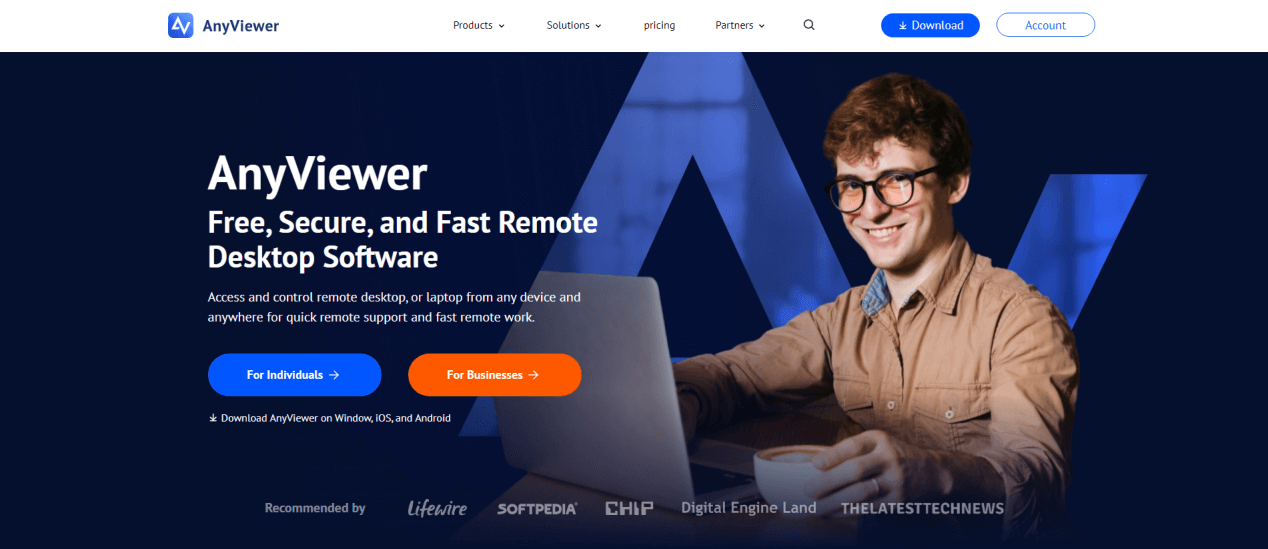
When it comes to securely accessing and managing your Remote Desktop VPS USA, one of the best remote desktop tools available today is AnyViewer. Designed for simplicity, speed, and security, AnyViewer allows you to remotely connect to your VPS or physical computer with just a few clicks; no complex configuration required.
What Is AnyViewer?
AnyViewer is a professional remote desktop software that enables users to connect, control, and manage computers or virtual servers from anywhere in the world. It's ideal for both individual and business users who rely on remote desktop VPS USA environments for work, development, trading, or server management.
Whether you're an IT professional maintaining multiple VPS instances or a business owner monitoring remote operations, AnyViewer provides a seamless experience that ensures uninterrupted access, robust performance, and top-level data protection.
Key Features of AnyViewer
- Secure Remote Connections
AnyViewer employs ECC 256-bit end-to-end encryption and multi-layered security protocols to safeguard your remote sessions. This ensures all data transfers between your local device and your VPS remain private and protected against unauthorized access.
- Fast and Stable Performance
With globally distributed servers and intelligent routing technology, AnyViewer minimizes latency and packet loss when connecting to your Remote Desktop VPS USA. You can enjoy smooth performance even when working on graphic-heavy or real-time applications.
- Easy to Set Up and Use
AnyViewer's user-friendly interface makes it incredibly simple to connect to a VPS. You only need to log in with your AnyViewer account, add your VPS IP or device ID, and connect instantly. There's no need to configure complex ports or firewall rules.
- Multi-Platform Support
Available on Windows, Android, iOS, and macOS, AnyViewer ensures that you can access your Windows VPS with remote desktop anytime, whether from your computer, smartphone, or tablet. This flexibility is perfect for users who manage servers or work while traveling.
- File Transfer and Session Management
AnyViewer allows fast file transfers between your local device and the VPS, making it easy to upload scripts, update applications, or share large files securely. You can also manage multiple sessions simultaneously; ideal for administrators handling several remote machines at once.
- Privacy Mode and Session Security
When connected, AnyViewer can automatically black out the remote screen and disable keyboard/mouse input on the host device, ensuring complete privacy during remote sessions. This is especially valuable when managing sensitive business or financial data on your Remote Desktop VPS USA.
Business and Personal Use Cases
- For IT Administrators: Manage multiple virtual servers remotely without VPNs or complex network setups.
- For Traders: Access your Windows VPS with remote desktop anytime to monitor trading bots and market data.
- For Businesses: Allow employees to access U.S.-based VPS systems securely for remote work or data management.
- For Developers: Use AnyViewer to debug, deploy, and monitor applications hosted on VPS environments from anywhere.
Why AnyViewer Is the Ideal Companion for Your VPS
When paired with a Remote Desktop VPS USA, AnyViewer enhances your workflow by adding mobility, speed, and robust cybersecurity. Instead of juggling multiple remote tools, AnyViewer provides an all-in-one solution for connection, control, and collaboration.
If you value stability, privacy, and ease of access, AnyViewer is the ultimate remote desktop companion for managing your VPS in 2025 and beyond.
Conclusion
A Remote Desktop VPS USA gives you the perfect mix of speed, flexibility, and security; all hosted on some of the most advanced infrastructures in the world. Whether you're a trader needing low-latency execution, a developer hosting applications, or a business managing cloud-based operations, a U.S.-based VPS offers everything you need to stay competitive.
Its ability to deliver dedicated resources, scalability, and 24/7 accessibility makes it a superior choice over traditional hosting. Plus, with modern features like DDoS protection, SSD storage, and high-speed networks, it's no wonder that more professionals are switching to VPS every day.
If you value performance, privacy, and long-term reliability, investing in a Remote Desktop VPS USA is one of the smartest digital decisions you can make in 2025.
FAQs
What is the difference between RDP and VPS?
RDP is a protocol for connecting remotely to another computer, while VPS refers to the actual virtual server. When combined, they let you access your virtual machine using remote desktop technology.
Can I use a USA VPS for forex trading?
Absolutely! U.S.-based VPS servers provide low latency and stable connections, which are crucial for executing trades quickly and efficiently.
Is a Remote Desktop VPS safe?
Yes, provided you choose a reputable provider that offers DDoS protection, encryption, and regular backups.
Can I install any software on my VPS?
Yes, you have full administrator access, so you can install almost any application or script, depending on your operating system and resources.
How do I upgrade my VPS plan?
Most providers allow instant upgrades through your control panel. You can add more CPU, RAM, or storage without downtime or data loss.



 as a preferred
source on Google
as a preferred
source on Google