
Industrial Troubleshooting with Remote Assistance
This guide explains how industrial troubleshooting with remote assistance via AnyViewer resolves equipment failures fast. Key features like True Color mode, Screen Wall, and secure attended support help teams lower downtime and service expenses.

By Ellie / Updated on August 12, 2026


Unplanned machinery downtime costs industrial manufacturers thousands of dollars every minute. When a complex programmable logic controller (PLC), human-machine interface (HMI), or robotic cell fails, waiting days for an OEM field technician to travel on-site is no longer viable. Implementing industrial troubleshooting with remote assistance via AnyViewer, a remote assistance and troubleshooting software designed specifically for the industrial manufacturing sector, enables plant operators and off-site experts to diagnose, isolate, and resolve equipment failures in real time.
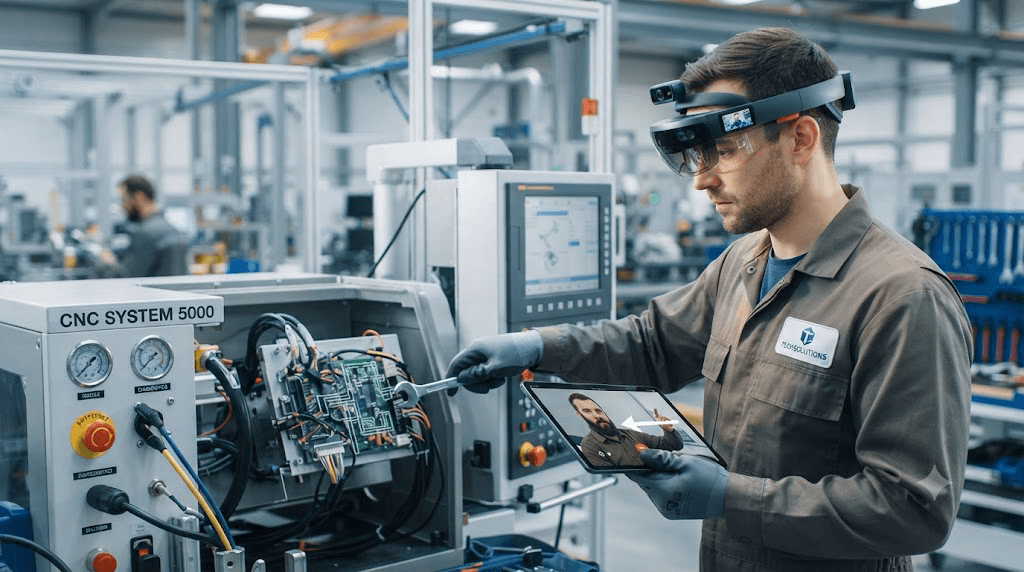
By combining live visual collaboration, high-fidelity remote desktop access, and cross-platform flexibility, AnyViewer helps industrial teams restore production lines faster while drastically cutting travel costs. This guide breaks down how AnyViewer drives industrial remote diagnostics, its operational benefits, step-by-step implementation, and essential OT security practices.
Why AnyViewer is the Purpose-Built Solution for Industrial Remote Assistance
Industrial environments present unique technical challenges: low-bandwidth factory Wi-Fi, complex multi-color wiring, and strict shop-floor safety regulations. AnyViewer is engineered specifically to overcome these hurdles during live remote diagnostics.
1. True Color Mode for Precise Control Panel Diagnostics
Industrial control screens, electrical schematics, and PLC status LEDs use strict color coding to indicate system states (e.g., normal, warning, tripped, or ungrounded). AnyViewer features True Color display mode, delivering high-fidelity visual rendering without color compression artifacts. This ensures remote engineers never misinterpret critical wiring colors or alarm indicators on complex HMIs.
2. Seamless Cross-Platform Accessibility (Windows, Mac, Android, iOS)
Factory floors utilize a wide array of devices. AnyViewer allows off-site experts working on Windows or Mac workstations to connect instantly with on-site operators using Windows PCs, or handheld mobile devices running Android and iOS. Field technicians can carry a tablet directly to the machine cabinet and share real-time diagnostics on the spot.
3. Centralized Multi-Station Oversight via Screen Wall
Modern production facilities often operate multiple HMI terminals and control stations simultaneously. AnyViewer’s Screen Wall feature enables maintenance supervisors and remote specialists to view and monitor multiple remote screens on a single dashboard in real time. This centralized visibility allows engineers to track operational statuses across several production lines at once, instantly spotting alarm triggers or parameter shifts across different machines without needing to manually toggle between individual sessions.
4. Operator-Centric Attended Connection Security
Safety is paramount on the shop floor. AnyViewer enforces an attended support architecture that requires the local operator to generate a secure session code and grant explicit connection permissions. The on-site technician retains complete oversight and can terminate the remote control session at any second if safety parameters are breached.
5. High-Frame-Rate & Low-Latency Performance
Powered by optimized data transmission algorithms, AnyViewer maintains smooth, low-latency screen refresh rates even over constrained plant Wi-Fi or cellular connections, preventing input lag when navigating delicate PLC configuration menus.
Key Benefits of Deploying AnyViewer in Industrial Maintenance
Adopting AnyViewer for industrial equipment troubleshooting transforms factory maintenance from a reactive, travel-heavy process into an agile, data-driven workflow.
- Massive Reduction in Mean Time to Repair (MTTR): Eliminates expert travel delays by allowing senior engineers to inspect system diagnostics within minutes of an incident report.
- Lower Field Service Expenses: Resolves up to 70% of software- and configuration-related issues through industrial remote repair, saving tens of thousands of dollars in emergency flights and hotel stays.
- Mitigation of Specialized Labor Shortages: Allows a single specialized OEM engineer at headquarters to support dozens of production facilities globally using AnyViewer's fast session setup.
- Workforce Upskilling: Enables junior on-site technicians to perform physical repairs under direct expert supervision, turning every troubleshooting session into a hands-on training opportunity.
5-Step Guide: Conducting Remote Diagnostics with AnyViewer
A standardized troubleshooting protocol ensures safety, data integrity, and fast issue resolution during AnyViewer remote sessions.
Step 1: On-Site Safety Audit and Fault Logging
The local operator verifies physical safety zones, confirms Emergency Stop (E-Stop) availability, and notes active error codes or physical symptoms.
Step 2: Establish an Encrypted AnyViewer Session
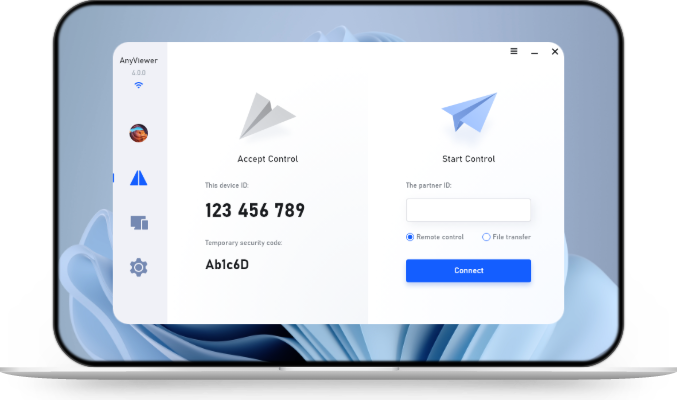
The local operator launches AnyViewer on the shop-floor terminal or mobile device, generating a one-time security code. The remote expert inputs the code to request access, which the local operator explicitly accepts.
Step 3: Visual Inspection with True Color Clarity
The remote expert toggles AnyViewer's True Color mode to inspect HMI displays, verify PLC status lights, and examine live camera feeds from mobile devices to pinpoint hardware anomalies.
Step 4: System Parameter Verification
The expert navigates the local control software to review PLC logic, check input/output (I/O) tables, and adjust drive parameters to resolve the underlying fault.
Step 5: Testing, Validation, and Log Archiving
The local technician runs a controlled dry run to verify physical operations. Once confirmed, the session is closed, ensuring no lingering external access remains on the local network.
Essential Security Standards for Industrial Remote Access
Connecting factory equipment to external networks introduces cyber risk if not properly governed. Industrial remote assistance must follow strict operational technology security frameworks:
- Zero-Trust Session Isolation: Remote access must be strictly limited to the designated target workstation or HMI interface, without exposing the broader OT network.
- End-to-End Encryption: AnyViewer utilizes robust encryption protocols (including ECC and AES-256) to protect all remote desktop feeds, commands, and diagnostic data against unauthorized interception.
- Operator Overriding Control: The local operator must maintain ultimate authority over the remote connection, with the ability to revoke access instantaneously.
- Audit Trail Compliance: Maintenance teams should log session timestamps, operator IDs, and diagnostic actions to maintain compliance with industrial audit requirements.
Conclusion
Efficient industrial troubleshooting with remote assistance is vital for modern manufacturers seeking to eliminate unplanned downtime and streamline shop-floor maintenance. By adopting AnyViewer as a purpose-built solution, technical teams gain the visual precision, multi-station visibility, and operator-controlled security required for complex equipment diagnostics. Deploying AnyViewer transforms traditional, travel-heavy service models into an agile, secure, and highly cost-effective maintenance framework.



 as a preferred
source on Google
as a preferred
source on Google