
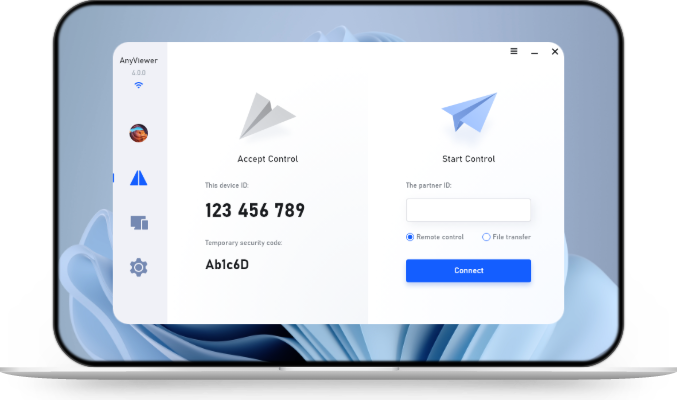
Remote Device Management Guide: Strategies & Tools
This article outlines the importance of remote device management (RDM) for distributed workforces. It details core RDM capabilities and highlights how AnyViewer enhances IT helpdesks through high-performance remote control, multi-session handling, and enterprise-grade security.

By Ellie / Updated on August 12, 2026


Effective remote device management (RDM) is no longer a luxury but a fundamental necessity for organizations managing modern, distributed hardware fleets. As businesses shift toward hybrid and remote work models, the ability to monitor, secure, and support endpoints, ranging from laptops and mobile devices to servers and IoT terminals, without physical intervention is the primary driver of IT efficiency.
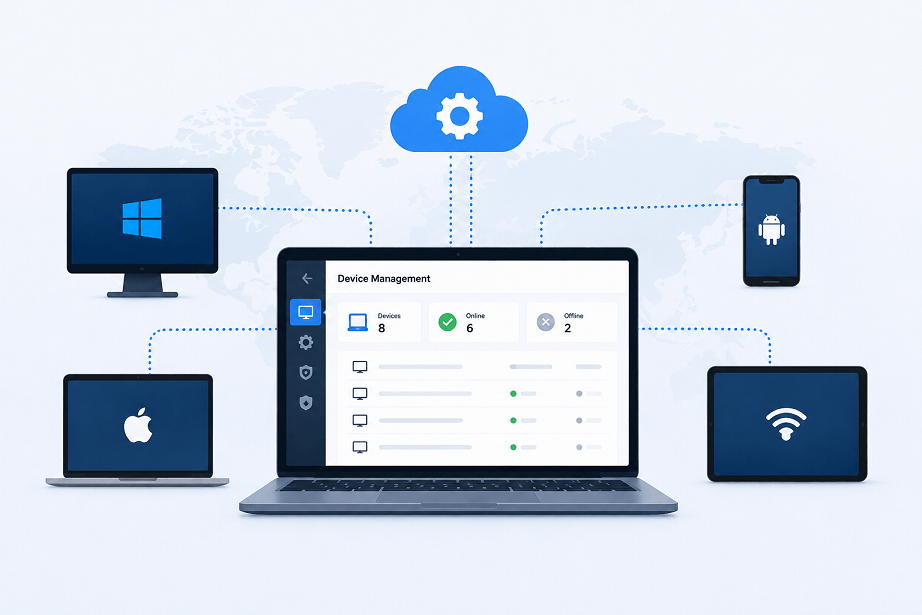
Why RDM Is Essential for Modern Operations
The lack of centralized visibility often leads to fragmented security, inflated IT support costs, and slower incident resolution times. A structured RDM approach delivers:
- Operational Efficiency: Automating routine tasks such as software patching and configuration changes reduces manual workload.
- Proactive Maintenance: Real-time monitoring allows IT teams to identify and resolve performance bottlenecks or hardware failures before they impact employee productivity.
- Security & Compliance: Enforcing unified security policies, such as disk encryption, multi-factor authentication, and remote data wipes, ensures corporate data remains protected across all endpoints.
- Enhanced Employee Experience: By reducing device downtime and simplifying troubleshooting, RDM delivers a smooth digital experience for the end user.
Core Capabilities of a Robust RDM Platform
When evaluating management solutions, look for an integrated platform that includes these foundational pillars:
|
Capability |
Key Benefit |
|
Unified Dashboard |
Centralized visibility across PCs, servers, mobile, and IoT devices. |
|
Patch Automation |
Schedule and deploy updates fleet-wide to close security gaps. |
|
Real-time Monitoring |
Instant alerts on system health, compliance deviations, and usage. |
|
Remote Support |
Integrated remote control for rapid, secure troubleshooting. |
|
Zero-Trust Access |
Role-based access control (RBAC) and end-to-end encryption. |
Elevating IT Support with AnyViewer
While automated monitoring, patch management, and policy enforcement handle backend optimization, helpdesks ultimately rely on direct, interactive troubleshooting when unexpected disruptions occur. When critical technical bottlenecks arise, integrating a dedicated remote device management software like AnyViewer transforms your helpdesk from a reactive ticketing queue into a high-performance resolution engine.
Why Choose AnyViewer for Remote Device Management?
AnyViewer offers a robust, user-friendly, and cost-effective approach to remote IT support. By combining enterprise-grade security, lightning-fast connection speeds, and intuitive management tools, it empowers support teams to resolve issues faster and minimize downtime without administrative bloat.
- Universal Device Control: Seamlessly access and manage Windows PCs, dedicated servers, mobile phones, and IoT endpoints from anywhere.
- Centralized Dashboard Operations: Keep systems updated automatically and maintain constant visibility with real-time monitoring from a single pane of glass.
- Proactive Risk Mitigation: Catch issues early with intelligent alerts and swift troubleshooting capabilities to prevent expensive operational downtime.
- Comprehensive Ecosystem Support: Deploy effortlessly across major operating systems, including Windows, macOS, Android, and iOS.
- Enterprise-Grade Protection: Safeguard your infrastructure using a zero-trust security framework backed by end-to-end encryption and precise role-based access controls.
Core Functionalities for Seamless Helpdesks
AnyViewer bridges the gap between passive monitoring alerts and active, rapid problem resolution by delivering an enterprise-grade feature set designed for modern IT support workflows:
- High-Performance Remote Control: Technicians can establish ultra-low-latency connections with crisp True Color visual rendering, ensuring a smooth, real-time desktop experience even when managing resource-intensive applications over standard network connections.
- Flexible Multi-Session Handling: Empower helpdesk agents to run multiple concurrent remote support sessions, allowing IT teams to triage tickets faster and scale their support capacity without adding overhead.
- Efficient File Transfer & Script Deployment: Quickly push diagnostic scripts, update packages, or retrieve critical system logs directly during an active remote session to accelerate root-cause analysis.
- Screen Wall: Monitor multiple remote devices simultaneously in real-time, giving IT administrators a centralized view to oversee system operations, track active support tasks, and spot potential anomalies instantly.
- Role Permission Control: Define granular access privileges and permissions for different team members, ensuring secure operations, protecting sensitive data, and maintaining strict compliance across your IT infrastructure.
Conclusion
Effective remote device management is vital for maintaining security, operational efficiency, and a seamless user experience across distributed workforces. By pairing comprehensive RDM monitoring with a powerful remote device management app like AnyViewer, IT teams can transition from reactive troubleshooting to proactive, high-performance operations.


 as a preferred
source on Google
as a preferred
source on Google