

AnyViewer: Easy IT Support for Medical Clinics
Medical clinics often face IT issues that slow down patient care. AnyViewer provides fast, secure remote support to fix problems, update systems, and protect sensitive data, helping clinics run efficiently every day.

By Ellie / Updated on September 17, 2025


What are the challenges faced by IT support in medical clinics?
Running a medical clinic means juggling patient care, administrative work, and compliance with strict regulations. Unfortunately, when technical issues arise, they can bring the entire operation to a standstill. Some of the most common IT challenges for clinics include:
- Limited access to immediate help: On-site IT teams or contractors may not always be available at short notice, especially in smaller clinics or rural areas.
- High costs of in-house IT teams: Maintaining a full-time IT staff is expensive, particularly for clinics with tight budgets.
- Disruptions during emergencies: If critical systems fail, like electronic health record (EHR) software or telemedicine platforms, waiting for in-person support can delay patient care.
These challenges highlight why traditional IT support models aren’t always the best fit for modern medical practices. Efficient IT support for medical clinics, IT support for healthcare, and even IT support for hospital environments require a faster, more scalable approach—something AnyViewer is designed to deliver.
Remote IT support software: The game-changing solution
AnyViewer is a secure, HIPAA-compliant remote desktop solution that allows IT technicians to connect to clinic systems from anywhere, anytime, and provide remote IT support services. Instead of waiting for a physical visit, clinics can have issues resolved instantly, keeping both patients and staff happy.
Key features that make AnyViewer ideal for medical clinics:
- Faster Issue Resolution: Doctors and nurses continue treating patients without waiting hours or days for IT fixes.
- Secure Patient Data Handling: Encryption, access controls, and HIPAA compliance safeguard sensitive information.
- Reduced Downtime: Prevents revenue loss by addressing small technical issues before they escalate.
- 24/7 Availability without Geographical Limits: Clinics can get help anytime, regardless of location, ensuring continuous operations.
Real-world scenarios: How AnyViewer works in practice
AnyViewer isn’t just a remote access tool—it’s a comprehensive solution for IT support for medical clinics, healthcare, and hospitals, packed with features that directly address their unique challenges. Here’s how it can be applied in real-world situations:
EHR server crash & data recovery
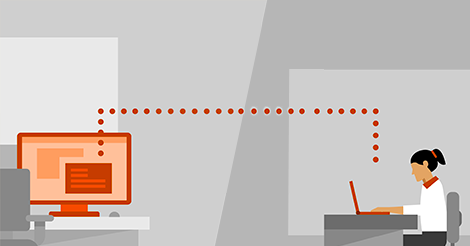
Midway through a hectic clinic day, the EHR server suddenly crashes, leaving doctors unable to access critical patient records. Delays like this can disrupt appointments, delay treatments, and frustrate both staff and patients. Using AnyViewer’s unattended remote access, the IT team connects instantly to the server without needing staff approval. They perform in-depth diagnostics, repair the corrupted database, and restore full EHR functionality within minutes. By resolving the issue remotely and quickly, the clinic avoids costly appointment cancellations and ensures patient care continues uninterrupted.
Telemedicine lag & network optimization
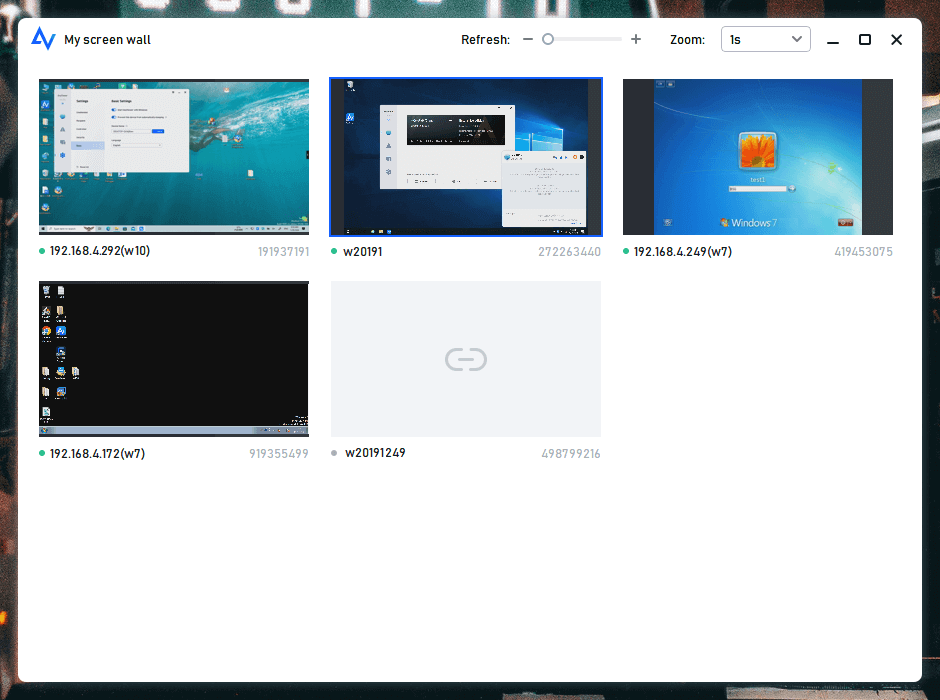
During peak telehealth hours, doctors may encounter lag or slow system performance that can indirectly affect the quality of virtual consultations. With AnyViewer’s screen walls feature allows for multi-session support, IT technicians can remotely access multiple workstations at once to monitor system performance, optimize network settings, clear temporary cache files, and adjust application configurations. This proactive maintenance ensures that the workstations run smoothly, supporting a more reliable telemedicine environment and allowing doctors to provide professional, uninterrupted care to patients.
Medical device integration fix
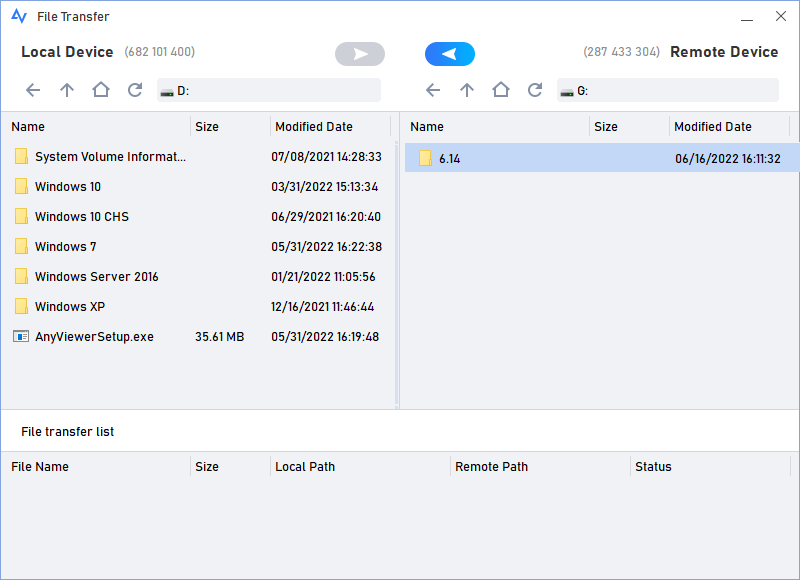
A newly installed diagnostic device fails to sync lab results with the clinic’s EHR system, slowing down patient testing and reporting. With AnyViewer’s file transfer function, the IT team remotely sends updated drivers and configuration scripts directly to the device’s connected PC. They then use real-time screen sharing to guide the nurse step-by-step through the final setup, ensuring that lab results are correctly integrated into patient records. This approach minimizes downtime and avoids the need for an on-site technician.
Customizable access permissions
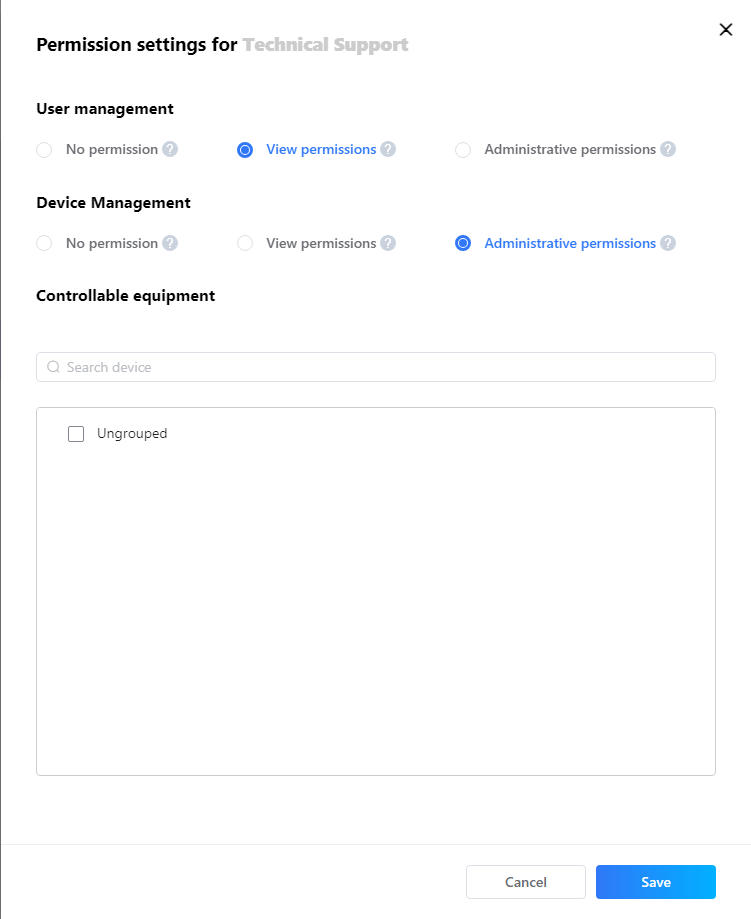
Certain clinic devices or workstations contain highly sensitive patient data that requires restricted access. Using AnyViewer’s granular access controls, technicians can securely view and repair only the specific systems they need to fix, without exposing other confidential files. This ensures privacy across departments, protects HIPAA compliance, and allows IT staff to maintain system integrity while performing targeted troubleshooting.
Session recording for compliance & training
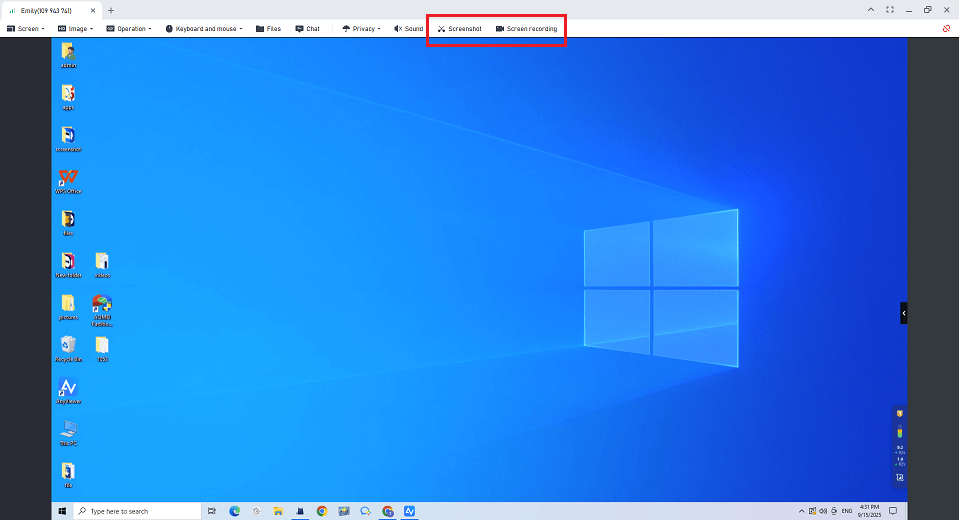
During complex updates, like a major EHR upgrade or telemedicine platform configuration, AnyViewer’s session recording feature enables IT teams to record the remote session. These recordings serve multiple purposes: they provide a reference for auditing and regulatory compliance, create training material for staff, and allow the clinic to review exactly what changes were made. This ensures accountability and supports continuous improvement in IT management.
After-hours system update & maintenance
To prevent interruptions during clinic hours, system updates and security patches are often scheduled at night. Using AnyViewer’s unattended maintenance mode, IT staff remotely apply updates, install security patches, and reboot systems. When staff arrive the next morning, all systems, including EHR, telemedicine platforms, and diagnostic integrations, are fully operational. This proactive approach reduces downtime, ensures system security, and keeps clinic operations running smoothly.
Conclusion
Medical clinics, hospitals, and healthcare facilities rely on smooth IT operations to deliver quality patient care. Traditional support can be slow, costly, and disruptive. AnyViewer provides secure, remote IT support for medical clinics, healthcare, and hospitals, allowing IT teams to resolve issues quickly, maintain telemedicine services, and protect sensitive data. Features like remote maintenance, session recording, and customizable access ensure clinics can reduce downtime and keep daily operations running efficiently.



 as a preferred
source on Google
as a preferred
source on Google