
Industrial Remote Medical Services A Practical Guide for Safer Sites
Industrial remote medical services provide healthcare to isolated sites by connecting local staff, remote clinicians, transport, and communications. This guide helps managers evaluate providers, test readiness, and clarify AnyViewer’s role in workstation maintenance versus clinical platforms.

By Ellie / Updated on October 30, 2026


What Are Industrial Remote Medical Services
Quick answer: Industrial remote medical services are healthcare arrangements for workers in industrial locations where ordinary clinical access is limited. Depending on site risks and local requirements, they may combine on-site medical staff, occupational health support, telemedicine, and coordinated referral or evacuation.
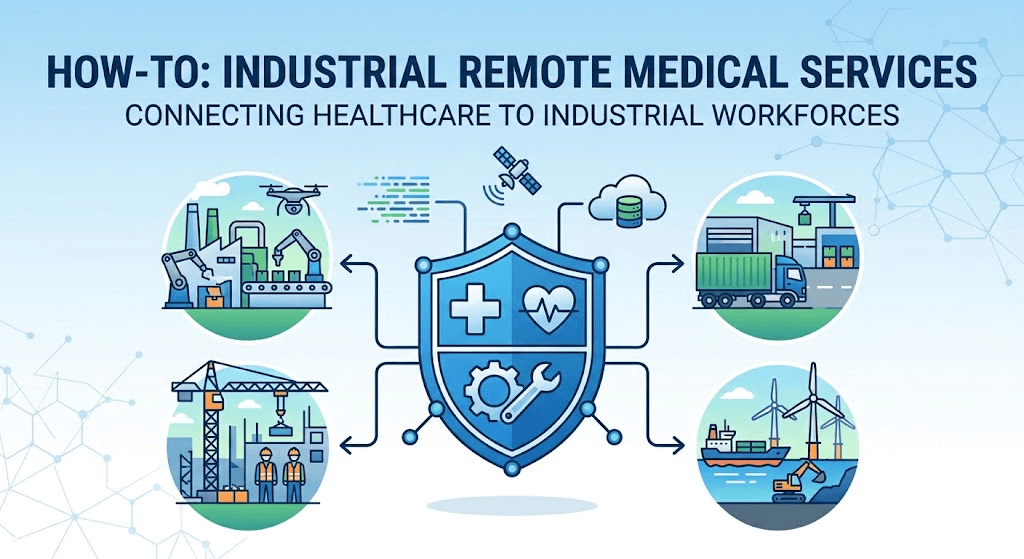
Examples include mining operations, offshore platforms, construction camps, and remote energy projects. “Remote” can describe the site's location or the clinician's connection; it does not mean that all care happens online.
Remote-site providers such as RemoteMD describe on-site medical staffing for these environments. Staffing levels, qualifications, and clinical responsibilities must match the location and work hazards.
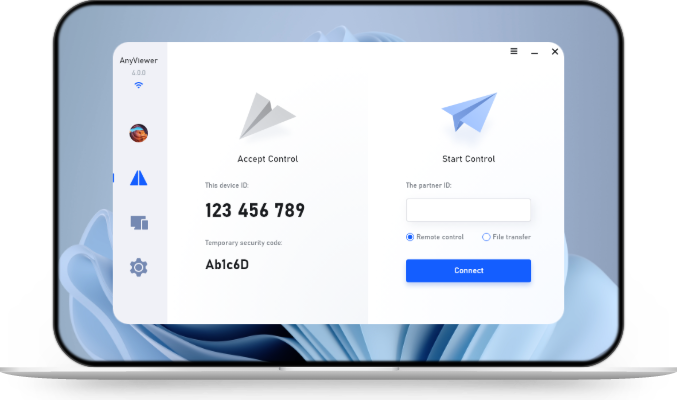
AnyViewer may help IT staff maintain a supported site-clinic computer through an approved remote access workflow. As part of remote IT support services, it serves as a desktop support option, not a medical service or a substitute for a clinical telehealth platform.
|
Service layer |
Main purpose |
What must be established |
|
On-site medical capability |
Provide appropriate local assessment and response |
Qualified personnel, equipment, and scope of practice |
|
Remote clinical support |
Connect staff or patients with clinicians |
Clinical responsibility, suitable technology, and authorization |
|
Referral and transport |
Reach the required level of in-person care |
Destination, activation process, and transport arrangements |
|
Technical support |
Keep approved workstations usable |
Restricted access, support ownership, and fallback procedures |
Benefits of Industrial Remote Medical Services
Earlier Access to Clinical Guidance
A remote consultation can connect a site with a clinician when suitable local expertise is unavailable. Its usefulness depends on communication quality, the information available, and whether the situation is appropriate for remote assessment.
Do not delay the site's emergency response while trying to restore a video connection. Staff should follow the established emergency plan when urgent in-person assistance is needed.
Better Coordination Between the Site and Receiving Providers
A defined service can clarify who contacts the clinician, who records the encounter, and who arranges transfer. This reduces uncertainty about responsibilities during a stressful event.
International SOS's medical transportation planning service illustrates why referral pathways and transport planning belong in remote-site healthcare design.
More Practical Access to Suitable Follow-Up Care
When clinically appropriate, remote follow-up may reduce travel for certain reviews or discussions. The clinician decides whether an examination, investigation, or in-person appointment is necessary.
- Plan consultations around shift patterns and privacy.
- Provide language or accessibility support when needed.
- Define responsibility for follow-up and missed appointments.
- Measure access and service quality rather than assuming every avoided trip is a clinical benefit.
How to Set Up Industrial Remote Medical Services
Step 1. Assess Site Risks and Existing Healthcare Access
Document workforce size, shift coverage, work activities, environmental hazards, and access constraints. Consider actual travel conditions, including weather and seasonal disruption, rather than relying only on map distance.
Have qualified occupational health and safety professionals determine the clinical capability required. This article is a service-planning guide; treatment protocols and staffing decisions need site-specific professional review.
Step 2. Define Clinical Ownership and Staffing
Identify the medical director or responsible clinical provider. Document the roles of on-site personnel, consulting clinicians, first responders, and site management.
Ask prospective providers:
- Which qualifications and relevant remote-site experience do staff hold?
- Who supplies clinical supervision and out-of-hours cover?
- How are absence, handover, and escalation handled?
- Which services require local examination or referral?
Confirm applicable licensing, consent, prescribing, and scope-of-practice requirements for the places where care is delivered. Requirements vary; employer approval alone does not establish clinical authorization.
Step 3. Choose Clinical Technology and Protect Information
Select consultation and record systems through clinical, privacy, and IT review. Check that the workflow supports the information the clinician needs, appropriate consent, accessible communication, and a private consultation space.
For U.S. HIPAA-covered workflows, review HHS telehealth technology requirements, including applicable vendor agreements. Other jurisdictions have their own requirements. Encryption or a product's security features alone do not establish compliance.
Separate clinical access from technical support permissions. Avoid placing patient information in ordinary support chat, screenshots, or file transfers without an approved purpose and process.
Step 4. Create an Emergency and Transport Plan
Record how staff activate local emergency help, reach clinical backup, and coordinate referral or transport. Include the site's precise location, access instructions, receiving facilities, and a local contact.
The HHS telehealth emergency-planning guide recommends confirming location and planning reconnection if contact is lost. Adapt these principles to the site's operating conditions with the clinical provider.
Agree who takes action if a call drops. Keep an accessible offline copy of essential contact and activation instructions. Do not make the only emergency communication route depend on one workstation.
Step 5. Test Connectivity and the Full Workflow
Run a nonclinical rehearsal before launch. Use test data rather than live patient records. Check the actual consultation room and the network conditions expected during working hours.
- Confirm video and audio work where they are required.
- Test the approved backup communication method and power arrangements.
- Rehearse clinician contact, handover, and transport activation.
- Verify records go into the correct approved system.
- Check how technical staff obtain and end support access.
HHS includes training and joint exercises in its telehealth emergency preparedness guidance. A successful test call alone does not demonstrate that the complete service is ready.
Step 6. Review Readiness and Service Performance
Track measures such as clinician connection time, failed consultations, unresolved technical incidents, and completion of scheduled drills. Review handover failures and transport obstacles with the responsible professionals.
For example, a rehearsal may reveal that the backup phone cannot reach the clinical support number from the site. Fix and retest that gap before launch. This is an illustrative scenario, not a reported test result.
Where AnyViewer Fits in Remote Clinic IT Support
A failed workstation can disrupt access to approved clinical applications. For supported computers, AnyViewer remote access is an option for authorized technical troubleshooting, subject to organizational approval.
Relevant capabilities include:
- Remote Control: Investigate an approved workstation problem.
- Attended Remote Support: Let local staff approve a support request.
- Text chat: Coordinate technical steps without discussing clinical details.
Begin with a maintenance test using nonpatient data. Check current supported environments, restrict privileges, and keep unrelated patient records closed. Only access devices, accounts, and files that you own or are explicitly authorized to use.
Do not assume AnyViewer supplies clinical video consultation, electronic health records, medical-device control, or a verified healthcare compliance arrangement. Before any support access involving protected health information, review the vendor's role, required contracts, and safeguards. HHS business associate guidance addresses IT support involving electronic protected health information.
To assess the technical fit, review AnyViewer's remote support solution and pilot an approved, nonclinical workstation task.



 as a preferred
source on Google
as a preferred
source on Google