
Secure Industrial Remote Connectivity Guide
A comprehensive guide covering industrial remote connectivity, architecture steps, security best practices, and agile tools like AnyViewer for efficient OT support.

By Ellie / Updated on August 14, 2026


Industrial remote connectivity is no longer an optional upgrade for modern manufacturing and automation; it is the backbone of efficient, scalable plant operations. Engineering teams and machine builders face constant pressure to minimize unplanned downtime, reduce expensive onsite service trips, and maintain strict cybersecurity compliance across operational technology (OT) environments.
What Is Industrial Remote Connectivity?
Industrial remote connectivity refers to the secure hardware, software, and networking infrastructure that allows engineers, maintenance teams, and original equipment manufacturers (OEMs) to access, monitor, and troubleshoot industrial automation equipment from anywhere in the world.
Unlike traditional IT remote desktop solutions designed for office environments, industrial setups interface directly with mission-critical operational hardware, including:
- Programmable Logic Controllers (PLCs)
- Human-Machine Interfaces (HMIs)
- Supervisory Control and Data Acquisition (SCADA) systems
- Industrial robots and CNC machinery
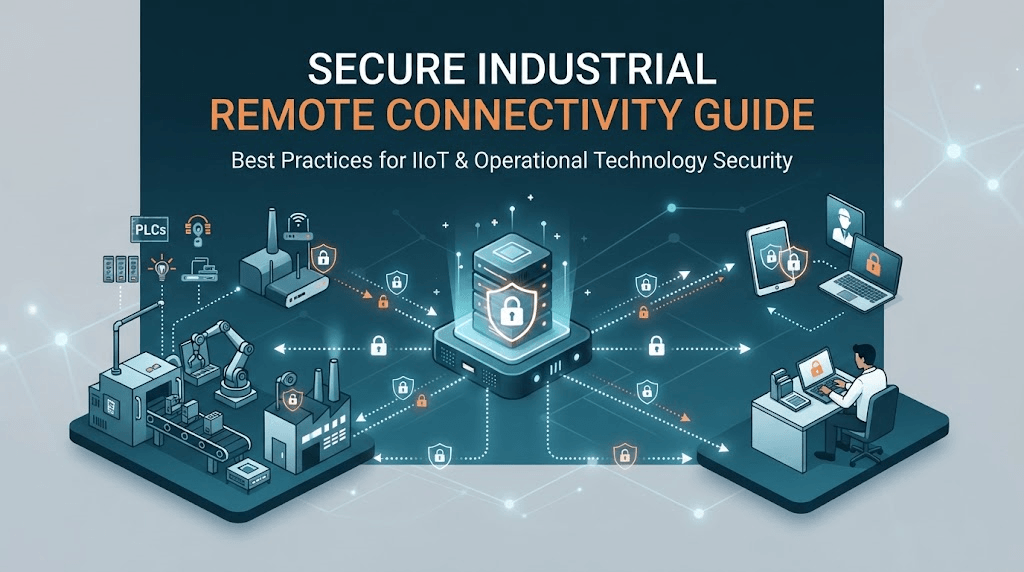
A typical deployment relies on an industrial edge gateway installed on the plant floor, connected via a secure, encrypted tunnel to a cloud management portal, allowing authorized technicians to diagnose issues as if they were standing right in front of the control cabinet.
Why Modern Plants Need Industrial Remote Connectivity
Operational efficiency hinges on how quickly equipment issues can be resolved. Relying entirely on physical dispatches for routine code updates or basic diagnostics drains company resources. Implementing robust remote connectivity delivers measurable advantages across the enterprise:
- Massive Reduction in Travel Costs and Response Times
When a critical machine halts overseas, waiting days for a field service engineer to arrive destroys profit margins. Remote connectivity allows automation specialists to log in instantly, inspect PLC logic, and resolve software faults within minutes rather than days.
- Elimination of Unplanned Downtime
Real-time remote visibility enables continuous monitoring and rapid troubleshooting. Maintenance teams can catch anomalies early, deploy configuration updates, and prevent minor glitches from escalating into catastrophic factory shutdowns.
- Streamlined Multi-Site Management
OEMs managing hundreds of machines deployed across global customer sites can centralize their support operations. Instead of deploying technicians to dozens of different facilities, a single engineering hub can oversee global fleet health through a unified dashboard.
How to Establish Secure Industrial Remote Connectivity
Deploying connectivity into OT environments requires a rigorous, step-by-step approach to balance accessibility with enterprise-grade security.
Step 1: Assess Network Topography and Hardware Requirements
Begin by auditing your current plant floor infrastructure. Identify which PLCs, HMIs, and edge devices require external access. Determine whether your machinery sites have reliable wired Ethernet connections or if you need cellular-ready (4G/5G) industrial gateways to bypass local corporate firewalls safely.
Step 2: Implement Zero Trust and Network Segmentation
Never expose industrial control systems directly to the public internet or flat corporate networks. Implement a strict Purdue Model segmentation strategy:
- Isolate the OT network from the IT enterprise network.
- Deploy industrial firewalls and enforce the principle of least privilege, ensuring users only access the specific device they are authorized to manage.
Step 3: Choose the Right Software Solution
Transitioning from network-level hardware gateways to practical execution requires selecting software capable of bridging engineers directly to plant floor consoles. This balance of performance and control is where specialized remote management platforms become essential for daily maintenance workflows.
Step 4: Enforce Multi-Factor Authentication (MFA) and Encrypted Tunnels
Ensure all remote communication channels rely on modern cryptographic protocols (such as AES-256 and SSL/TLS tunnels). Mandate Multi-Factor Authentication (MFA) for all administrative and maintenance accounts to prevent unauthorized access through compromised credentials.
Step 5: Test, Audit, and Maintain Logs
Before moving a remote access architecture into full production, run comprehensive penetration tests. Continuously monitor access audit logs to track who logged in, which devices were accessed, and the exact duration of each session to ensure ongoing regulatory compliance.
Streamlining OT Access with AnyViewer
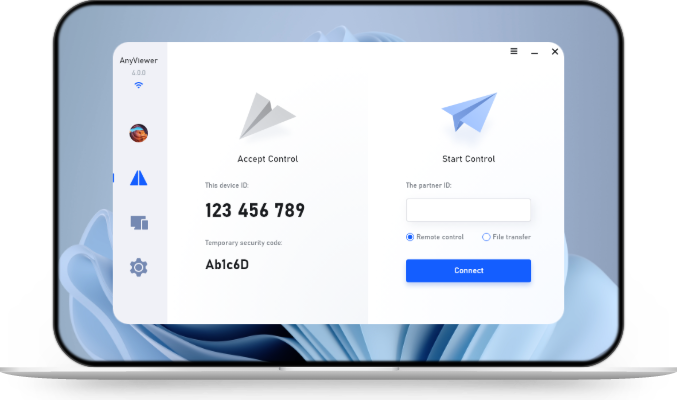
While traditional industrial setups often rely on complex, hardware-heavy VPN appliances, modern maintenance workflows benefit from agile, software-driven remote management tools. AnyViewer bridges the gap by offering high-performance remote desktop capabilities tailored for engineering workstations and operator panels, delivering unmatched speed and reliability for mission-critical operations.
Key advantages of integrating AnyViewer into an industrial support strategy include:
- Lightning-Fast Connection Speed & Low Latency: Engineered for instant responsiveness, allowing technicians to diagnose PLC and HMI anomalies in real time without frustrating input lag.
- Rapid Deployment: Quick installation on engineering PCs allows teams to establish stable sessions without complex network reconfigurations.
- True Color Display Support: Ensures precise visual monitoring of HMI interfaces and SCADA software dashboards without compression artifacts.
- Robust Session Controls: Multi-factor authentication, permission management, and encrypted data channels ensure that remote interventions remain secure and fully auditable.
- Multi-Screen Wall Monitoring: Enables plant supervisors and engineers to simultaneously view and monitor multiple remote endpoints or production lines on a single display dashboard, significantly enhancing large-scale operational oversight and situational awareness.
Conclusion
Mastering industrial remote connectivity is essential for minimizing downtime, cutting service costs, and maintaining robust OT security. By combining zero-trust architecture, proper network segmentation, and efficient software tools like AnyViewer, engineering teams can achieve seamless, secure global access to critical plant infrastructure.



 as a preferred
source on Google
as a preferred
source on Google