
Ultimate Guide to Industrial Data Logging and Monitoring
Learn how industrial data logging and monitoring systems capture physical parameters, optimize plant operations, and ensure regulatory compliance through advanced hardware, protocols, and remote management tools.

By Ellie / Updated on August 13, 2026


Industrial data logging and monitoring systems form the bedrock of modern manufacturing, plant automation, and equipment maintenance. Unlike temporary test gauges, these setups operate continuously to automatically measure, record, and track physical parameters, such as temperature, pressure, current, vibration, and flow rates.
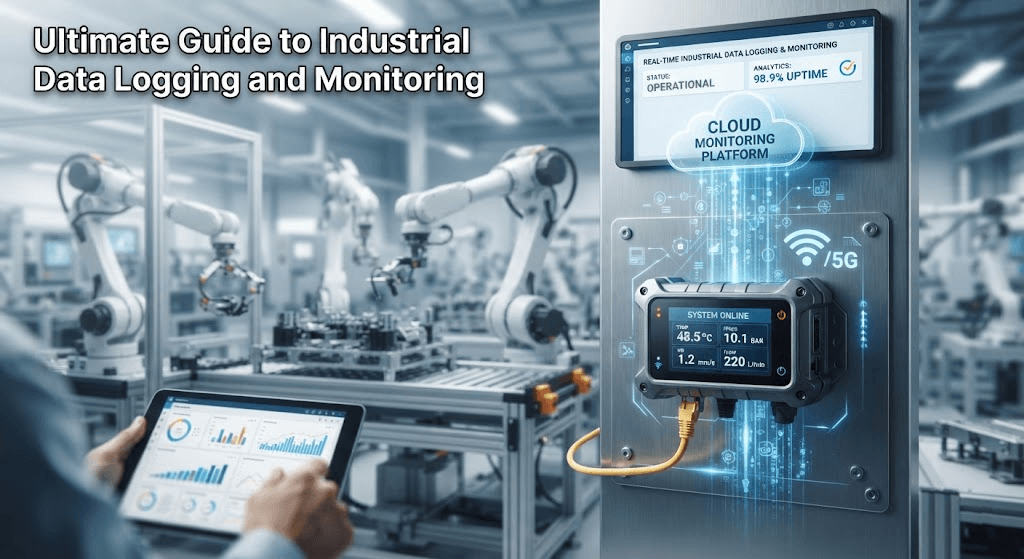
By combining robust hardware sensors, edge loggers, and centralized dashboards, they convert real-world conditions into time-stamped digital data streams, allowing engineers to detect anomalies, evaluate performance against historical baselines, and transform raw signals into actionable insights for continuous uptime and regulatory compliance.
Key Benefits of Industrial Data Logging and Monitoring
Deploying a comprehensive monitoring infrastructure delivers immediate operational advantages across the entire plant lifecycle:
- Real-Time Process Optimization: Continuous tracking helps operators fine-tune operating parameters (such as kiln temperatures or hydraulic pressures), ensuring that production output remains consistently within tight quality specifications.
- Predictive and Condition-Based Maintenance: Analyzing historical performance trends catches early signs of mechanical wear, bearing degradation, or thermal drift before catastrophic component failure occurs, drastically reducing unplanned downtime.
- Strict Regulatory Compliance: Highly regulated sectors, including pharmaceuticals, food and beverage, and cold-chain logistics, require immutable, audit-ready digital historical records to meet mandatory standards such as FDA, GxP, and HACCP.
- Enhanced Workplace Safety: Automated threshold alerts instantly notify engineers of hazardous pressure spikes or toxic gas accumulation, preventing equipment damage and protecting on-site personnel.
Core Components and System Architecture
Building a reliable industrial data logging system requires a tightly integrated hardware and software chain. Understanding each layer ensures seamless data flow from the sensor to the control room.
1. Sensors and Transducers
Physical phenomena must first be converted into standardized electrical signals. Common transducers include:
- Thermocouples and RTDs: For precise thermal measurement in ovens, autoclaves, and cold storage.
- Pressure Transducers and Flow Meters: For hydraulic lines, pneumatic systems, and fluid transport pipelines.
- Current Transformers (CTs) and Voltmeters: For monitoring electrical load profiles and power consumption.
2. Edge Data Loggers and Gateways
Raw electrical signals (such as 4-20mA loops or pulse outputs) feed directly into hardware loggers. These devices digitize the signals via microprocessors, apply precise real-time timestamps, handle local buffering during network outages, and manage user-defined sampling intervals.
3. Industrial Protocols and Connectivity
Modern systems transmit structured data packets using field-proven industrial communication protocols over Ethernet, Wi-Fi, cellular networks, or industrial buses:
- Modbus (RTU / TCP)
- MQTT
- OPC UA
4. Centralized Software and HMI Dashboards
Data culminates in SCADA systems, local HMIs (Human-Machine Interfaces), or cloud-based IoT dashboards. These platforms render real-time charts, store historical trends in SQL databases, and manage alarm escalation protocols.
How to Set Up an Industrial Data Logging and Monitoring System
Implementing a robust monitoring workflow requires a structured, step-by-step approach from initial site assessment to daily operational management.
Step 1: Define Monitoring Objectives and Parameters
Identify exactly what needs to be measured and why. Determine whether you are tracking temperatures for food safety compliance, vibration frequencies for motor health, or power consumption for energy auditing. Establish the required sampling rate (e.g., logging every second versus every ten minutes).
Step 2: Select Appropriate Hardware Sensors and Loggers
Choose industrial-grade hardware rated for your specific environment (e.g., NEMA-rated enclosures for washdown areas or intrinsically safe barriers for hazardous zones). Ensure the logger supports the correct number of channels and input types (analog, digital, thermocouple).
Step 3: Wire and Configure Data Collection Endpoints
Mount the loggers securely (such as on standard DIN rails within control cabinets), wire the sensor loops, and configure the device IP addresses, sampling intervals, and local storage parameters using the manufacturer configuration software.
Step 4: Establish Network Infrastructure and Security Baselines
Engineering teams rarely sit directly in front of local panel HMIs all day. Before deploying remote management tools, ensure that your local control stations have stable network connectivity, secure firewall configurations, and proper IP addressing (such as static IPs or local subnet access) to allow authorized remote workstations to communicate with the plant floor without exposing industrial assets to external security risks.
Step 5: Configure Alarm Triggers and Automated Responses
Set up intelligent threshold rules within your monitoring software. Ensure that if a parameter exceeds safe operating limits (e.g., motor winding temperature rising above 85°C), the system instantly triggers automated warnings via SMS, email, or visual alarms.
Bridging the Gap: Remote Access for Plant Floor Monitoring Terminals
Deploying sensors and data logging software across a facility creates a massive volume of real-time insights, but raw data is only valuable if engineering teams can act on it immediately. When an unexpected alarm triggers, such as a sudden pressure drop in a hydraulic line or an abnormal thermal spike in a generator, technicians need instant visibility into the local monitoring software without losing valuable minutes traveling to the factory floor.
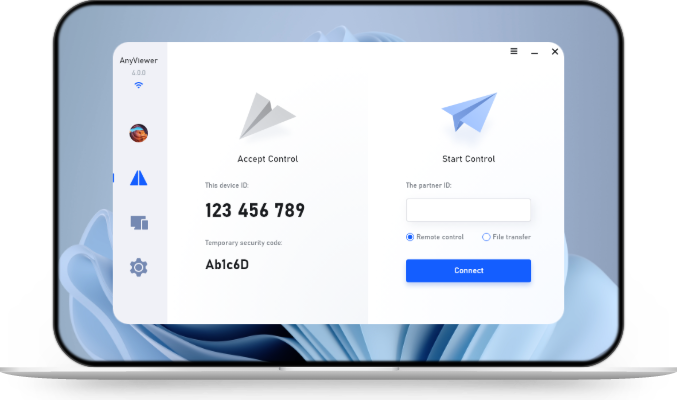
To bridge this gap, integrating reliable remote desktop software such as AnyViewer into your operational workflow ensures seamless oversight. By establishing an encrypted remote connection from an office PC or mobile device to the plant’s local data logging workstation, engineering teams can instantly:
- View live SCADA displays and real-time sensor graphs remotely.
- Export historical log files and review trend data during troubleshooting.
- Respond to automated threshold alerts instantly to minimize downtime and maintain uninterrupted facility operations.
Conclusion
Implementing industrial data logging and monitoring systems is essential for maximizing manufacturing uptime, predicting equipment failures, and ensuring compliance. By integrating robust hardware sensors, edge loggers, and secure remote access tools like AnyViewer for real-time plant monitoring and remote IT support, engineering teams can maintain complete oversight and respond to critical alerts instantly from anywhere.



 as a preferred
source on Google
as a preferred
source on Google