
How to Secure Unattended Remote Access
This guide outlines essential security practices for unattended remote access, such as MFA, strict device controls, and regular audits, and shows how AnyViewer provides a secure, easy-to-use connection without complex network configurations.

By Ellie / Updated on August 24, 2026


The Hidden Dilemma of Unattended Remote Access
Picture this: It’s the weekend, you’re miles away from the office, and an urgent client file is sitting squarely on your desktop PC. Or perhaps you’re an IT administrator managing dozens of remote workstations across different locations who needs to perform critical midnight system updates without waking anyone up. This is where unattended remote access becomes an absolute lifeline.
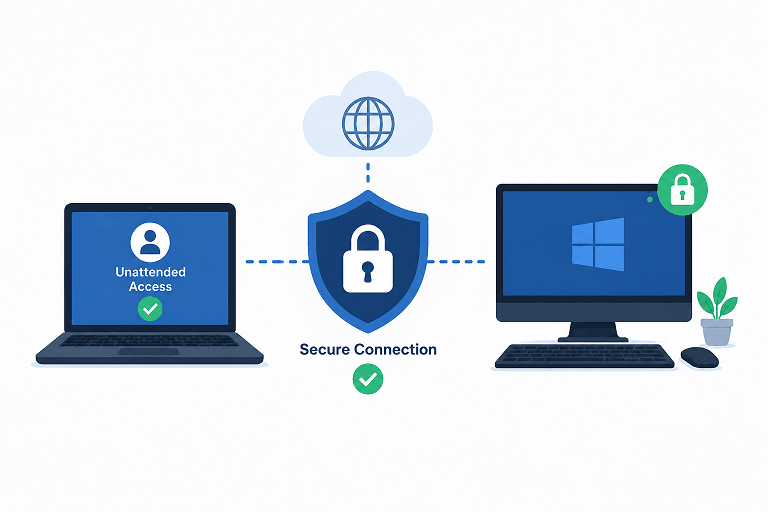
Unlike attended support, where someone must physically sit at the host computer to approve your connection, unattended access lets a verified user connect instantly without a local prompt. While this frictionless convenience is precisely what makes remote work and modern IT support possible, the absence of a local approval gate means your digital front door requires robust, multi-layered safeguards.
A truly secure setup relies on four non-negotiable pillars: identity verification, device restriction, encrypted connections, and active oversight. Relying on a weak, reused password is an open invitation for compromise. Your setup must actively block unauthorized devices, restrict user privileges, and generate clear audit logs for every single session.
How to Secure Unattended Remote Access Step by Step
Security starts at the host machine itself. No remote tool can compensate for an unpatched operating system, a shared administrative password, or a complete lack of device visibility.
- Inventory & Purpose: Audit which devices truly require unattended access. Keep your active host list concise and document the specific business or personal purpose for each endpoint.
- Dedicated Accounts: Never share credentials among family members, team members, or external contractors. Assign a unique, dedicated account for every individual.
- Multi-Factor Authentication (MFA): Enforce multi-factor authentication across all remote-access accounts. Secure your recovery emails and backup verification methods with equal vigilance.
- Prompt Patching: Keep your operating system, web browsers, and remote-access software fully updated. Enable automated updates wherever your workflow permits.
- Strict Access Boundaries: Limit connection permissions exclusively to approved users and trusted devices. Instantly prune old laptops, inactive mobile devices, and former staff accounts.
- Principle of Least Privilege: Ensure support accounts do not automatically carry unrestricted administrator rights or open access to sensitive corporate directories.
- Logging & Real-Time Alerts: Activate session logging and connection alerts, reviewing them on a cadence that matches the security sensitivity of your environment.
- Revocation Testing: Test your offboarding: intentionally disconnect a device or revoke a user and verify that access stops immediately. This crucial test is often skipped until it's too late.
Protect the Account Before You Protect the Session
The vast majority of unattended access breaches do not stem from sophisticated zero-day exploits; they start with foundational account vulnerabilities, reused passwords, weak recovery options, or lingering access from former employees. Harden your accounts before tweaking advanced network configurations.
- Password Management: Utilize a long, unique passphrase stored in a reputable password manager. Never reuse corporate credentials across consumer platforms.
- Strong MFA Standards: Prioritize authenticator apps or hardware security keys over vulnerable SMS text-message verifications.
- Regular Session Audits: Review active sessions and trusted device lists routinely, especially after traveling, device upgrades, or security alerts.
- Dynamic Access Codes: Avoid static, easy-to-guess permanent access codes. Opt for rotating or temporary verification codes whenever performing one-off support tasks.
- Individualized Access: Equip every technician and team member with a distinct identity. Shared admin accounts destroy accountability and complicate incident investigations.
- Structured Governance: Establish clear internal policies detailing who can authorize new hosts, enroll users, and the exact timeline for revoking permissions following a role change.
Harden the Host Computer and Network Infrastructure
Even when your remote data stream is heavily encrypted, the host computer remains exposed to local vulnerabilities. Enforce automatic screen locking during idle periods, utilize standard user accounts for day-to-day operations, and deploy full-disk encryption to protect data at rest.
Crucially, avoid exposing native remote desktop ports directly to the open internet unless managed by an experienced administrator with rigorous security controls. Direct exposure dramatically widens your attack surface. Relying on an enterprise-grade remote access service or a managed VPN streamlines connectivity while maintaining tight security controls.
Streamlining Secure Unattended Access with AnyViewer
Striking the right balance between bulletproof security and everyday usability has long been the primary challenge of remote administration. Traditional enterprise setups often demand complex VPN configurations and grueling router port-forwarding rules, hurdles that slow down productivity.
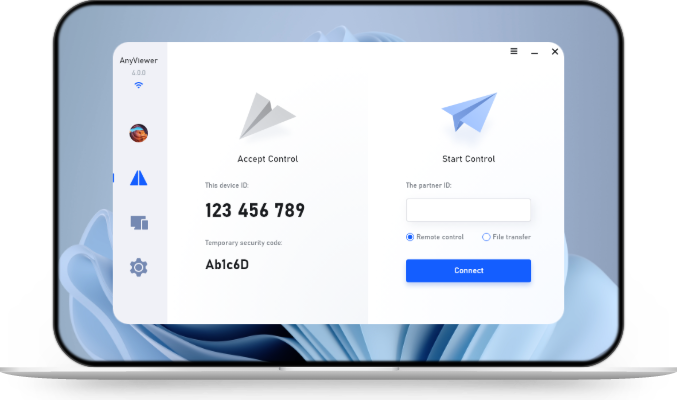
AnyViewer bridges this gap by offering a seamless, lightning-fast unattended remote access workflow tailored for office PCs, managed corporate endpoints, and personal admin machines, all without requiring manual network reconfigurations. It delivers enterprise-grade security features wrapped in an intuitive, user-friendly interface.
When deploying AnyViewer for authorized unattended access, follow these security best practices:
- Account-Level Protection: Sign in with a strongly protected master account and enforce two-factor authentication across your plan.
- Device Authorization Controls: Leverage built-in allow/block lists and device authorization features to purge unrecognized or legacy endpoints instantly.
- Privacy Mode Activation: Deploy Privacy Mode during sensitive remote sessions to black out the host computer's physical screen, keeping your data shielded from prying eyes locally.
- Secure File Transfers: Utilize built-in high-speed remote file transfer strictly for authorized assets, ensuring data handling remains fully compliant with internal standards.
- Ecosystem Verification: Regularly review official security documentation and platform guidelines to align your AnyViewer deployment with evolving corporate risk frameworks.
Limit Access by Role, Time, and Data Sensitivity
The safest remote session is one with a well-defined scope that terminates immediately upon task completion. For individuals, this means keeping a tight leash on trusted devices. For IT teams, it involves strict role-based access control (RBAC) and clean lifecycle management.
Segment high-value assets whenever possible. Workstations handling proprietary source code, financial records, healthcare data, or customer databases should never be globally accessible to every support account. Enforce rigorous approval gates as data sensitivity scales upward.
When Unattended Access is the Wrong Choice
Opt for attended support instead when real-time user consent is required, when the engagement is strictly temporary, or when the remote operator needs continuous live verification for viewing or modifying system parameters. Furthermore, unattended access is unsuited for unmanaged personal hardware that lacks baseline encryption and patching standards.
Monitor, Audit, and Revoke Access Continuously
Security is an ongoing operational rhythm, not a one-time configuration checkbox. Audit your registered hosts, active users, and trusted devices regularly, quarterly for lean teams, and much more frequently for environments handling sensitive data. Scan for dormant accounts, strange device labels, and unverified tools left behind from past tasks.
If an account compromise is suspected, move swiftly: sever all active connections, reset credentials immediately, invalidate trusted devices, review audit logs, and inspect host systems for anomalies. Never assume a simple password reset fully resolves an active security breach.
Conclusion
Securing unattended remote access requires a balance of strong authentication, strict device controls, and ongoing monitoring. By pairing these essential security practices with a reliable tool like AnyViewer, you can achieve seamless remote connectivity without compromising your digital safety.
Ready to combine effortless remote accessibility with ironclad security? Audit your current device permissions today, prune redundant tools, and explore how AnyViewer can streamline your remote workflow safely.



 as a preferred
source on Google
as a preferred
source on Google