
Factory Remote Access Software: Complete Operational & IT Guide
Factory remote access software enables real-time troubleshooting for IPCs, HMIs, and SCADA systems to reduce downtime and travel costs. AnyViewer offers fast, secure, and low-latency remote management to keep production lines running smoothly.

By Ellie / Updated on August 10, 2026


Unplanned downtime on a production line can cost industrial enterprises thousands of dollars per minute. When an Industrial PC (IPC) halts, a SCADA system freezes, or an HMI display misbehaves, waiting hours for an off-site engineer to arrive is no longer viable.
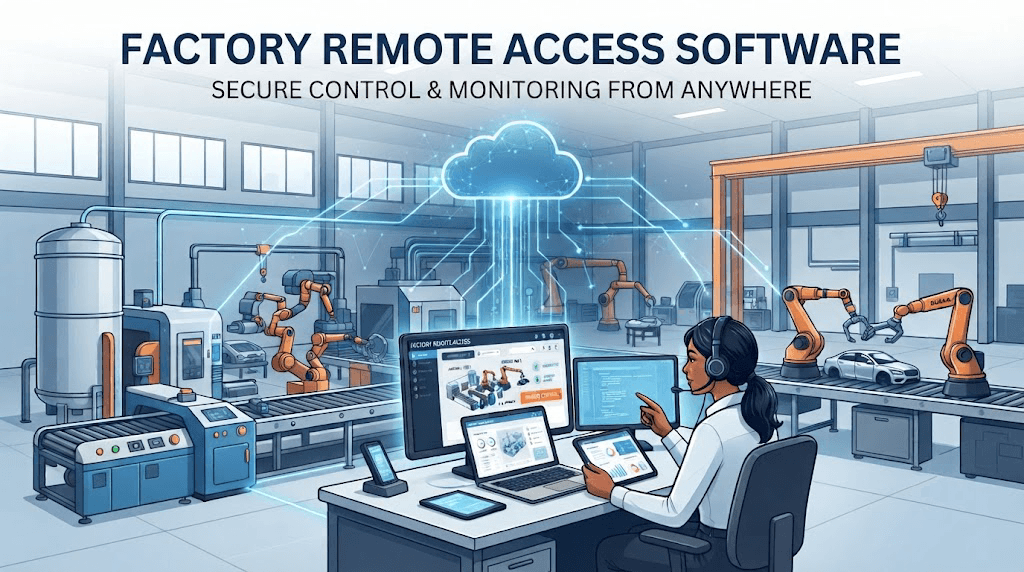
Implementing robust factory remote access software enables internal IT teams, OT engineers, and external vendor specialists to diagnose, control, update, and support plant floor machinery in real time, slashing Mean Time to Repair (MTTR), streamlining technical support operations, and maintaining strict Operational Technology (OT) network security.
Key Benefits of Deploying Factory Remote Access Software
Adopting specialized factory remote access software delivers measurable operational advantages for manufacturing facilities.
- Instant Technical Support & Downtime Reduction
When a control panel or monitoring program fails, on-site operators can immediately request remote intervention. Through factory remote access software, specialists can view the screen live, take control to adjust software parameters, or guide local staff through physical checks, resolving issues within minutes rather than hours.
- Streamlined Multi-Terminal IT & OT Management
Modern smart factories operate dozens of Windows and Mac IPCs across distinct production lines. Centralized factory remote access software allows IT administrators to deploy updates, monitor system health, and manage files across multiple terminals from a single dashboard.
- Secure Third-Party Vendor Access
Facilities frequently rely on specialized OEMs and external vendor contractors for equipment maintenance. Dedicated factory remote access software allows admins to issue temporary, session-restricted access without revealing internal network credentials or granting blanket network visibility.
- Reduced Field Service Expenses
Dispatching engineers on-site incurs heavy travel, lodging, and emergency response costs. Handling up to 80% of software diagnostics, configuration adjustments, and user guidance through factory remote access software dramatically lowers operating expenses.
Core Operational Scenarios for Factory Remote Access Software
The table below outlines common factory scenarios and how remote access software addresses each operational need:
|
Operational Scenario |
Primary Mode |
How It Functions |
Primary Goal |
|
Emergency Line Breakdown |
Attended Remote Support |
On-site operator requests live help; remote technician connects instantly via software to guide repair. |
Rapid recovery & zero travel delay |
|
Scheduled Software Patching |
Unattended Remote Access |
IT updates SCADA or IPC software off-hours using software background management without disrupting active shifts. |
Zero production downtime |
|
Vendor Equipment Tuning |
Secure Attended Session |
External OEM gets time-bound software access to tune specific control software under supervision. |
Controlled third-party intervention |
|
Multi-Plant Asset Monitoring |
Unattended Remote Access |
Centralized team connects to remote factory terminals via software to pull logs and monitor performance metrics. |
Unified cross-plant visibility |
Technical Features Essential in Factory Remote Access Software
When evaluating factory remote access software platforms for industrial use, ensure the tool meets these core technical standards:
- High Frame Rate & Low Latency: Smooth display (high FPS) and low latency are critical for operating HMI software accurately and viewing real-time video feeds or SCADA metrics.
- Cross-Platform Compatibility: Full support across Windows, Mac, iOS, and Android to ensure technicians can provide remote access for IT support from workstations, tablets, or mobile devices.
- Encrypted Data Transfer: End-to-end encryption protects sensitive industrial data and system credentials during active remote sessions.
- Flexible Authorization Protocols: Options for one-click unattended access (for owned assets) alongside code-based attended authorization (for secure live support sessions).
- High-Speed File Transfer: Fast, reliable file transfer capabilities for pushing software patches, PLC project files, and diagnostic logs between endpoints.
Recommended Factory Remote Access Software: AnyViewer
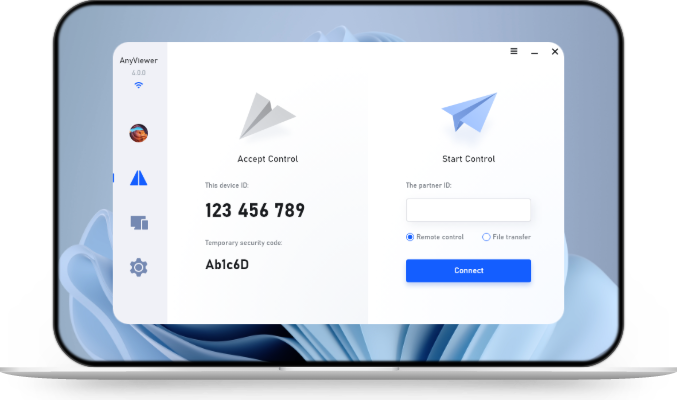
For manufacturing facilities looking to balance ease of use, low latency, and robust security across factory IPCs, Windows control terminals, and management workstations, AnyViewer serves as a reliable factory remote access software free solution.
1. Dual-Mode Access for Hybrid OT Operations
- Unattended Access for 24/7 Asset Management: Securely connect to unmanned Industrial PCs (IPCs), SCADA host machines, and automated control terminals at any time for off-hours software updates, routine monitoring, and background maintenance.
- Attended Remote Support for Live Assistance: On-site operators can generate secure, temporary access codes to request immediate assistance during equipment breakdowns, granting remote engineers instant control while maintaining full local oversight.
2. High-Performance Control & Real-Time Responsiveness
- Ultra-Low Latency & High Frame Rates: Optimized screen-streaming algorithms deliver smooth motion rendering, allowing automation engineers to manipulate precise HMI interfaces, adjust PLC software settings, and view real-time video feeds without visual lag.
- Multi-Monitor & Concurrent Session Management: Centralized IT/OT teams can switch between multi-screen control stations or manage concurrent connections across several plant terminals simultaneously from a single dashboard.
3. Industrial-Grade Security & Access Governance
- Bank-Level End-to-End Encryption: Utilizes Elliptic Curve Cryptography (ECC) and AES-256 encryption to protect sensitive manufacturing data, machine configurations, and credentials from unauthorized interception.
- Granular Identity & Access Controls: Supports Multi-Factor Authentication (MFA), customizable access permissions, and session locks to help facilities enforce strict zero-trust security guidelines across internal and third-party users.
4. Seamless Mobility & Rapid Multi-Terminal File Transfer
- Cross-Platform Accessibility: Full compatibility across Windows, Mac, iOS, and Android enables field engineers and plant managers to monitor systems or provide support from laptops, tablets, or smartphones anywhere, anytime.
- High-Speed File Transfer & Log Retrieval: Integrated multi-threaded file transfer allows rapid uploading of software patches, PLC project files, and HMI configurations, as well as fast retrieval of system diagnostic logs.
5. Fast Deployment & Exceptional Return on Investment (ROI)
- Lightweight Implementation: Simple installation and an intuitive interface eliminate steep learning curves and lengthy setup procedures, reducing reliance on specialized IT personnel.
- Predictable & Scalable Cost Model: Flexible licensing allows growing manufacturing enterprises to scale their remote support infrastructure cost-effectively across multiple workstations or plant sites without heavy enterprise overhead.
Step-by-Step Guide: Deploying Factory Remote Access Software
Follow this implementation roadmap to establish safe remote workflows on your plant floor using factory remote access software.
Step 1: Categorize Factory PCs
Group your factory computers (IPCs, HMI terminals, SCADA hosts) by how they will be accessed:
- Unattended Access: For 24/7 background management of unmanned IPCs and SCADA hosts.
- Attended Support: For live, operator-assisted troubleshooting during equipment breakdowns.
Step 2: Install AnyViewer & Assign Devices
- Download and install AnyViewer on target factory PCs and off-site technician devices (Windows, Mac, iOS, Android).
- Log in with a central AnyViewer account and assign your factory PCs to structured device groups (e.g., Production-Line-1, Assembly-IPC).
Step 3: Configure Security & Access Codes
- Enable Two-Factor Authentication (2FA)for all technician accounts.
- Set strong, permanent security codes for unattended IPCs, or use temporary security codes for live support sessions.
Step 4: Train On-Site Operators
- Show plant floor workers how to share their AnyViewer Device ID and security code when requesting remote assistance.
- Ensure operators know they can click Disconnect on the HMI screen at any time to stop a remote session immediately for safety.
Step 5: Start Managing & Transferring Files
- Connect with one click for routine maintenance or live support.
- Use AnyViewer’s built-in file transfer to quickly send PLC updates or download diagnostic logs from factory terminals.
Conclusion
Adopting robust factory remote access software is essential for modern manufacturing facilities aiming to eliminate costly downtime and maintain strict OT security. By combining unattended background maintenance with real-time attended support, solutions like AnyViewer enable engineers to resolve technical issues instantly, streamline multi-terminal management, and cut field service costs. Implementing a secure, low-latency remote access strategy empowers plant floors to operate with maximum uptime, operational safety, and long-term efficiency.



 as a preferred
source on Google
as a preferred
source on Google