

Benefits of Multiple Monitors in Remote Work
Understanding the benefits of multiple monitors in remote work can completely transform your productivity. With AnyViewer, you can easily access and control multiple screens remotely with smooth performance and advanced security.

By Ellie / Updated on November 26, 2025


The Rise of Remote Work and the Need for Better Productivity Tools
Remote work has become the new normal for millions of professionals worldwide. As companies embrace flexible work setups, the home office has evolved from a simple laptop-on-a-desk scenario to a fully optimized workspace designed for productivity. Yet, one of the most underrated productivity hacks is using multiple monitors.
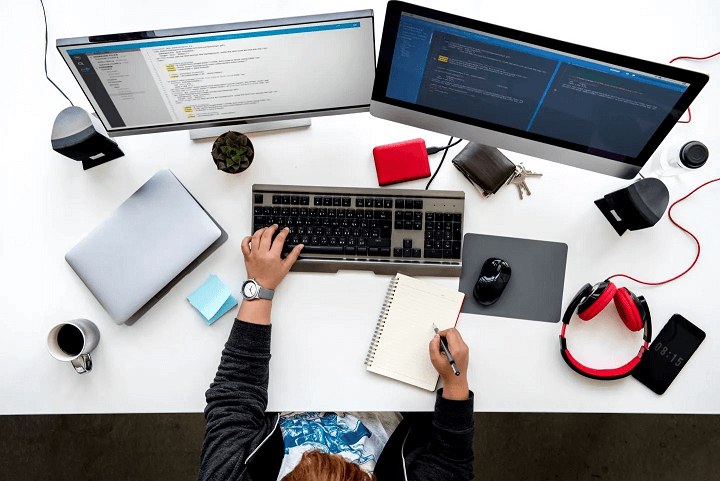
Think about it, how many times have you found yourself switching between tabs, minimizing and maximizing windows, and losing track of what you were doing? These micro-moments of distraction add up, eating into your focus and productivity. That’s where multiple monitors come into play.
They don’t just expand your digital real estate; they revolutionize the way you work. With more screen space, you can organize tasks, manage multiple projects, and stay on top of communication without constantly toggling between windows. It’s like having multiple desks, each serving a unique purpose.
If you’re wondering about the benefits of multiple monitors in remote work, it’s simple: they help you work smarter, not harder. In the following sections, we’ll dive deep into why multiple monitors are a game-changer for remote workers, exploring everything from productivity boosts to ergonomic benefits.
Why Multiple Monitors Are Becoming Essential for Remote Workers?
The shift toward remote work has redefined productivity standards. When you’re working from home, your environment can either enhance your performance or drag it down. Multiple monitors offer a solution by creating a dynamic and adaptable workspace.
Instead of being limited to a single screen, you can simultaneously manage various aspects of your work, emails on one screen, documents on another, and video meetings on a third. This setup mirrors an in-office experience where different tools and screens are readily available.
According to a study by Jon Peddie Research, people using multiple monitors reported a 42% increase in productivity. That’s not just a small boost, it’s a transformation. By eliminating the friction of constant window switching and tab hunting, you create a smoother, faster workflow that keeps your momentum going.
For freelancers, developers, marketers, and corporate professionals alike, the investment in multiple monitors often pays off within weeks in terms of efficiency and comfort. This demonstrates one of the major benefits of dual monitors for work, a significant improvement in speed, multitasking, and concentration.
Benefits of Multiple Monitors in Remote Work
Let's explore the benefits of multiple monitors for remote work.
1. Boosting Productivity with Multiple Monitors
Increased Workspace, Increased Efficiency
Imagine working at a small, cluttered desk versus a spacious, organized one. The same logic applies digitally. A single monitor limits your digital workspace, while dual or triple monitors expand it significantly. You can dedicate each screen to a specific function, communication, documentation, and research, for instance.
Among the benefits of dual monitors at work, this increased digital space stands out as one of the most practical. Having more workspace means fewer interruptions in your thought process. You can compare data side by side, view long spreadsheets without excessive scrolling, and keep reference materials open without covering your main work window.
This level of accessibility enhances task flow, minimizes frustration, and helps maintain a steady focus throughout your workday. It’s like upgrading from a cramped studio to a spacious office suite, everything feels smoother, faster, and more natural.
Reducing the Time Spent Switching Between Tabs
Tab-switching might seem trivial, but when you do it hundreds of times a day, it eats up valuable time. Studies show that multitasking through tab switching can reduce productivity by up to 40%.
With multiple monitors, you eliminate that constant switching. You can monitor your email, edit a document, and attend a virtual meeting, all at once, without losing context. The reduced cognitive load keeps your brain focused on the task rather than navigation.
Ultimately, this small change leads to massive gains in productivity and mental clarity, one of the most tangible benefits of dual monitors for work in remote environments.
2. Enhanced Multitasking Capabilities
Managing Multiple Applications Seamlessly
Remote work often demands handling multiple applications, Zoom, Slack, project management tools, design software, and browsers, all at once. A single screen struggles to accommodate these efficiently.
Multiple monitors enable you to arrange apps logically. For instance, you can keep your communication tools open on one screen while working on your primary tasks on another. You’ll respond faster, miss fewer messages, and maintain a better rhythm throughout your day.
It’s the digital equivalent of having an assistant who keeps everything organized so you can focus on what truly matters, your work. This setup illustrates one of the key benefits of multiple monitors in remote work, enabling smoother task management and improved responsiveness.
Keeping Communication and Work Flowing Smoothly
In remote teams, communication is the lifeline of collaboration. With multiple monitors, you can keep a video call active on one screen while reviewing a document or presentation on another.
This prevents the awkward fumbling that happens when switching between windows during a meeting. You stay engaged, responsive, and professional, all without breaking eye contact or losing track of the discussion.
By creating a seamless bridge between communication and task management, multiple monitors make remote collaboration feel almost as natural as being in the same room.
3. Improved Focus and Organization
Decluttering the Digital Workspace
One of the biggest struggles with remote work is digital clutter. When everything, emails, documents, chat messages, and browser tabs, compete for attention on one screen, it creates a chaotic experience. This clutter doesn’t just slow down your workflow; it drains your focus and energy.
Multiple monitors act like a breath of fresh air for your workspace. You can assign each screen a specific purpose. For example, one monitor can display your main work (like a project or spreadsheet), another can host your communication tools, and a third can handle reference materials. Suddenly, your digital environment feels structured and calm rather than overwhelming.
This separation of functions not only makes your workday smoother but also reduces mental fatigue. When your tools are organized and visible, your brain can focus on problem-solving instead of window-juggling, showcasing another major benefit of dual monitors at work. That mental clarity often leads to more creativity, better decision-making, and fewer mistakes, key elements for long-term productivity and job satisfaction.
Organizing Workflows Across Screens
If you’re juggling multiple projects or clients, workflow organization becomes even more crucial. With multiple monitors, you can assign each project its own screen space. This helps prevent confusion, keeps documents easily accessible, and ensures that you can switch contexts without losing your place.
For instance, a content creator can write on one screen, edit visuals on another, and preview their post or design on a third. Similarly, a software developer can code on one display, test on another, and monitor logs or documentation on the third.
This setup enables a continuous workflow without interruption. It also visually separates different stages of your tasks, helping you stay on top of deadlines and priorities. The result? Fewer mistakes, more creativity, and faster delivery of quality work.
4. Better Communication and Collaboration
Real-Time Meetings While Viewing Work Materials
Virtual meetings have become the backbone of remote work. But if you’ve ever had to switch between a presentation slide and your notes during a call, you know how clunky it can feel. With multiple monitors, you can dedicate one screen to your video conference and another to your materials.
This allows you to stay present during meetings while referencing important data or taking notes without disrupting the flow. For managers, it’s a game-changer; you can lead a meeting, monitor chat discussions, and view team performance dashboards simultaneously.
For team members, it means no more awkward pauses or screen switches when someone asks for an update. Everything you need is already in front of you. It enhances professionalism, clarity, and overall meeting effectiveness.
Managing Virtual Teams Effectively
Remote leaders and project managers face a unique challenge: staying connected to the team while managing projects and tasks in real-time. Multiple monitors simplify this dramatically. You can keep your communication apps (like Slack or Microsoft Teams) open on one screen, while project management tools (like Asana or Trello) occupy another.
This dual visibility ensures you’re always aware of team activity without constantly navigating between apps. It creates a sense of control and responsiveness that’s often lost in remote environments.
It also supports transparency. When you can easily track updates and discussions, you make better decisions faster. It’s not just efficient, it’s empowering for both managers and their teams.
5. Enhanced Creativity and Design Experience
Ideal Setup for Designers, Developers, and Creatives
Creative professionals, graphic designers, video editors, software developers, and architects benefit immensely from multiple monitors. Creative work often involves multitasking: designing on one screen, referencing assets on another, and previewing results in real-time.
With multiple displays, you can open editing tools, resource folders, and preview windows side by side. This setup eliminates the constant toggling that interrupts your creative flow. You can focus purely on creation instead of logistics.
Moreover, for video editors or 3D designers, having timelines, effects panels, and full-screen previews on separate screens creates an immersive, studio-like experience. It’s not just efficient, it’s inspiring.
Visual Consistency and Simultaneous Testing
For developers and designers, consistency across devices and platforms is crucial. Multiple monitors allow you to test your designs or code on different screen resolutions and browsers simultaneously.
This ensures a seamless user experience for end-users, whether they’re viewing content on a desktop, tablet, or phone. You can instantly spot inconsistencies and fix them on the spot without switching back and forth.
By streamlining this process, you not only save time but also deliver higher-quality output that meets professional standards.
6. Improved Comfort and Ergonomics
Reducing Eye Strain and Neck Movement
Spending eight hours a day staring at a small screen can take a toll on your eyes and posture. With multiple monitors, you can position your screens ergonomically, keeping them at eye level and at a comfortable distance.
This setup reduces the strain caused by constant scrolling and switching. You can also space out your monitors in a way that minimizes repetitive movements, like turning your neck too often or squinting at small windows.
A well-designed dual or triple monitor setup not only enhances comfort but also helps you sustain focus for longer periods without fatigue. Over time, this contributes to better physical health and overall job satisfaction.
Customizing Monitor Layout for Better Posture
Every remote worker’s body and desk setup is different, so customization is key. With adjustable monitor stands or arms, you can tailor your layout to match your natural posture.
For example, you might keep your main work screen directly in front of you, while secondary screens sit slightly to the sides. This balanced setup supports your neck and shoulders and encourages proper sitting alignment.
The result? Less tension, better circulation, and more energy throughout the day. It’s not just about working harder, it’s about working smarter and healthier.
AnyViewer: Best Remote Desktop Software for Managing Multiple Monitors
When working remotely, managing multiple monitors across different devices or locations can sometimes be challenging. That’s where AnyViewer comes in, a powerful, secure, and easy-to-use remote desktop software designed to help you seamlessly access and control multiple screens from anywhere in the world.

With AnyViewer, remote professionals can enjoy the same multi-monitor experience as if they were sitting at their physical workstation. It allows users to view, switch between, or control multiple monitors remotely with just a few clicks. Whether you’re a developer working with multiple code windows, a designer managing different design previews, or a manager monitoring various dashboards, AnyViewer makes multitasking smooth and efficient.
Key Features of AnyViewer for Multi-Monitor Management
- Seamless Multi-Monitor Support: AnyViewer automatically detects and displays all connected monitors of the remote PC. You can view them simultaneously or switch between them easily. You can also display monitors in separate windows, giving you full control over your entire workspace.
- Cross-Platform Compatibility: It supports Windows, macOS, iOS, and Android, allowing you to control your multi-monitor setup from any device, be it a laptop, tablet, or smartphone.
- Ultra-Fast Connection & HD Performance: AnyViewer uses advanced optimization algorithms to ensure smooth, lag-free remote sessions even when streaming multiple screens in ultra HD quality.
- Advanced Security Measures: With end-to-end encryption, multi-layer authentication, and privacy mode, AnyViewer ensures your data and remote sessions remain secure at all times, crucial for businesses and freelancers handling sensitive information.
- Effortless Remote File Transfer & Collaboration: Alongside multi-monitor control, AnyViewer supports file transfer, real-time chat, and remote support tools, making collaboration more efficient than ever.
- One-Click Remote Access: Whether you’re away from your office PC or managing multiple systems across different locations, AnyViewer enables instant remote connection through a user-friendly interface, with no complex setup required.
By integrating AnyViewer into your workflow, you can unlock the full benefits of multiple monitors in remote work while gaining secure, on-the-go access to your entire setup.
Conclusion
Multiple monitors are more than just extra screens, they’re a complete productivity upgrade. The benefits of dual monitors for work are evident in faster multitasking, better focus, enhanced communication, and greater comfort. They declutter your digital environment, enhance multitasking, and bring order to the chaos of endless tabs and windows. Combined with powerful remote desktop software like AnyViewer, the experience becomes even more seamless.
AnyViewer bridges the gap between flexibility and functionality, allowing you to manage and control multiple monitors remotely with ease, speed, and top-tier security. Whether you’re designing, coding, managing teams, or analyzing data, it ensures that your workflow remains uninterrupted and efficient, no matter where you are.
In a world where remote work is here to stay, investing in multiple monitors and AnyViewer is one of the smartest moves you can make to boost productivity, comfort, and professional performance. Together, they redefine what it means to work efficiently in the modern digital era.



 as a preferred
source on Google
as a preferred
source on Google