

AnyDesk vs. Splashtop: Full Comparison & Best Alternative
AnyDesk is great for small teams, Splashtop fits larger businesses, but both have drawbacks. AnyViewer offers fast, secure, and affordable remote access across devices, making it the best all-around option in 2025.

By Ellie / Updated on September 4, 2025


AnyDesk vs. Splashtop: Overview
Remote access tools have become indispensable in today's era of hybrid and remote work. Among the many options, AnyDesk and Splashtop stand out as leading contenders, frequently chosen by businesses and individuals alike. This comparison takes a closer look at the ongoing "AnyDesk vs. Splashtop" debate, evaluating their features, performance, and exploring the best alternatives for 2025.
Choosing the right platform isn't just about convenience; it directly influences efficiency, workflow, and the quality of customer remote support delivered. Research from Salesforce reveals that 89% of consumers are more likely to return after receiving excellent customer service, highlighting how crucial reliable remote access software can be in shaping user experience.
With that in mind, let's break down the details and see whether AnyDesk or Splashtop is the better fit.
What is AnyDesk?
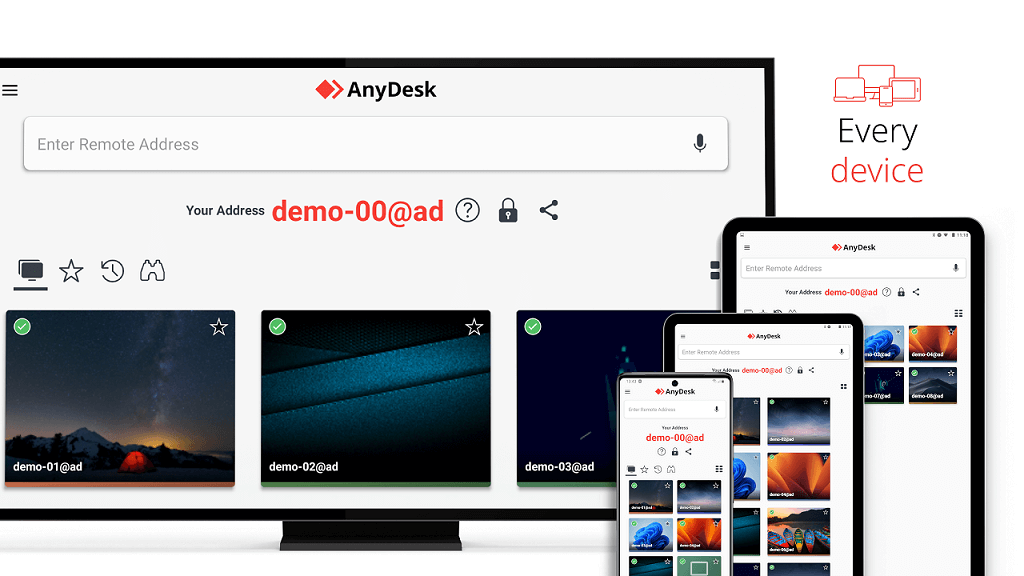
Launched in 2014, AnyDesk is a remote access software designed to let users connect to and control devices from virtually anywhere. Its wide adoption stems from the high level of control it provides, though this same capability has also sparked controversy over the years.
The platform is especially favored by IT departments and support teams, thanks to its ability to deliver near-complete access to a user's system. This makes it a go-to choice for troubleshooting, technical assistance, and internal helpdesk operations.
With pricing plans that appeal to individuals and small groups, combined with features tailored for support scenarios, AnyDesk remains a strong contender for smaller organizations and customer service teams seeking cost-effective remote desktop solutions.
What is Splashtop?
Founded in 2006, Splashtop is a seasoned name in the remote access industry. Unlike many smaller-scale tools, it's built with enterprise-level organizations in mind, offering robust security and compliance standards. The platform meets ISO/IEC 27001, SOC 2, GDPR, and CCPA requirements, while also supporting businesses that must adhere to HIPAA, FERPA, PCI, and other strict industry regulations.
In addition to enterprise-focused solutions, Splashtop also provides smaller services such as on-demand IT support, where individuals can pay for expert assistance delivered directly through remote access.
The software's structure, features, and pricing clearly reflect its enterprise orientation, making it most beneficial for larger organizations with dedicated IT teams. These teams can take full advantage of Splashtop's capabilities to streamline technical support and manage complex remote operations effectively.
AnyDesk vs. Splashtop: Key differences
Looking at the Splashtop vs. AnyDesk debate through a direct feature comparison helps highlight what truly distinguishes the two platforms. Examining their strengths side by side makes it easier to see which solution is better aligned with specific needs and use cases.
Features comparison
AnyDesk Features
- Interactive Control: Provides full access to a device's keyboard and mouse for seamless remote operation.
- File Manager: Manage and transfer files between connected devices in real time.
- Wake-on-LAN: Power up devices remotely, even from sleep mode.
- Remote Printing: Print documents from a remote system directly to a local printer.
- Unattended Access: Log in and control devices without user confirmation by entering a secure password.
- Mobile Device Management: Extend remote access capabilities to smartphones and tablets.
- Desktop Sharing: Share or view screens across multiple devices with no restrictions.
Splashtop Features
- High Performance: Delivers smooth remote sessions with up to 60 FPS and 4K streaming.
- SSO/SAML Integration: Supports single sign-on authentication across numerous platforms for streamlined security.
- Advanced Access Controls: Granular permissions for tailoring user access levels.
- Wide Device Compatibility: Works across diverse platforms, including less common or specialized devices.
- Endpoint Monitoring & Management: Centralized control for managing and monitoring multiple endpoints.
- Service Desk Options: Provides on-demand IT support capabilities.
- USB and Stylus Redirection: Redirects local USB devices and stylus input for use on remote machines.
- Microphone Passthrough: Transfers local microphone audio to the remote session.
- Open API Integration: Automates workflows and integrates with third-party tools.
- Enhanced Security: Strong encryption protocols and mandatory device authentication.
Use case comparison
Examining real-world applications of AnyDesk vs. Splashtop offers valuable insight into how each platform is best utilized. While they share several similarities, certain use cases highlight their unique strengths.
AnyDesk Use Cases
- IT support and troubleshooting
- System administration and device maintenance
- Enabling remote work setups
- Facilitating team collaboration and screen sharing
Splashtop Use Cases
- IT support and troubleshooting
- System administration and device maintenance
- Remote work and hybrid office environments
- Workplace collaboration and resource sharing
- Managing kiosks or unattended devices without on-site users
- Automating and handling repetitive tasks on a large scale
Pricing comparison
Cost is a major factor when evaluating AnyDesk vs. Splashtop cost, as each platform offers different pricing tiers tailored to varying organizational needs.
AnyDesk Pricing
AnyDesk provides four pricing tiers:
- Solo: $15.60/month – Designed for individual users or small businesses with a single licensed user.
- Standard: $31.50/month – Suitable for medium-sized teams, supporting up to 20 licensed users and 500 managed devices with unattended access. Includes mobile device support.
- Advanced: $82.50/month – Ideal for large organizations, offering 100 licensed users and up to 1,000 managed devices. Mobile device support is included.
- Ultimate: Custom pricing – Available through direct contact with AnyDesk. This plan supports up to 2,000 managed devices and provides enhanced security and tailored features for enterprise requirements.
Splashtop Pricing
Splashtop also offers four tiers:
- Business Access Solo: $6/month – Single-user access from any device. Perfect for individual operations.
- Business Access Pro: $8.50/month – Supports multiple instances with features such as multi-monitor support, chat, session recording, and enhanced security.
- Business Access Performance: $11.10/month – Includes all Pro features plus advanced options like USB passthrough, remote stylus support, and 4:4:4 color accuracy.
- Enterprise: Custom pricing – Designed for large-scale businesses, this plan supports 100 licensed users and up to 1,000 managed devices, with mobile device access included.
Splashtop's pricing tends to be more affordable for small teams, while AnyDesk scales its cost according to enterprise-level access and device management needs.
Deployment comparison
Deployment is a key factor when deciding between AnyDesk and Splashtop, as it affects how quickly and efficiently the software can be integrated into an organization's workflow.
AnyDesk Deployment
AnyDesk is tailored for smaller-scale operations, such as remote workers or IT support teams with limited requirements. Its installation is straightforward and typically takes less than five minutes. The lightweight file size ensures minimal storage usage, allowing for rapid deployment without disrupting existing processes.
Splashtop Deployment
Splashtop, by contrast, is built for larger organizations with diverse use cases. While installation may take slightly longer, it offers both short-term and long-term access options, providing flexibility to meet varying operational needs. The software comes with a larger file size, but this is balanced by its rich feature set and extensive customization capabilities, making it a more versatile solution for enterprise environments.
Integrations comparison
Integration capabilities play a major role in determining which platform is more adaptable in the AnyDesk vs. Splashtop debate.
AnyDesk Integrations
AnyDesk provides only a limited selection of integration partners, with two notable examples being:
- HTC
- Microsoft Intune
Splashtop Integrations
Splashtop, on the other hand, offers a far broader ecosystem of integrations designed to meet diverse organizational requirements. Key partners include:
- Microsoft Teams
- Zendesk
Overall, Splashtop delivers a more complete and versatile integration portfolio, making it better suited for organizations seeking seamless connectivity with existing tools and workflows. Compared to Splashtop's extensive lineup, AnyDesk's integration options remain relatively minimal.
User reviews comparison
Examining customer feedback offers another perspective in the AnyDesk vs. Splashtop discussion. User ratings and testimonials highlight both the strengths and shortcomings of each platform.
AnyDesk Reviews & Ratings
On Trustpilot, AnyDesk holds a rating of 3.1 out of 5 based on over 1,000 reviews.
- Positive feedback:
"Very responsive to working remotely." – 5/5 Stars
"Great for remote graphical user interface access as there is minimal delay." – 5/5 Stars
- Negative feedback:
"I can't use the software, and repeated requests for support go unanswered." – 1/5 Stars
"Tried to contact today, no agent available, and could not even log a support ticket, because I got a message saying 429: Too Many Requests!" – 1/5 Stars
Splashtop Reviews & Ratings
Splashtop earns a slightly better score of 3.8 out of 5 on Trustpilot, though it is based on just 32 reviews.
- Positive feedback:
"Cost-effective and good customer support." – 5/5 Stars
"Remote desktop access is fast and responsive." – 5/5 Stars
- Negative feedback:
"WILL NOT UNINSTALL FROM MY COMPUTER. Every time I do so, the files magically reappear and the software starts up again." – 1/5 Stars
"My support ticket was open 5 days ago. Nobody took the time to address it. I tried to find the solution via Phone & chat Support, no success." – 1/5 Stars
AnyViewer: A Worthy Alternative to AnyDesk and Splashtop
While AnyDesk and Splashtop are both solid options for remote desktop access, AnyViewer has emerged as a strong AnyDesk and Splashtop alternative that combines the best of both worlds. Designed with simplicity, performance, and cross-platform compatibility in mind, AnyViewer addresses some of the key limitations observed in both AnyDesk and Splashtop.
Key Features of AnyViewer:
- High-Speed Connection: AnyViewer ensures smooth and lag-free remote sessions, even over low-bandwidth networks, making it competitive with AnyDesk in responsiveness and surpassing some users’ experiences with Splashtop.
- Cross-Platform Support: Unlike many competitors, AnyViewer works seamlessly across Windows, macOS, iOS, and Android devices, enabling effortless access to your devices from anywhere.
- User-Friendly Interface: With an intuitive dashboard, users can set up connections in just a few clicks, making it ideal for individuals and teams who value speed and simplicity.
- Secure Remote Access: AnyViewer employs ECC-256 end-to-end encryption and two-factor authentication to ensure that your remote sessions are private and secure.
- Unattended Access & Device Management: Similar to AnyDesk, AnyViewer allows for unattended remote access with password protection, but also provides robust tools for managing multiple devices from a single account.
- Affordable Pricing: AnyViewer offers competitive pricing with transparent tiers, often lower than AnyDesk's enterprise-level costs and more versatile than Splashtop’s small-team plans.
- Lightweight Deployment: The software is lightweight and quick to install, ensuring minimal disruption to workflow and fast onboarding.
Why AnyViewer Stands Out:
- Balanced Performance & Affordability: AnyViewer delivers high-speed performance comparable to AnyDesk while maintaining the cost-effectiveness and flexibility seen in Splashtop.
- Ideal for Both Individuals and Enterprises: Whether you are a solo entrepreneur needing occasional remote access or a large organization managing hundreds of endpoints, AnyViewer scales efficiently.
- Enhanced Security Without Complexity: Unlike some platforms where security features may require advanced configuration, AnyViewer straightforwardly integrates robust protection.
- Customer Satisfaction: Early adopters praise AnyViewer for its reliability, minimal lag, and responsive customer support, offering an experience that addresses common pain points reported with AnyDesk and Splashtop.
By bridging the gap between speed, functionality, affordability, and user-friendliness, AnyViewer positions itself as a compelling choice for anyone seeking a modern remote access solution.
Conclusion
In the debate of AnyDesk vs. Splashtop, the choice ultimately depends on organizational needs. AnyDesk is ideal for smaller teams seeking straightforward remote access with essential features, while Splashtop excels in enterprise environments where advanced security, extensive integrations, and high performance are critical. However, both platforms come with limitations, whether in pricing, scalability, integration options, or usability.
AnyViewer emerges as a compelling alternative, offering fast, secure, and intuitive remote access software at a competitive price. Its versatility, cross-platform support, and user-friendly design make it suitable for a broad range of users, from individual professionals to medium and large businesses. For those who want the reliability of AnyDesk, the performance of Splashtop, and the simplicity of a modern remote access tool, AnyViewer is a solution worth considering in 2025 and beyond.



 as a preferred
source on Google
as a preferred
source on Google