

test
test

By Annie / Updated on March 9, 2026


33333
In the modern era of hybrid work and remote IT management, the limitations of a single physical screen can be a major bottleneck for productivity. Whether you are a software developer needing extra screen real estate for debugging, a graphic designer multitasking across applications, or an IT professional managing a headless server, the ability to add a virtual monitor to a remote device is a game-changer.
Top 5 Software Solutions for Adding Virtual Displays
While many remote desktop tools exist, only a select few provide the specialized drivers necessary to simulate a secondary or tertiary monitor. Here are the best tools for the job.
1. AnyViewer: Easy Virtual Multi-Screen Setup
AnyViewer has quickly gained popularity among both individuals and businesses as a reliable remote desktop software, thanks to its fast connection speeds and clean, user-friendly interface. One of its standout capabilities is the Virtual Screen feature, which allows users to simulate additional monitors without complicated setup or extra hardware.
Key Features
- No Extra Hardware Needed: Generate multiple virtual displays without using physical dummy plugs or adapters.
- Independent Workspaces: Open and run different applications on each virtual monitor, making multitasking more efficient.
- Separate Screen Windows: Display multiple remote screens in individual windows and easily rearrange them by dragging tabs in or out.
- Smooth Performance: Optimized frame rates ensure that virtual monitors operate smoothly, delivering a responsive experience similar to using a real display.
How to Create a Virtual Screen in AnyViewer
Step 1. Open AnyViewer and connect to the target computer to start a remote control session.
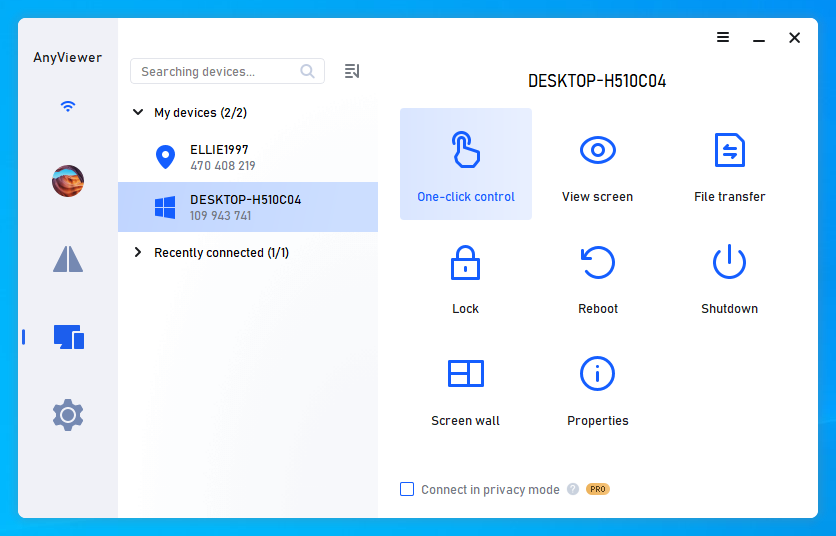
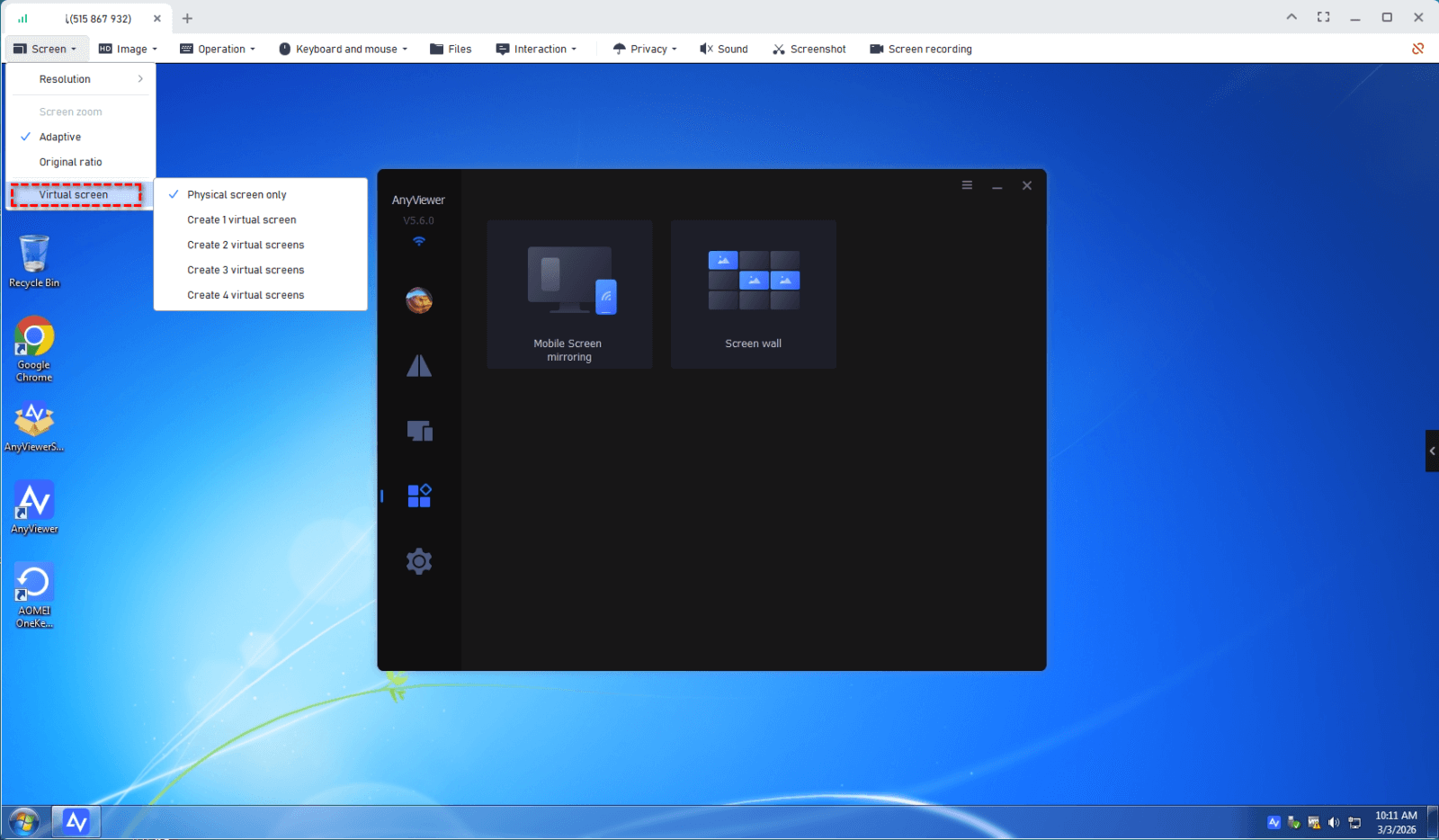
Step 2. Once connected, locate the toolbar at the top of the remote session window and click the Screen tab.
Step 3. From the dropdown options, select Virtual Screen.
Step 4. Choose how many virtual monitors you want to add, such as two or three displays.
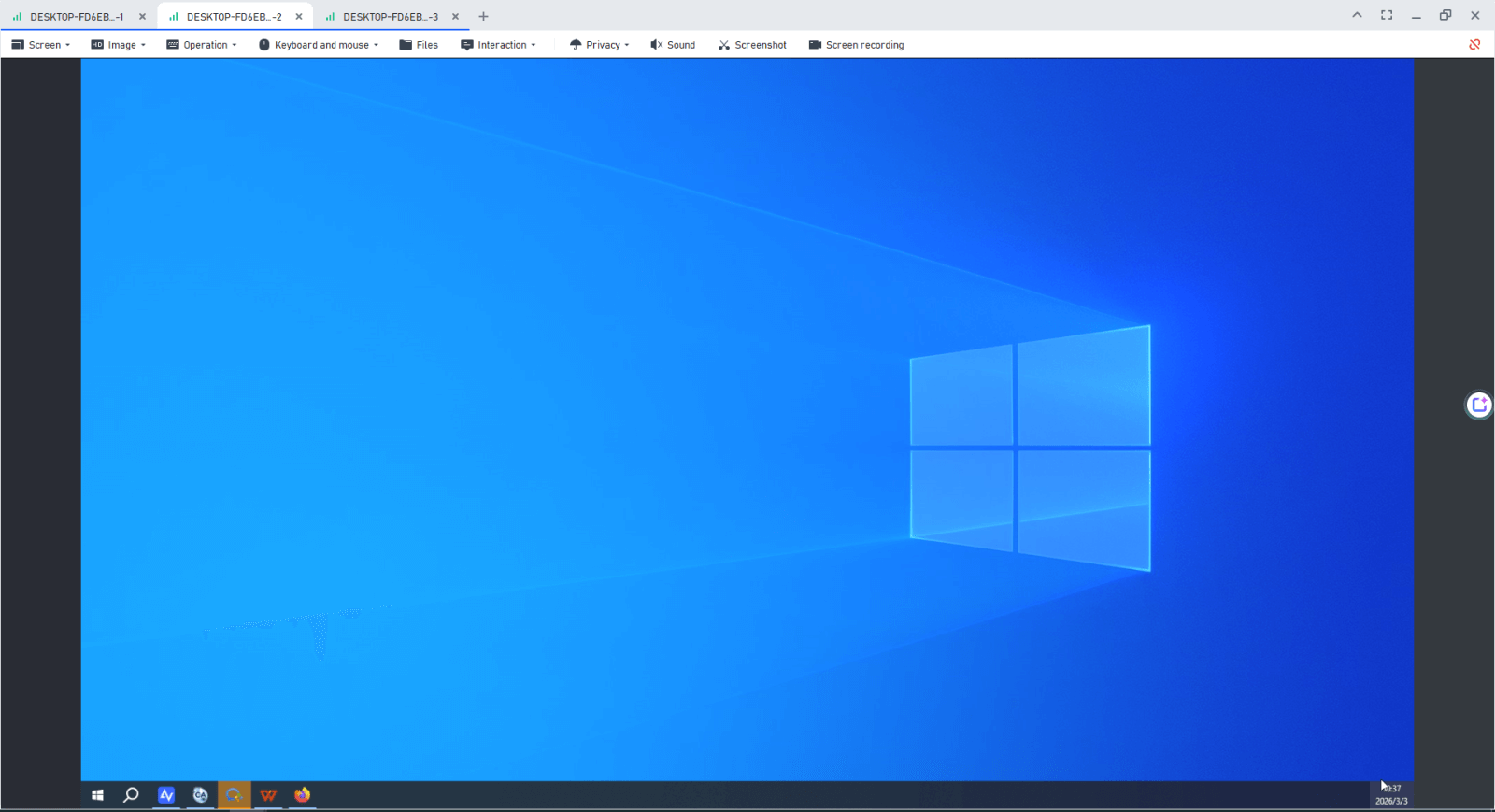
Step 5. The virtual screens will be created instantly. Switch between them using the toolbar, or move application windows across the invisible boundary to place them on another virtual display.
Conclusion
The ability to add a virtual monitor to a remote device is no longer a luxury, it is a necessity for efficient remote work. Tools like AnyViewer offer the most straightforward, hardware-free path for users who need a quick expansion, while TeamViewer and Zoho Assist provide the heavy-duty features required for enterprise and support environments.

