With support for multiple logins, unlimited sessions, and the ability to control up to 100 devices, AnyViewer Professional gives you the freedom to work, support, or collaborate without limits.
Whether transferring large files, running applications, or even playing games remotely, AnyViewer Professional ensures faster, smoother connections with low latency and high-quality image display.
AnyViewer Professional provides robust security measures and control options to ensure that all remote sessions are protected and that sensitive data remains safe.
Unlock AnyViewer Professional’s powerful features designed for greater remote control, stronger privacy, and smoother performance.
One-click control to assigned devices or access unattended remote access via inputting security code.
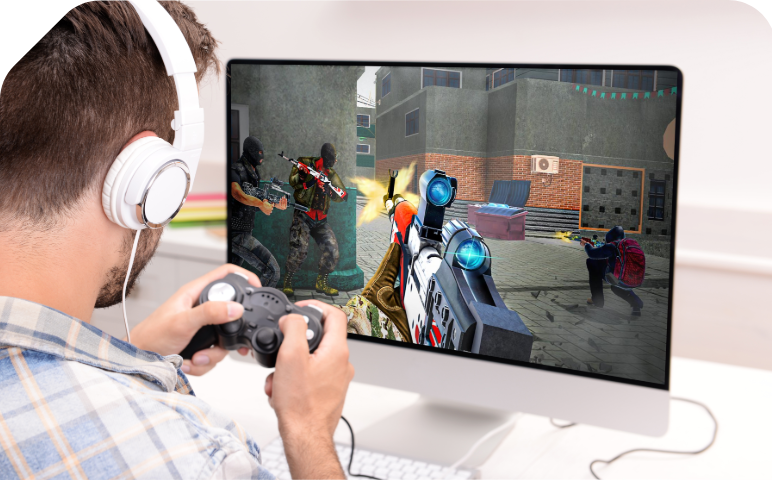
Play 3D games remotely with the 3D rotation of the first-person view. Game Mouse is not currently supported on macOS.
Blacken the screen of the remote computer & disable remote input. Privacy mode access is not currently supported on macOS.
Control multiple computers from one computer at the same time.
Choose to display all remote monitors in a single window, in separate windows, or only display a specified one.
Add office PCs to Screen Wall for real-time monitoring. Then quickly start unattended remote access to one of these PCs. Screen Wall is not currently supported on macOS.
Enlarge or shrink the screen to fit the current window size automatically.
Experience crystal-clear visuals with ultra-high definition display.
Enjoy accurate, lossless colors with 4:4:4 chroma sampling for a lifelike visual experience.
Automatically record remote sessions in high quality for later review or documentation.
Take screenshots of the remote desktop instantly to save important information or share with team members.
Display multiple remote screens using separate windows, and drag screen tabs in and out freely. Display in Separate Window is not currently supported on macOS.
AnyViewer File Transfer Manager enables you to manage files on remote computers and complete fast file transfer.
Easily move large file from the local computer to the remote computer vis drag and drop.
Access computer from Android or iOS device to operate the PC from anywhere and at time.
Mirror iOS and Android screens on the computer for remote presentation, remote IT guide, or remote game.
Custom shortcuts and key combination in mobile-to-windows access to conveniently perform complex operations from mobile devices.
Custom tools and shortcuts that can display on the controller desktop based on usage habits and scenarios.
To use AnyViewer on multiple computers under a domain, you can batch deploy AnyViewer to remote computers using Group Policy (GP) with MSI file. Mass Deployment is not currently supported on macOS.
Create groups for enterprise devices to manage large numbers of devices conveniently.
Admins can create custom roles and modify permissions for each role.
Transmit sound from the remote device to the local device.
Chat with the one on the other end for convenient communication.
Lock AnyViewer to prevent its setting from being modified when you leave for a while or lend it to others.
Enter Windows login password (password only saved locally), can unlock with one click on the lock screen interface, greatly improving operational efficiency.
Set remote access permissions via account or device ID to improve device security further.
Allow AnyViewer to set up remote connections through a proxy server. Proxy Support is not currently supported on macOS.
Save bandwidth and enhance connection stability intelligently.
1 Your account can contain 1 user.
Licensed User3 Up to 3 devices that your account can log in to. One-click control is only available among logged-in devices. All logged-in devices will be displayed on the "My devices" list.
Login Devices10 Up to 10 devices that you can add (unattended access with security code, check last connected time, etc.) to the “Currently connected” list.
Currently Connected Devices2 One computer can control 2 computers at the same time.
Simultaneous Sessions2 Up to 2 devices can initiate remote sessions at the same time among multiple logged-in devices.
Channels1 The number of screen walls that you can create for real-time monitoring multiple devices in a single screen. Free and Professional users can add 2 remote devices in the screen wall, while Enterprise users can add up to 24 remote devices in each screen wall.
Screen WallBilled at $71.88 every year
1 Your account can contain 1 user.
Licensed User10 Up to 10 devices that your account can log in to. One-click control is only available among logged-in devices. All logged-in devices will be displayed on the "My devices" list.
Login Devices100 Up to 100 devices that you can add (unattended access with security code, check last connected time, etc.) to the “Currently connected” list.
Currently Connected DevicesUnlimited One computer can control unlimited computers at the same time.
Simultaneous SessionsUnlimited Unlimited devices can initiate remote sessions at the same time among multiple logged-in devices.
Channels1 The number of screen walls that you can create for real-time monitoring multiple devices in a single screen. Free and Professional users can add 2 remote devices in the screen wall, while Enterprise users can add up to 24 remote devices in each screen wall.
Screen Wall
High-Speed
Max file transfer speed: 10 MB/s;
5 threads of file transfer;
Max number of files at one time:
Unlimited;
Max size of a single file: 1 TB.
Game Mouse Supports 3D rotation of the first-person view when playing 3D games remotely.
Access in Privacy Mode Access the remote device by blacking out its physical screen and disabling the physical keyboard of the remote device to keep privacy and safety.
Free versions often have limits on devices, concurrent sessions, or file transfer speeds, while paid versions provide more devices, unlimited sessions, higher speed, and enhanced features for professional or heavy users.
Yes. AnyViewer allows you to run multiple sessions at the same time, making it easy to manage several remote devices simultaneously.
Absolutely. AnyViewer offers apps for both Android and iOS, so you can connect to and control your computers anytime, anywhere, right from your smartphone or tablet.
Yes. AnyViewer has a secure built-in file transfer feature, allowing you to send and receive files between local and remote devices quickly and reliably.
Some key advantages of AnyViewer include:
Remote access to files and applications from anywhere.
Time and cost savings by eliminating travel.
Easier IT troubleshooting and support.
Secure collaboration and productivity on-the-go.