

What Is a Remote Support Customer Client? Benefits, Features, & Best Tools
Discover what a remote support customer client is, how it works, and why it's essential for modern businesses. Learn about its key features, benefits, security safeguards, and top tools like AnyViewer, TeamViewer, and Zoho Assist.

By Ellie / Updated on August 20, 2025


What is a Remote Support Customer Client?
Remote work and digital transformation have reshaped how companies interact with customers. One critical tool in this shift is the remote support customer client. A remote support customer client is the software or application that customers use to connect with a support agent. It acts as the gateway between the user's device and the support technician. Without this client software, the technician would be unable to establish a secure connection to diagnose or resolve the issue remotely.

Think of it like a virtual doorway. The customer installs or launches the client, grants access permissions, and then the technician enters to perform necessary actions. These clients are designed to be lightweight, user-friendly, and secure so that even non-technical users can easily operate them.
The customer client ensures that the support session runs smoothly. It may come in various forms, such as a temporary download link, a pre-installed application, or a web-based interface that requires no installation. The flexibility of remote support customer clients makes them suitable for businesses of all sizes.
Types of Remote Support Clients
Not all remote support clients are the same. Depending on the nature of the business and the needs of the customer, companies may use different types:
- On-Demand Client Software: This type is downloaded by the customer only when needed. After the session ends, the software can be removed, making it ideal for one-time troubleshooting.
- Permanent/Installed Clients: Businesses with frequent support needs often install permanent clients on company devices. This allows technicians to connect instantly without requiring repeated downloads or setup.
- Web-Based Clients: Instead of installing software, users access a browser-based platform to allow remote access. This method is convenient for customers who prefer not to download additional tools.
Each type has its pros and cons. On-demand clients are flexible, permanent ones are efficient for ongoing needs, and web-based solutions are convenient for quick fixes. Choosing the right type depends on the customer's technical comfort level and the company's service model.
How Remote Support Customer Clients Work
The process of using a remote support customer client is simple but highly secure. Here's a breakdown of how it typically works:
- Customer Initiates the Session: The customer downloads or launches the client and shares a unique session ID or code with the support agent.
- Authentication and Security: Before access is granted, the client verifies identity through encryption, passwords, or multi-factor authentication.
- Technician Connects: Once authenticated, the support agent gains temporary access to the device.
- Issue Diagnosis and Resolution: The technician can now perform actions such as software installation, troubleshooting, or guiding the customer through processes.
- Session Ends: After the session, the client automatically disconnects, ensuring no lingering access remains.
For example, if your printer stops working, instead of waiting days for technical help, a support agent could remotely connect through a customer client, update the drivers, and resolve the issue within minutes.
Benefits of Using Remote Support Clients
The adoption of remote support customer clients has skyrocketed in recent years, and for good reason. Both businesses and customers experience significant advantages when this technology is properly implemented.
- Efficiency for businesses: Technicians can handle multiple requests without the need for travel, saving time and boosting productivity.
- Cost savings: Reduces expenses associated with on-site visits, such as transportation and labor.
- Global service expansion: Enables companies to support customers anywhere in the world from a single location.
- Faster customer support: Customers receive instant assistance within minutes instead of waiting hours or days.
- Reduced downtime: Issues are resolved quickly, minimizing disruption to customer operations.
- Peace of mind for customers: Problems are solved immediately without requiring deep technical knowledge from the customer.
- Sustainability: Reduces travel-related emissions, helping businesses lower their carbon footprint and support greener practices.
Key Features of Remote Support Customer Clients
What makes a good remote support customer client stand out are its features. These are the tools that make the support session effective, safe, and seamless for both parties. Let's look at some of the most important ones:
- Screen Sharing: This allows the technician to view the customer's screen in real-time. It's like looking over someone's shoulder but without physically being there. Screen sharing helps diagnose issues quickly and gives customers confidence that the support agent understands the problem.
- Remote Control: Beyond just watching, technicians can take control of the customer's mouse and keyboard. This is especially useful when customers are not comfortable following step-by-step instructions. Instead of explaining for hours, the technician can simply fix the issue directly.
- File Transfer: Often, resolving a problem requires transferring files like drivers, updates, or patches. A reliable client allows for secure file transfer between the technician and customer without requiring email or third-party apps.
- Session Recording: Recording support sessions is a valuable feature for quality control, compliance, and training. It helps businesses review cases, ensure agents follow protocol, and provide transparency if disputes arise.
- Multi-Device Compatibility: Modern clients are designed to work across desktops, laptops, tablets, and smartphones. Since customers use a wide range of devices, compatibility is a must-have feature.
- Built-In Security: Features like data encryption, two-factor authentication, and access logs ensure that sessions remain safe from cyber threats. Customers must feel secure before allowing someone remote access to their personal or business devices.
Together, these features create a comprehensive environment where support can be delivered quickly, effectively, and securely, enhancing customer satisfaction and trust.
AnyViewer: Best Remote Support Customer Client Software
AnyViewer has quickly gained recognition as one of the most reliable and efficient remote support customer client apps available today. It is particularly valued for its lightweight design and high-speed performance, making it ideal for businesses that require seamless, lag-free sessions. Unlike heavier applications that consume large amounts of system resources, AnyViewer runs smoothly in the background without slowing down the user's device.
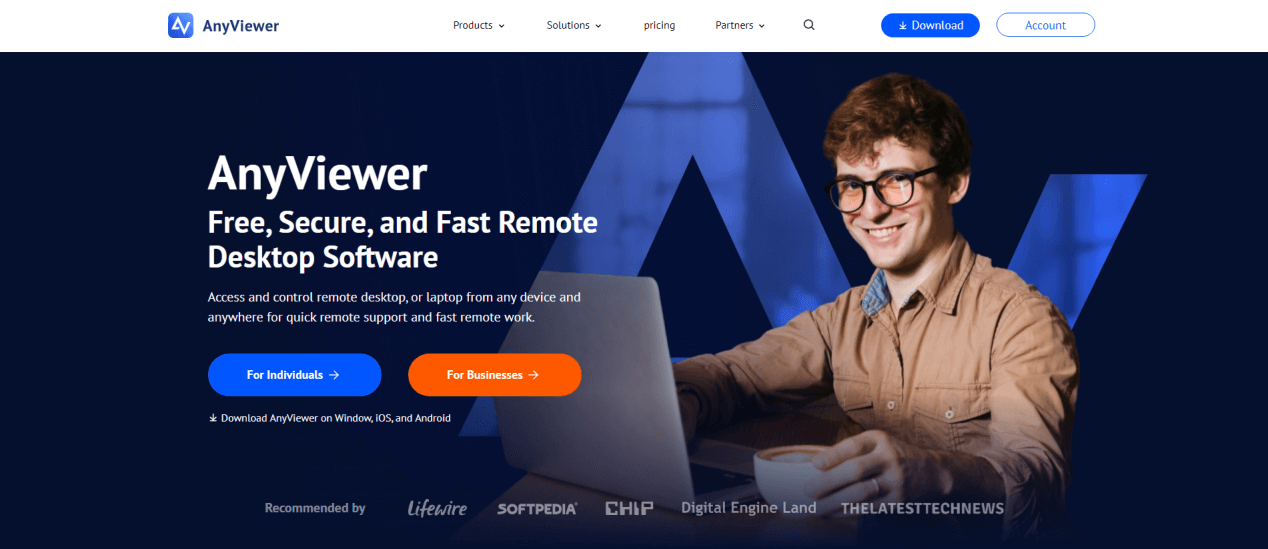
One of the biggest advantages of AnyViewer is its cost-effectiveness. Many remote support solutions come with high licensing fees or subscription costs, but AnyViewer offers competitive pricing plans, making it an excellent choice for small to medium-sized businesses as well as individuals who need remote access capabilities.
In terms of features, AnyViewer does not fall short. It provides secure end-to-end encryption, ensuring that all remote sessions remain private and protected from potential threats. The platform supports multi-device access, allowing technicians to connect across desktops, laptops, tablets, and even mobile devices. Additionally, it includes features like file transfer, screen sharing, and session recording, which are essential for professional support environments.
Another noteworthy aspect of AnyViewer is its user-friendly interface. Even customers with little technical knowledge can easily initiate a support session, reducing barriers to adoption. Combined with strong performance and affordability, this makes AnyViewer one of the best choices for businesses seeking a balance between speed, security, and value in their remote support solution.
Other Popular Remote Support Client Tools in the Market
The market for remote support tools is competitive, with several big names providing solutions tailored for both small businesses and enterprises. Some of the most popular include:
- TeamViewer: Probably the most recognized remote support software, TeamViewer is known for its powerful features and ease of use. It supports cross-platform connections and is widely used in both personal and professional settings.
- LogMeIn: A more enterprise-focused tool, LogMeIn offers robust features for IT teams managing large networks. It integrates with business workflows and offers advanced security.
- Zoho Assist: Part of the Zoho suite, Zoho Assist is a cloud-based tool perfect for small to medium-sized businesses. It's affordable, user-friendly, and comes with features like unattended access and instant chat support.
Other noteworthy mentions include Microsoft Remote Desktop, Splashtop, and ConnectWise Control, all of which bring unique advantages to the table. Businesses usually choose based on their scale, budget, and security requirements.
How Remote Support Clients Safeguard Security
One of the most important aspects of remote support clients is their built-in security mechanisms that protect both businesses and customers. These tools are specifically designed to make remote sessions safe, reliable, and trustworthy.
- End-to-End Encryption: All communication between the customer and technician is encrypted, ensuring that no third party can intercept or read sensitive information.
- Two-Factor Authentication (2FA): Before a session begins, both the customer and the technician must verify their identities. This prevents unauthorized access and adds an extra security layer.
- Granular Permission Controls: Customers can decide what level of access to grant, whether it's just screen viewing or full control, giving them confidence and control during the session.
- Compliance with Global Standards: Leading remote support tools comply with strict regulations such as GDPR, HIPAA, and ISO certifications, ensuring that data handling meets international privacy and security requirements.
- Session Transparency: Customers are always informed about what actions are being taken. Most clients display clear indicators during remote access, and allow customers to terminate sessions instantly if they choose.
- Audit Logs and Session Recording: Every session can be logged or recorded, providing businesses with a transparent record for accountability, compliance, and training.
By combining these features, remote support clients not only provide fast problem resolution but also ensure that every session is secure, transparent, and trustworthy. Businesses that use these solutions can confidently deliver remote services without compromising customer privacy.
Use Cases of Remote Support Clients
Remote support clients are versatile and can be applied in countless scenarios across industries. Let's break down some of the most common use cases:
- IT Troubleshooting: The most obvious application. From fixing network issues to updating software, IT teams rely heavily on remote support clients to keep systems running smoothly without needing to visit in person.
- Customer Service: E-commerce companies, software providers, and telecom businesses use remote support clients to assist customers who face difficulties with products or services. For example, a support agent can help a customer configure their new internet router without setting foot in their home.
- Training & Onboarding: Remote clients are not just for fixing problems. They are also excellent tools for training employees or customers. A trainer can walk a new hire through company software in real-time, ensuring they learn quickly and effectively.
- Healthcare: Doctors and technicians can remotely assist patients in setting up telemedicine applications or medical devices, reducing the need for physical visits while maintaining quality care.
- Education: Teachers and tutors can use remote support clients to help students install learning software, troubleshoot devices, or even demonstrate tasks directly on a student's computer.
These use cases highlight just how powerful and flexible remote support customer clients can be in today's digital-first world.
Remote Support Clients vs. Traditional Support
When comparing remote support clients with traditional in-person support, the differences are striking. Traditional support usually involves phone calls, emails, or sending technicians to a physical location. While this method can sometimes feel more personal, it's also slower, more costly, and less scalable.
With a remote support client, issues can be resolved instantly without the hassle of scheduling visits or waiting days for a technician to arrive. Businesses save on travel expenses, employees save time, and customers experience far less downtime. For example, instead of waiting three hours for someone to come and configure a printer, a support agent could remotely install drivers and troubleshoot the problem in minutes.
In terms of cost, remote support is far more budget-friendly. Companies can reduce overhead expenses significantly, as they don't need as many field technicians or company vehicles. Moreover, remote support can be scaled easily, allowing one technician to assist multiple clients worldwide in the same timeframe that would have previously been devoted to a single on-site call.
That said, traditional support isn't completely obsolete. Some issues still require physical intervention, like repairing damaged hardware or replacing faulty equipment. However, with the advancement of remote technologies, the percentage of problems requiring in-person visits is shrinking rapidly. For businesses aiming to maximize efficiency, remote support clients offer an undeniable edge over the old way of doing things.
Conclusion
A remote support customer client is more than just a piece of software; it's a gateway to faster, more efficient, and customer-friendly support. By allowing technicians to connect to customer devices securely and resolve issues in real-time, remote support has revolutionized the way businesses interact with customers.
From IT troubleshooting to training, healthcare, and education, the use cases are endless. While challenges like security concerns and technical barriers exist, best practices and advanced tools make remote support an indispensable solution for modern businesses. With the future pointing toward AI, AR, and cloud innovations, remote support will only become more powerful and essential in the years ahead.
For businesses aiming to stay competitive, adopting remote support clients is no longer optional; it's a necessity.
FAQs
1. What is the difference between remote support and remote desktop?
Remote support is focused on troubleshooting and assisting customers, while remote desktop is typically used for personal or internal access to a device.
2. Do I need to install software to use a remote support client?
Not always. Some solutions are web-based and require no installation, while others may need a lightweight app for better functionality.
3. Is the remote support client safe to use?
Yes, when proper security measures like encryption, two-factor authentication, and session controls are in place, it is safe to use.
4. Can remote support clients be used on mobile devices?
Absolutely. Most modern solutions support iOS and Android devices, enabling technicians to help with smartphones and tablets.
5. Which industries benefit most from remote support clients?
IT services, e-commerce, healthcare, education, and finance are among the industries that gain the most from remote support technologies.



 as a preferred
source on Google
as a preferred
source on Google