

Best Help Desk Software for Schools 2026 – AnyViewer
This guide explains why AnyViewer is the best help desk software for schools in 2025. It offers quick remote support, strong security, and easy use. We also cover options for free help desk software for schools to keep classrooms running smoothly.

By Ellie / Updated on December 26, 2025


What is the best remote help desk software for schools?
Technology has transformed education. From smartboards to learning management systems, today’s classrooms rely on an interconnected web of devices and platforms. But here’s the thing—when tech breaks down, lessons can grind to a halt. That’s where help desk software for school comes into play.

For schools with stretched IT departments and growing tech demands, remote help desk software is no longer a “nice-to-have,” it’s a necessity. And in 2025, AnyViewer is leading the way, offering lightning-fast, secure, and easy-to-use remote desktop access that keeps teaching uninterrupted and students engaged. For many institutions, it stands out as one of the best help desk software for schools thanks to its speed, reliability, and affordability.
Why do schools need reliable help desk software?
Let’s face it, school IT teams are superheroes without capes. They juggle:
- Maintaining hundreds of devices scattered across classrooms.
- Fixing tech issues in record time so teachers can keep teaching.
- Ensuring data security for students and staff.
- Supporting remote learning when needed.
But without the right tools, even the most experienced IT staff can’t keep up. Help desk software for school bridges that gap, allowing technicians to:
- Access devices instantly, no matter the location.
- Troubleshoot problems without physically visiting the site.
- Provide fast, secure, and consistent support for both on-campus and remote setups.
What makes AnyViewer perfect for schools?
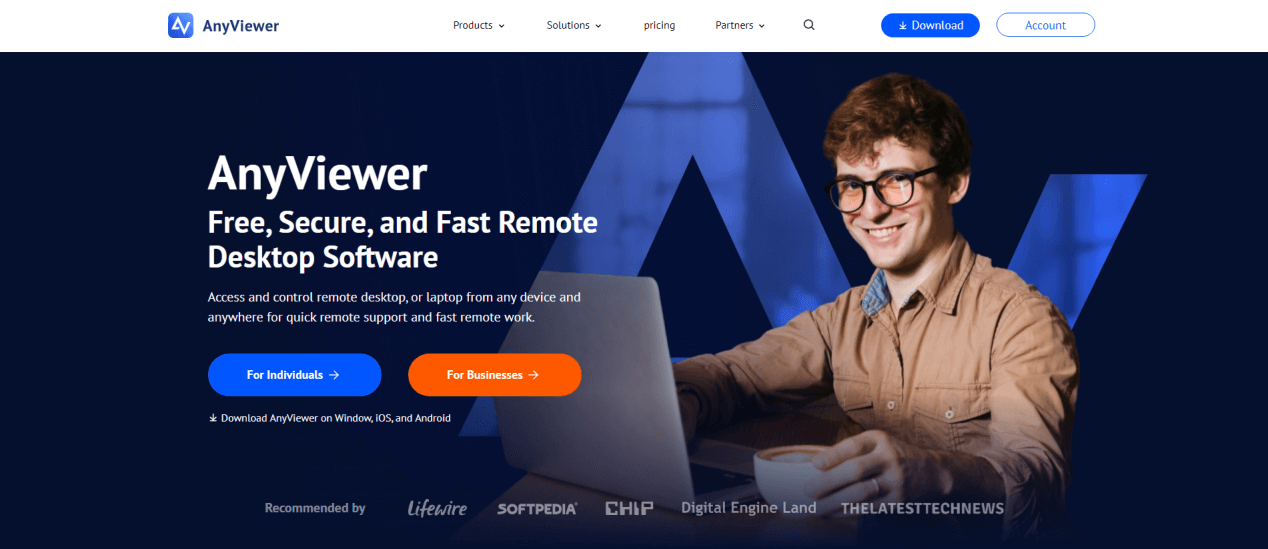
AnyViewer isn’t just another remote desktop tool; it’s a purpose-built solution designed to meet the unique challenges that schools face daily. From maintaining classroom technology to supporting hybrid learning environments, AnyViewer delivers the speed, security, and flexibility that educational institutions demand.
1. Lightning-fast remote support to keep lessons on track
In education, time lost to technical problems is time lost for learning. With AnyViewer, IT technicians can establish a secure connection to a school computer in seconds. This rapid access means they can identify and fix issues immediately, whether they’re working from another building on campus or providing support from a completely different location.
For institutions searching for the best help desk software for schools, this ability to minimize downtime is a game-changer. AnyViewer even allows multiple simultaneous sessions, enabling IT teams to assist more than one classroom or staff member at a time.
2. Military-grade security to safeguard sensitive information
Schools store and process highly sensitive information such as student grades, attendance records, and personal details. AnyViewer protects this data with 256-bit end-to-end encryption, the same security standard used by banks and government agencies. Additionally, its two-factor authentication (2FA) ensures only authorized personnel can access school systems, adding a critical layer of protection against unauthorized logins and potential data breaches.
This makes it not only secure but also an excellent choice for schools exploring free help desk software for schools that still maintain strict data protection standards.
3. Broad cross-platform support for all learning environments
Educational environments are rarely uniform; some classrooms may run Windows desktops, teachers may use laptops, and students might access lessons on tablets or mobile devices. AnyViewer works seamlessly across platforms, including Windows, macOS, iOS, and Android, enabling IT teams to manage, troubleshoot, and update devices from a single dashboard.
Its mobile app allows IT staff to provide support even when they are away from their desks, ensuring help is always just a few taps away.
4. Unattended access for hassle-free after-hours maintenance
Keeping school networks in peak condition often requires updates, installations, or diagnostics that could disrupt learning if done during the day. AnyViewer’s unattended access feature lets IT personnel connect to devices without user intervention, making it possible to carry out maintenance after hours or during school breaks. This proactive approach minimizes downtime during teaching hours.
For schools with limited budgets, pairing this feature with free help desk software for schools can stretch resources further while still keeping systems running smoothly.
5. Intuitive interface for all skill levels
Technical support isn’t just for tech experts; sometimes, teachers, administrators, or students need to request help quickly. AnyViewer’s clean, intuitive interface makes it easy for anyone to grant access and get assistance without confusion. There’s no steep learning curve, so support requests can be handled quickly, even by users who aren’t familiar with IT systems.
The software includes built-in chat functionality, allowing IT staff to guide users in real time, explain solutions, and provide step-by-step instructions when needed.
Key features of AnyViewer for schools
From rapid problem-solving to robust security, AnyViewer comes packed with powerful tools designed to meet the unique technology needs of educational institutions.
- Unattended Remote Access: Perform updates, run diagnostics, or install new educational software after school hours without requiring anyone to be physically present. This helps avoid downtime during teaching hours.
- Multi-Session Support: Handle multiple classrooms or staff devices at once, enabling faster resolution of IT issues and better allocation of support resources.
- Screen Walls: Teachers can view multiple students’ computer screens in a single window, making it easier to monitor activities, ensure focus during lessons, and provide timely assistance.
- File Transfer: Securely send assignments, lesson materials, reports, or software updates between devices without relying on email or external drives. Transfers are encrypted to prevent unauthorized access.
- Screen Recording & Session Logging: Record support sessions for training purposes, compliance requirements, or reviewing complex troubleshooting cases. This feature is especially useful for documenting recurring issues and improving IT workflows.
- Real-Time Chat: Communicate directly with teachers or staff during a remote session, guiding them step-by-step.
- Scalable Licensing Options: Expand support coverage easily as your school’s technology needs grow, from a single campus to an entire district.
Benefits of using AnyViewer in schools
By providing fast, secure, and reliable support, AnyViewer delivers a range of benefits that make it one of the best help desk software for schools:
- Less Downtime: Quick remote access means IT teams can fix issues fast, keeping lessons on track and avoiding long interruptions.
- Budget-Friendly: Delivers powerful features at a price schools can afford, freeing up funds for other educational needs.
- Stronger Remote Learning Support: Ensures smooth technical assistance for students and teachers working from home or in hybrid classrooms.
- Scalable for Growth: Works just as well for small schools as it does for large districts or multi-campus universities, with easy expansion as needs grow.
- Happier Classrooms: Reliable tech support reduces stress for teachers and students, helping everyone focus more on learning.
- Secure by Design: Encryption and access controls protect sensitive student and staff information from cyber threats.
Conclusion
AnyViewer offers exactly what schools need: speed, security, and simplicity, to keep classrooms running without tech interruptions. From reducing downtime to enabling safe, remote IT support, it’s a cost-effective and dependable choice for educational institutions of all sizes. For schools looking for the best help desk software for schools or exploring free help desk software for schools with robust features, AnyViewer is a top-tier solution.



 as a preferred
source on Google
as a preferred
source on Google