
Splashtop vs GoToMyPC Comparison at a Glance
Splashtop and GoToMyPC can both connect you to a computer away from your desk. The better choice depends on your users, computers, and daily tasks, not simply the number of features on a checklist.
| Category |  |

|
|---|---|---|
| Main focus in this comparison | Remote Access plans for individuals and teams | Remote access to enrolled office or personal computers |
| Suggested starting point | Users comparing costs across several computers or different work requirements | Users evaluating an established workflow for accessing specific computers |
| Main licensing distinction | Remote Access licenses are primarily user-based, with computer allowances | Plans are primarily priced per remote computer |
| Product selection | Remote Access, Remote Support, and Enterprise serve different needs | Personal, Pro, and Corporate provide different levels of administration |
| Advanced visual work | A dedicated Performance tier | Evaluate against your actual visual workload |
| Most important buying check | Choose the right product and tier | Count the computers and confirm the required administration level |
Insight:
Start with your access pattern: who needs to connect, which computers they need, and what they need to do once connected. Use that list to compare suitable plans.
Which Features Will You Actually Use?
Both tools cover common remote access tasks. Pay attention to plan requirements and operating-system differences when comparing advanced features.
| Feature | |
|
|---|---|---|
| Unattended computer access | ||
| File transfer | ||
| Remote printing | ||
| Multiple remote monitors | ||
| Session recording | ||
| Team access management | ||
| Single sign-on (SSO) | ||
| Technical support for new customer devices (Ad-hoc SOS) | ||
| Remote reboot | ||
| Wake-on-LAN | ||
| In-session chat & text communication | ||
| Remote audio passthrough | ||
| Guest / Temporary access link | ||
| Mobile access apps (iOS & Android) | ||
| Blank screen | ||
| Device auto-lock | ||
| Centralized security dashboard & SIEM logging | ||
| High-fidelity creative tools (4:4:4 color, stylus passthrough) | ||
| High-frame-rate streaming (Up to 4K / 60 FPS) | ||
| USB & Peripheral Redirection |
Insight:
Make a short list of essential tasks before comparing plans. A cheaper subscription is only useful if it includes the display, access, and administration features your work requires.
Splashtop vs. GoToMyPC Pricing and Licensing
Compare the billing unit before the headline price. The table below combines annual user licenses, computer-based monthly pricing, and setup cost calculations.
| Plans | |
|
|---|---|---|
| Solo / Personal Plan | $72 annually • License: 1 user; up to 2 computers |
$35/month promo display ($44 reference price) • License: 1 user; 1–20 computers |
| Pro Plan | $99 per user annually • License: Up to 10 computers per license |
$22.83/computer/month promo display ($41.50 reference
price) • License: 2–50 computers |
| Performance Plan | $149 per user annually • License: Up to 10 computers per license |
No directly equivalent standalone performance tier |
| Enterprise / Corporate Plan | Custom quote • License: Confirm proposed license scope |
$22.40/computer/month promo display ($28 reference price) • License: 5+ computers |
Insight:
Price the complete setup you need. Include every user, remote computer, required upgrade, and relevant add-on before comparing totals.
Splashtop vs. GoToMyPC Security: Look Beyond Encryption
Encryption protects the connection, but secure remote access also depends on authentication, permissions, and how accounts are managed.
| Security consideration |  |

|
|---|---|---|
| Published session protection | TLS with AES-256 encryption | Current product information describes AES-256 end-to-end encryption |
| Additional authentication | Two-factor authentication and device authentication | Multi-factor authentication is listed |
| Host access protection | Configurable access and authentication settings | A host access code provides an additional access check |
| Identity integration | Enterprise offers SSO | Corporate offers SSO |
| Local screen privacy | Screen blanking and locking controls, subject to configuration | Screen blanking and locking controls, subject to configuration |
| Procurement review | Match the proposed edition to your security requirements | Match the proposed edition to your security requirements |
Insight:
Test account removal, access restrictions, authentication recovery, and session visibility during your evaluation. These checks often reveal more about day-to-day security than a feature badge.
Performance Comparison: Test the Work You Actually Do
A remote session can feel different when editing a spreadsheet, moving between monitors, or playing a video. Your network and endpoint hardware affect the result.
| Workload | |
|
|---|---|---|
| Email and documents | Check typing response and text clarity | Check typing response and text clarity |
| Large spreadsheets | Test scrolling, selection, and keyboard shortcuts | Test scrolling, selection, and keyboard shortcuts |
| Video and animation | Evaluate Performance settings on supported equipment | Trial playback with your actual files |
| Multiple displays | Test the intended monitor layout and resolution | Test the intended monitor layout and resolution |
| Weak or variable connections | Check responsiveness after lowering quality settings | Check responsiveness after adjusting connection settings |
| Long working sessions | Record interruptions and recovery time | Record interruptions and recovery time |
Insight:
Use the same computers, network, resolution, and tasks for both trials. This comparison does not claim independently measured speed or latency results.
Splashtop vs. GoToMyPC for Individual and Home Office Use
For home-office work, focus on reaching the right computer and completing your usual tasks with minimal interruption.
| Category | |
|
|---|---|---|
| 5.0 | 4.0 | |
| 5.0 | 3.0 | |
| 4.0 | 4.0 | |
| 4.0 | 4.0 | |
| 5.0 | 4.0 |
Insight:
Splashtop Solo and Pro offer superior value and flexibility for individual remote workers managing multiple machines, whereas GoToMyPC Personal is simple to set up for a single endpoint but scales up significantly in ongoing subscription costs.
Which Fits Small Teams and Shared Computers?
A team with several employees and a few shared computers has different requirements from one person accessing several machines.
| Category | |
|
|---|---|---|
| 5.0 | 4.0 | |
| 5.0 | 3.0 | |
| 5.0 | 4.0 | |
| 4.0 | 4.0 | |
| 5.0 | 4.0 |
Insight:
Splashtop Pro delivers better scalability and cost control for small teams with a fixed per-user allowance of 10 computers, while GoToMyPC requires tracking and paying for every individual computer added to the team account.
Splashtop vs. GoToMyPC for Office Workflow
The best remote desktop setup should support the small tasks you repeat throughout the day—not just display your office screen.
| Category | |
|
|---|---|---|
| 5.0 | 4.0 | |
| 5.0 | 4.0 | |
| 4.0 | 4.0 | |
| 5.0 | 4.0 | |
| 5.0 | 4.0 |
Insight:
Splashtop Pro offers superior display flexibility and high-speed drag-and-drop file transfers for multi-screen power users, whereas GoToMyPC covers standard multi-monitor, printing, and file-sharing workflows for everyday remote tasks.
Splashtop vs. GoToMyPC for Cross-Platform Access
Check both ends of the connection. A product may let you connect from a phone without letting you remotely control that phone.
| Category | |
|
|---|---|---|
| 5.0 | 5.0 | |
| 5.0 | 2.0 | |
| 5.0 | 4.0 | |
| 5.0 | 3.0 | |
| 4.0 | 2.0 |
Insight:
Splashtop is the clear winner for cross-platform environments requiring Linux endpoint support, Chrome OS endpoints, or mobile device assistance, whereas GoToMyPC is primarily tailored for standard Windows and Mac office connections.
Which Is Better for Creative Work and Remote Workstations?
Design, editing, and production workflows can depend on more than basic mouse and keyboard access. The right trial should include your actual applications and peripherals.
| Category | |
|
|---|---|---|
| 5.0 | 3.0 | |
| 5.0 | 3.0 | |
| 5.0 | 4.0 | |
| 5.0 | 2.0 | |
| 5.0 | 2.0 |
Insight:
Splashtop Performance is purpose-built for media production, 3D modeling, and graphic design, offering true 4:4:4 color accuracy, high FPS, and stylus passthrough, whereas GoToMyPC is restricted to standard office application workflows and lacks high-end creative tooling.
Splashtop vs. GoToMyPC: IT Operations & Enterprise Administration
Evaluate how each platform scales from individual remote access to enterprise-grade service desk workflows, identity management, and compliance auditing.
| Category | |
|
|---|---|---|
| 5.0 | 3.0 | |
| 5.0 | 2.0 | |
| 5.0 | 4.0 | |
| 5.0 | 4.0 | |
| 5.0 | 4.0 |
Insight:
Splashtop is better built for dedicated IT help desks and enterprise ITSM integrations, while GoToMyPC covers basic central administration and SSO for standard office access.
What Do Users Say About Splashtop and GoToMyPC?
Customer reviews were taken from Trustpilot on September 30, 2026.

4.2
Great


I was a long time user of LogMeInRescue. But when the company ownership changed, the product started to fail and their tech support wasn't as helpful as they once were. I decided to look around and other techs recommended Splashtop. Not only is it faster to connect, it also allows me to remote into phones so I can remote help with my clients email/data synching with their Outlook. And the price is way better too. Highly recommend.
 Useful
 Share

I moved to Splashtop from LogMeIn, 'years ago', after LogMeIn decided to hike up their prices to ridiculous levels. Only Splashtop offered similar features and have looked after me ever since, for a very fair price. The product just keeps getting better and I use it to support customers, family and friends. I would recommend it to anyone.
Useful
Share
1.4
Bad

Been using GoToMyPC for 10 years and been very happy. The past month, I have been unable to connect. Spent an hour with tech support last week. They uninstalled/reinstalled. Same problem this past weekend. Called tech support, spent 40 minutes with them, essentially, they said to uninstall/reinstall again, they were having launcher problems, with no resolution date. I asked to be transferred to cancel my account. They cancelled, and refunded the unused 6 months. VERY disappointed. For $420/yr., you would think they would keep things running.
Useful
Share

Worst company ever, do no sign up you can never cancel, had to close my credit card account to stop it from auto renewing. It renewed again this year and they just take no responsibility on not processing cancellation last year. DO NOT USE!
Useful
Share
This product works as intended. But they give zero warnings on renewals, and have a strict no cancelation policy. Not even a proration. I was just billed $840 after a decade working with them. They are sinking ship if they are not willing to work with their clients. I would have gladly accepted a proration for a month. But insted they charged be for a full year.
Useful
Share

I dont need this service. Quite frankly I only needed this service for one instance to help someone. Now I find out that I am being billed monthly and even if I cancel my subscription.I am being billed monthly. I wont be recommending this service strictly because this subscription sign-up seems very misleading and the companywont honor a request to stop billing me until a year from now. Be Cautious - Event though the only other option other than annual billing appears to be a monthly option with a small pring option that binds you for annual subscription. Even though their website says call to cancel a subscription, the gent who answered said there is no remedy and that the billing wont cease until March 2027 even though I pled my case of only needing it for a one off circumstance. Whats sad is that the service actually works well. I think they know a lot of customers are going to be one and dones so this his how the keep revenue generating.
Useful
Share
Frequently Asked Questions About Splashtop and GoToMyPC
The example configurations in this comparison cost less with Splashtop. However, the products use different billing units. Calculate the cost of your actual users, computers, and required features rather than comparing headline prices alone.
How to Choose Between Splashtop and GoToMyPC
Choose around your workday, then validate the choice with a focused trial.

Choose Splashtop If…
- Its user-based Remote Access model fits your team.
- You need documented Linux host support.
- You want to evaluate a dedicated creative-work tier.
- You need a separate product path for technical support.

Choose GoToMyPC If…
- You require access to selected Windows or Mac computers.
- Your trial confirms that the everyday workflow suits your users.
- An existing deployment already meets your needs.
- Its total cost is justified by the operational value it provides.
Looking for a Splashtop and GoToMyPC Alternative?
Not sure how much access you need? AnyViewer's free plan lets you evaluate real-world performance before choosing a paid tier.
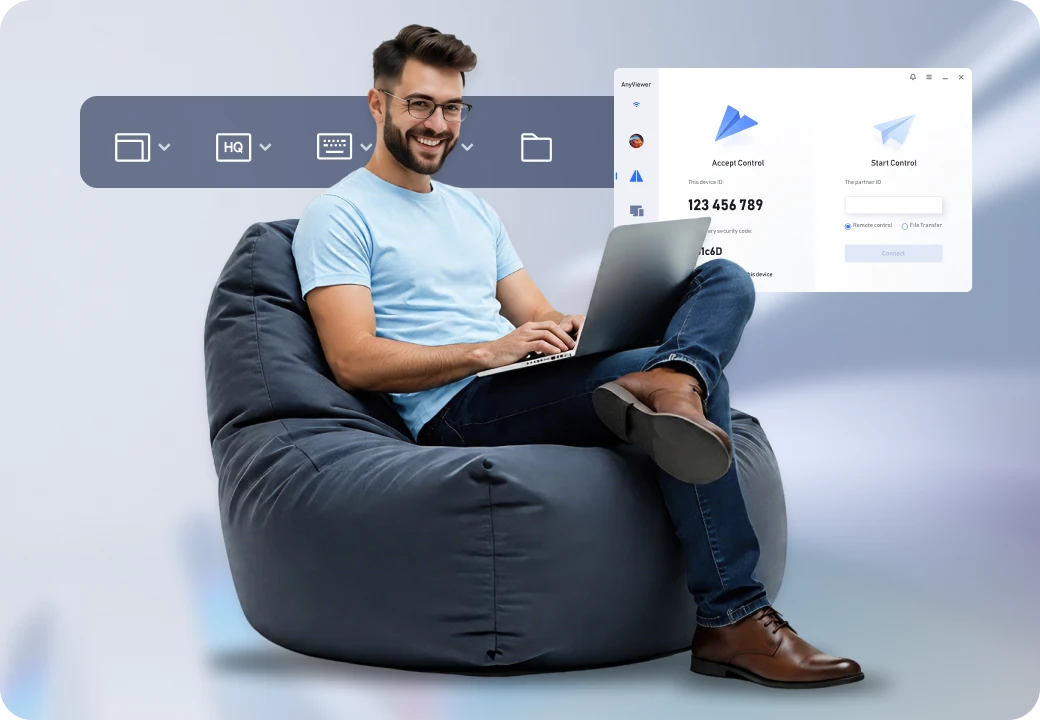
Choose AnyViewer if...
- You want a free starting point to evaluate basic remote access.
- You need flexible multi-device and concurrent connection limits.
- You handle sensitive tasks that require endpoint privacy control.
- You plan to scale smoothly from personal use to team management.
Choose Remote Access That Fits Your Workday
Start with the computers you need to reach, the people who need access, and the tasks they need to complete.
- Splashtop offers the appropriate Remote Access, Performance, or support plan for your requirements.
- GoToMyPC lets you evaluate its enrolled-computer workflow and the value of keeping or adopting that setup.
- AnyViewer allows you to start with a free option and see whether its available features and limits fit your needs.