Still Looking for a LogMeIn Alternative?
Start with AnyViewer for easier, safer, and worry-free remote access to any device.

Why Look for a LogMeIn Alternative?

Although LogMeIn is a well-known remote tool, its high pricing and complex features lead many users exploring programs like LogMeIn to seek simpler, more affordable alternatives.

Absence of a Free Personal Tier icon

Absence of a Free Personal Tier

Unlike many competitors, LogMeIn offers no permanent free plan for personal or light use. Users must choose a paid plan or rely on a limited-time trial.

Prohibitively High Pricing icon

Prohibitively High Pricing

LogMeIn is relatively expensive, especially for small businesses, IT teams, or individuals who only need basic remote access.

Complex Billing & Support Bottlenecks icon

Complex Billing & Support Bottlenecks

License changes, account issues, and billing disputes can involve long support wait times. Faster, more responsive assistance is often reserved for higher-tier plans.

Aggressive Renewal Practices icon

Aggressive Renewal Practices

Users often report unexpected price increases at renewal. This rigid pricing structure can make software costs harder to predict and budget.

Feature Bloat & Interface Complexity icon

Feature Bloat & Interface Complexity

The dashboard includes many extra tools that some users rarely need, making the interface feel crowded and routine tasks more complicated than necessary.

Heavy Resource Usage & Latency icon

Heavy Resource Usage & Latency

Background processes and persistent agents can consume significant system resources, potentially causing latency or performance issues on older devices or slower networks.

Top LogMeIn Alternatives to Consider in 2026

Whether you are looking for enterprise suites or searching for free LogMeIn alternatives, review the top-rated software options below:

Software Best for Key Highlight
AnyViewer logoAnyViewer Budget remote access Free cross-network access
TeamViewer logoTeamViewer Enterprise compliance Comprehensive security audit logs
AnyDesk logoAnyDesk Low-bandwidth networks Lightweight client for weak Wi-Fi
Splashtop logoSplashtop Professional remote work Smooth multi-monitor navigation
RealVNC Connect logoRealVNC Connect Direct IT control Secure direct cloud routing
ConnectWise ScreenConnect logoConnectWise ScreenConnect IT support & MSPs Customizable rapid support tools

Your ideal alternative depends on your needs: choose AnyViewer for budget-friendly access, AnyDesk for weak networks, or Splashtop, RealVNC, ScreenConnect, and TeamViewer for professional workflows, direct IT control, support, and enterprise compliance.

1
AnyViewer logo

AnyViewer - The Cost-Effective Choice to Replace LogMeIn

AnyViewer provides a streamlined remote desktop environment that delivers essential connectivity without the massive overhead and budget strain associated with LogMeIn.

Key Advantages:

  • Permanent free tier featuring true cross-network connectivity
  • Instant file sharing and multi-display control without mandatory paywalls
  • Clean, modern dashboard that eliminates unnecessary feature clutter
  • Lightweight resource footprint preventing system slowdowns on host machines

Recommended for:

Freelancers, remote workers, small businesses, and budget-driven professionals.

Expert Review:

"If you are downsizing your software expenses away from LogMeIn, AnyViewer provides an unexpectedly powerful alternative. Its free cross-network capabilities mean you can manage remote machines anywhere without running into sudden subscription walls."

2
TeamViewer logo

TeamViewer - Enterprise-Grade Compliance for Large Organizations

When your migration from LogMeIn demands strict regulatory tracking and absolute security transparency, TeamViewer steps in with advanced infrastructure protection.

Key Advantages:

  • Detailed security audit logs tracking every user session and administrative action
  • End-to-end zero-trust architecture protecting sensitive corporate assets
  • Granular role-based access control built for large internal IT teams
  • Mass-deployment capabilities optimized for thousands of corporate endpoints

Recommended for:

Corporate IT departments, security-focused enterprises, and compliance officers.

Expert Review:

"TeamViewer matches the scale of legacy corporate suites while offering vastly superior compliance tracking. Its deep audit logging and zero-trust controls give large teams the precise governance they need after outgrowing basic tools."

3
AnyDesk logo

AnyDesk - High-Performance Remote Access for Weak Connections

Ditch the heavy background agents and high latency. AnyDesk is engineered for speed, offering an ultra-lean alternative to LogMeIn's resource-heavy software suite.

Key Advantages:

  • Proprietary DeskRT codec ensuring smooth streaming on poor Wi-Fi
  • Minimalist executable file that runs instantly without heavy installation bloat
  • Low CPU and RAM usage, perfect for older or constrained hardware
  • Fluid cross-platform operation across Windows, macOS, and mobile devices

Recommended for:

Remote travelers, users with unstable internet, and performance-minded professionals.

Expert Review:

"Where LogMeIn often feels sluggish on constrained networks, AnyDesk thrives. Its exceptionally lightweight build and optimized streaming codec ensure your remote session stays responsive even when your connection dips."

4
Splashtop logo

Splashtop - Streamlined Multi-Monitor Remote Work

Simplify your daily routine by moving away from complicated enterprise dashboards. Splashtop delivers clean, high-performance remote access focused purely on daily workplace productivity.

Key Advantages:

  • Effortless multi-monitor navigation for complex home office setups
  • High-definition video rendering with ultra-low input lag
  • Straightforward setup that avoids bloated menus and confusing pricing tiers
  • Reliable session stability for continuous daily professional workflows

Recommended for:

Remote office employees, graphic designers, and multi-screen users.

Expert Review:

"Splashtop cuts through the complexity that frustrates many former LogMeIn users. By focusing on smooth multi-monitor navigation and crisp visual fidelity, it transforms home workstations into seamless extensions of the office."

5
RealVNC Connect logo

RealVNC Connect - Direct and Secure IT Management

Take back hands-on control of your infrastructure. RealVNC Connect provides a direct, highly secure connection path that bypasses the redundant middleware found in heavy commercial packages.

Key Advantages:

  • Secure direct cloud routing for rapid, unhindered device access
  • Direct host administration tailored for technical system administrators
  • Robust encryption standards ensuring absolute data confidentiality
  • Cross-platform flexibility covering diverse server and client environments

Recommended for:

System engineers, independent IT administrators, and tech-forward enterprises.

Expert Review:

"For IT pros who prefer a direct line to their managed machines over bloated enterprise portals, RealVNC Connect is a breath of fresh air. Its secure cloud routing delivers uncompromised, hands-on control."

6
ConnectWise ScreenConnect logo

ConnectWise ScreenConnect - Agile Helpdesk and Support

Transform how your team handles technical requests. ScreenConnect offers an agile, highly customizable platform built specifically for fast-paced support and service desk environments.

Key Advantages:

  • Instant on-demand support tools for quick client troubleshooting
  • Highly customizable interface and branding options for service desks
  • Rapid connection speeds minimizing wait times during critical incidents
  • Flexible session management designed specifically for managed service providers

Recommended for:

MSPs, IT support desks, and customer-facing technical teams.

Expert Review:

"If LogMeIn's support tooling feels too rigid or costly, ConnectWise ScreenConnect provides a refreshing pivot. Its hyper-customizable support portal and instant connection triggers let technicians resolve issues with maximum speed."

Top LogMeIn Competitors At a Glance

Category LogMeIn AnyViewer TeamViewer AnyDesk Splashtop RealVNC Connect ConnectWise ScreenConnect
Core features Remote access and control, 1TB cloud file storage, multi-monitor support Unattended remote access, high-speed file transfer, multi-session control, role permission management, screen wall Remote control, file transfer, session recording, easy access, secure unattended access, RMM add-ons Low-latency remote access, unattended access, cross-platform compatibility, basic file transfer Multi-monitor navigation, HD streaming, secure file transfer Remote control, file transfer, session recording, unattended access, web-based access Unattended access, file transfer, session recording, multi-monitor support, meeting capabilities
Ease of Use Moderate High High High High Moderate High
Cross-Platform Support Windows, Mac, iOS, Android Windows, Mac, iOS, Android Windows, Mac, Linux, iOS, Android Windows, Mac, Linux, iOS, Android, Pi Windows, Mac, iOS, Android Windows, Mac, Linux, Pi, iOS, Android Windows, Mac, Linux, iOS, Android
Pricing Expensive (Enterprise bundle packaging) Highly cost-effective / Free tier available High (Standard enterprise pricing) Moderate (Flexible tier licensing) Moderate (Split by user/device tiers) Moderate (Priced by device count) Priced by technician count
Pros Robust out-of-the-box office tools, seamless remote printing, highly reliable for standard desktop tasks Free cross-network access, lightweight footprint, and exceptional value Superior compliance tracking, robust security audit capabilities, scalable to massive enterprise sizes Outstanding performance on weak Wi-Fi, low system resource footprint, instant launch capability Smooth multi-monitor workflows, rock-solid stability, intuitive user interface Precise direct-to-host control, robust data privacy, excellent infrastructure management Lightning-fast client troubleshooting, highly customizable branding/toolsets, ideal for MSP efficiency
Cons Expensive, significant feature redundancy Lacks advanced enterprise suites; no Linux host support High commercial licensing cost, strict automated detection Restrictive free tier limits, security practices need care Fragmented licensing, advanced features spread out Traditional interface design, less modern Higher cost for small teams or pure personal use

Insight:

While LogMeIn offers robust features at an expensive price, its alternatives provide high ease of use, better cost-effectiveness, and specialized strengths ranging from free cross-network access to advanced IT support tools.

LogMeIn vs. Alternatives Feature Comparison

While basic features are similar, advanced controls vary. Compare LogMeIn and its top alternatives below:

Features LogMeIn AnyViewer TeamViewer AnyDesk Splashtop RealVNC Connect ConnectWise ScreenConnect
Unattended Remote Access Supported Supported Supported Supported Supported Supported Supported
File Transfer (Drag/Drop) Supported Supported Supported Supported Supported Supported Supported
Multi-Monitor Support Supported Supported Supported Supported Supported Supported Supported
Session Recording Supported Supported Supported Supported Supported Supported Supported
In-Session Chat Supported Supported Supported Supported Supported Supported Supported
Whiteboard & Annotation Supported Supported Supported Supported Supported Supported Supported
Clipboard Synchronization Supported Supported Supported Supported Supported Supported Supported
Remote Reboot Supported Supported Supported Supported Supported Supported Supported
Role Permission Management Supported Supported Supported Supported Supported Supported Supported
MSI Deployment Supported Supported Supported Supported Supported Supported Supported
Privacy Mode Supported Supported Supported Supported Supported Supported Supported
Gaming Mouse Not supported Supported Not supported Limited Not supported Not supported Not supported
Screen Wall Not supported Supported Not supported Not supported Not supported Not supported Not supported

Insight:

While core remote features are universally supported across all platforms, key differences lie solely in advanced capabilities like screen walls and role permission management.

LogMeIn vs. Top Competitors Cost and Licensing Compared

Explore alternative pricing plans, user constraints, and trial periods below to find the best fit for your workflow. (August 2026 update)

Plans LogMeIn AnyViewer TeamViewer AnyDesk Splashtop RealVNC Connect ConnectWise ScreenConnect
Free Tier / Trial 14-day trial only Free tier 14-day trial (strict free) Free for personal use only 7-day trial only 14-day trial only 14-day trial only
Free Commercial Use No Yes No No No No No
Cost Level & Value High / Expensive High Cost-Effectiveness High / Enterprise-grade Moderate / Flexible Moderate / Mid-range Moderate / Device-scaled Premium / Tech-scaled
Billing Options Annual subscription Annual subscription Annual subscription Annual / Monthly options Annual subscription Annual subscription Annual / Monthly options
Hidden Costs & Add-ons Steep annual renewal hikes, expensive add-on modules Tier upgrades required for advanced management features Add-ons for mobile support, Tensor security, and channel overage fees Extra fees for advanced consoles; strict commercial usage checks Additional charges for specific ITSM/PSA integrations Costs scale rapidly as total device count increases Extra fees for advanced extensions, PAM, or extra technician seats
Best Pricing Advantage None (High entry and renewal barrier) Highly accessible entry cost for budget-conscious teams Volume discounts available on enterprise-wide contracts Competitive base pricing for individual users / small teams Nearly 50% or more savings compared to LogMeIn with flat rates Economical for environments with fixed, predictable endpoints Uncapped endpoint support per technician

Insight:

For alternatives to LogMeIn, Splashtop and AnyViewer offer the best mid-market value, TeamViewer and ConnectWise ScreenConnect suit enterprise needs, while AnyDesk and RealVNC Connect excel for lightweight deployments.

How Top LogMeIn Alternatives Compare on Security

Dive into a side-by-side security audit of leading solutions, covering everything from end-to-end encryption to role-based access control.

Security Measures LogMeIn AnyViewer TeamViewer AnyDesk Splashtop RealVNC Connect ConnectWise ScreenConnect
ECC (Elliptic Curve Cryptography) Supported Supported Supported Supported Supported Supported Supported
Peer-to-Peer (P2P) Direct Routing Supported Supported Supported Supported Supported Supported Supported
End-to-End 256-bit Encryption Supported Supported Supported Supported Supported Supported Supported
One-time Session Codes Supported Supported Supported Supported Supported Supported Supported
Privacy Mode Supported Supported Supported Supported Supported Supported Supported
Client Interface Settings Lock Supported Supported Supported Supported Supported Supported Supported
Device Blocklist & Allowlist Supported Supported Supported Supported Supported Supported Supported
Role-Based Access Control Supported Supported Supported Supported Supported Supported Supported
Two-Factor Authentication (2FA) Supported Supported Supported Supported Supported Supported Supported
GDPR & Privacy Compliance Supported Supported Supported Supported Supported Supported Supported

Insight:

Leading remote desktop solutions show high parity in core security and compliance configurations, with all major alternatives offering mature and comprehensive enterprise-grade protection.

LogMeIn Alternatives Performance Comparison

See how each tool handles everyday tasks, file transfers, and gaming.

Conditions LogMeIn AnyViewer TeamViewer AnyDesk Splashtop RealVNC Connect ConnectWise ScreenConnect
Local Network Latency (<16 ms) Good Excellent Good Excellent Excellent Good Good
Max Frame Rate Support Up to 30/60 FPS Up to 60 FPS Up to 60 FPS Up to 60 FPS Up to 60 FPS Up to 30/60 FPS Up to 30/60 FPS
Remote Gaming Performance Poor Excellent Good Moderate Excellent Poor Poor
Low-Bandwidth Optimization Moderate Good Good Excellent Good Moderate Good
File Transfer Speed (MB/s) Moderate Fast Fast Fast Fast Moderate Fast
P2P Direct Routing Efficiency High High High High High High High
Hardware Acceleration (GPU) Supported Supported Supported Supported Supported Supported Supported
Cross-Border WAN Stability Stable Stable Stable Stable Stable Stable Stable

Insight:

While core connectivity and hardware acceleration are universally stable, performance in high-demand tasks like remote gaming varies significantly, with AnyViewer and Splashtop leading the category.

Real-World Speed & Efficiency Tests on LogMeIn Alternatives

See how each tool handles speed, latency, and resource usage under stress.

Software Connect Time Average Latency 2GB File Transfer Idle RAM Usage CPU Usage During Session
LogMeIn 2.6-3.4s 75-95ms 45-60MB/s 260-330MB 12-18%
AnyViewer 1.2-1.6s 45-58ms 85-100MB/s 110-150MB 6-9%
TeamViewer 2.5-3.2s 70-95ms 55-70MB/s 280-350MB 13-20%
AnyDesk 1.3-1.7s 45-60ms 80-95MB/s 140-180MB 7-11%
Splashtop 1.5-2.0s 45-65ms 75-90MB/s 220-290MB 8-14%
RealVNC Connect 2.4-3.0s 70-90ms 40-55MB/s 240-300MB 10-16%
ConnectWise ScreenConnect 2.0-2.8s 65-85ms 50-65MB/s 250-320MB 11-17%

Test Environment:

  • OS: Windows 11 (Host & Client)
  • Network: 200 Mbps Wi-Fi (15km)
  • Display: 1080p dual-monitor
  • Method: Averaged over 5 runs

Observations:

  • AnyViewer and AnyDesk deliver the fastest connections, lowest latency, highest transfer speeds, and lowest resource usage.
  • Splashtop matches close to the top tier with strong speed and efficiency.
  • ConnectWise ScreenConnect and RealVNC Connect offers stable, middle-tier performance and balanced resource usage.
  • TeamViewer shows slower connections, higher latency, and heavier resource demands.

Best LogMeIn Alternatives by Use Case

Find the right tool for your specific workflow, from remote work to IT support and gaming.

Best LogMeIn Alternatives for Remote Work

Remote workers need stable connections, multi-monitor support, and smooth daily productivity.
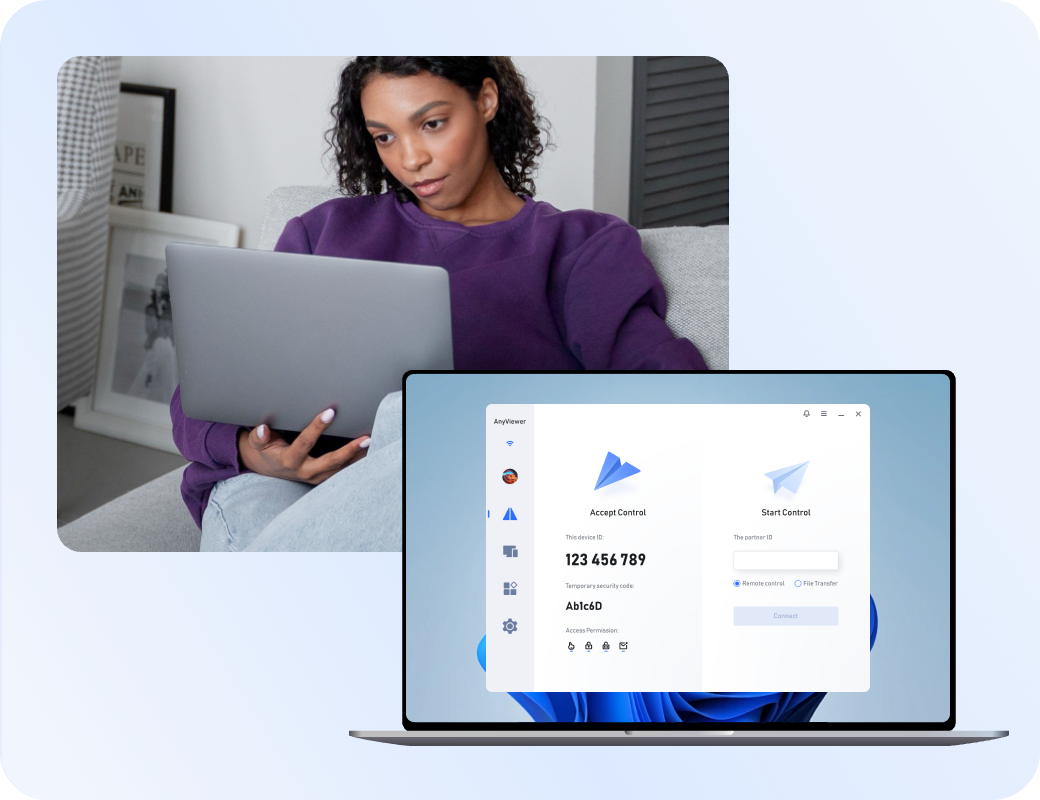
Recommended Tools

  • Splashtop Effortless multi-monitor navigation and HD video rendering with low input lag.
  • AnyViewer Permanent free tier, cross-network connectivity, and a lightweight resource footprint.
  • TeamViewer Enterprise-grade reliability with advanced audit logs and security tracking.
Remote Work

Best LogMeIn Alternatives for IT Support

IT support teams need fast connections, instant troubleshooting, and precise endpoint control.

Recommended Tools

  • ConnectWise ScreenConnect Agile helpdesk platform with instant on-demand support and rapid connection speeds.
  • RealVNC Connect Secure direct cloud routing for rapid device access and hands-on system administration.
  • TeamViewer Mass-deployment capabilities with granular role-based access control.
Remote Work

Best LogMeIn Alternatives for Small Business

Small businesses need cost-effective pricing and high accessibility to cut overhead.

Recommended Tools

  • AnyViewer High cost-effectiveness with a permanent free tier and low entry barrier.
  • Splashtop Mid-market value with flat-rate pricing offering significant savings.
  • AnyDesk Flexible tier licensing and a lightweight client for scalable operations.
Remote Work

Best LogMeIn Alternatives for Remote Gaming

Remote gaming requires high frame rates, minimal latency, and robust hardware acceleration.

Recommended Tools

  • AnyViewer Delivers up to 60 FPS, rapid connection times, and low latency under demanding loads.
  • Splashtop HD streaming with rock-solid stability and superior graphics handling.
  • TeamViewer Stable mainstream performance with consistent frame rates and GPU acceleration.
Remote Work

Best LogMeIn Alternatives for Cross-Platform Access

Cross-platform use demands universal operating system compatibility across devices.

Recommended Tools

  • AnyDesk Fluid operation spanning Windows, macOS, Linux, iOS, Android, and Raspberry Pi.
  • RealVNC Connect Broad OS flexibility covering diverse server and client environments.
  • TeamViewer Extensive ecosystem compatibility across Windows, Mac, Linux, iOS, and Android.
Remote Work

What Users Say About Parsec Competitors?

Customer reviews were taken from Trustpilot and Software Advice on July 15, 2026.

AnyViewer

4.7
Excellent
5-star
4-star
3-star
2-star
1-star
Shawn Radov
I like that I can have a free account with my own devices and still support someone remotely that isn't part of my account.
The app is really easy to learn and setup, there aren't any annoying adds or forced license fees.
It really is "free" to use with added functions on purchased feature upgrades.
What is a bit annoying is that my application doesn't keep remembering my login details and i have to log in again after a while.
UsefulShare
ST
Sergio Torres
I've had a great experience with AnyViewer. It's incredibly easy to use, yet still powerful enough to handle everything I need for remote support.
Setup was simple, performance has been reliable, and it makes helping clients fast and stress-free. What really stands out is their support team — even though everything is handled via email, they've been responsive, helpful, and genuinely supportive whenever I've needed assistance.
Highly recommend for anyone looking for a practical, dependable remote access solution.
UsefulShare
DM
Dimitri M.
AnyViewer works perfectly. The UI is clean and transparent. The functions are all there. The pricing of the full version is fair, and there are some special prices coming and going every now and then. The demo version, which I used for a long time, is far more usable than that of the TeamViewer and many others, which I appreciate a lot. I do not see anything better thus far on the market, free or otherwise. Keep up the good work!
UsefulShare
CU
Customer
I have used another Remote Control program before but me and my family that I support much prefer AnyViewer. The program launches quickly the the view of the remote computer's screen refreshes smoothly. When I'm away from home I enjoy being able to use the portable version of the application on someone else PC.
UsefulShare

LogMeIn

2.1
Poor
5-star
4-star
3-star
2-star
1-star
MA
Merrick Ales
The remote link from any computer or phone allows me to monitor my weather station, cameras, and even my freezer two hundred miles away. It’s almost like having someone there. It also lets me know if the power has gone out that I may prevent food spoilage. It’s not a business use however and I wish it were less expensive.
UsefulShare
J
Jim Folz
Company auto renewed it's services. I called within 3 or 4 days to cancel but there policy is that customers will not retro actively reimburse for auto renew cancelation. This policy is just wrong!canciles.
UsefulShare
Kasandra Dolan
Horrible service and horrible customer service. You will not get a refund unless you are a month within first purchasing. The program takes some time getting used to.
UsefulShare
RI
Richard
The product worked well for many years, but my health organization recently blocked the product due to security concerns. I suspect that many companies will have similar issues as it bypasses normal security measures designed to protect the internal network. When I asked for a refund for the unused portion of the subscription, the company refused, even though the request was made 2 days after it renewed. They also do notprovide notice of impending renewals. Caveat emptor.
UsefulShare

TeamViewer

4.6
Excellent
5-star
4-star
3-star
2-star
1-star
CH
Chirisc
TeamViewer is a powerful and user-friendly remote access tool that makes it incredibly easy to connect to another computer or device from anywhere. Whether you're helping a friend fix a problem, accessing your work PC from home, or managing multiple devices, TeamViewer delivers smooth performance with very little setup.
Overall Impression
It's one of the easiest ways to provide tech support or manage devices remotely. For personal use, it's hard to beat its convenience and stability.
...wish free sessions were longer.
UsefulShare
AG
Andy Geez
Clear executable instructions.
"To help someone using TeamViewer, the best option is to have them use the TeamViewer QuickSupport application. This is designed specifically for spontaneous, one-time assistance where they do not need to install software, but can simply run an executable file to give you access."
Simplicity is the key to success.
Thank you TeamViewer peoples!
UsefulShare
RA
Ray
I liked being able to share my mobile device's screen. Despite having a bit of trouble during setup, I managed to configure it. The downside I found is that the shared screen is just a smidgeon larger than that of my 8" scan tool tablet. I was expecting something a bit closer to my laptop's 15" screen -- at least 11" or so.
UsefulShare
KE
Kenneth
The license is too expensive, and the trial period is too short, I cannot realize if it is useful for me or not. Because sometime the connection is unstable and the connection will be lost and I cannot re-login again
UsefulShare

AnyDesk

1.7
Bad
5-star
4-star
3-star
2-star
1-star
R
Ryan
I've been using AnyDesk for a few years to stay connected to my devices when traveling for work. It's easy to use, responsive and stable. The support team is also great, they respond promptly when I reach out with issues and I like that they have options for chat support and phone support beyond the normal ticket submissions. I'd highly recommend giving them a try.
UsefulShare
FC
Francesco Cuccio
Awful. This is what will happen:
You will subscribe, they will auto-renew and arbitrarily raise prices SUBSTANTIALLY. If you unlink paypal, they will send a German debt collector to you. You will not be able to contact Anydesk because they won't answer and their contact form leaves you NO PROOF of contact (ticket or email receipt).
It's basically a well thought out extortion scheme.
UsefulShare
SR
Sree
Terrible.
As a small company we used to buy Anydesk on a regular basis for 2 years. Our Team of 4 engineers used to parallely work on multiple systems.
Recenly we renewed the same licence, but suddenly our engineers couldnt work on it parallely.. They said parallel connection requries addn purchase and it was due to some issue with their servers we were able to use it. Okay, we understand but shouldnt you reach out to us regrading the same? Instead of trying to sell your licences. Never going back
UsefulShare
TW
Theo Weijimer
They make it very hard to cancel your subscription. You have to cancel three months prior to the next billing period,. There is no need to have such long period. It is only used to get an extra year of subscription out of your pocket.
Keep away from these kind of businesses.
UsefulShare

Splashtop

4.2
Great
5-star
4-star
3-star
2-star
1-star
LH
Lisa Hendrickson
I was a long time user of LogMeInRescue. But when the company ownership changed, the product started to fail and their tech support wasn't as helpful as they once were. I decided to look around and other techs recommended Splashtop. Not only is it faster to connect, it also allows me to remote into phones so I can remote help with my clients email/data synching with their Outlook. And the price is way better too. Highly recommend.
UsefulShare
M.
M.Francis
I moved to Splashtop from LogMeIn, 'years ago', after LogMeIn decided to hike up their prices to ridiculous levels. Only Splashtop offered similar features and have looked after me ever since, for a very fair price.
The product just keeps getting better and I use it to support customers, family and friends.
I would recommend it to anyone.
UsefulShare
JO
Josh
Our small business has been a Splashtop customer from very early on (when LogMeIn pricing went crazy). As long as it remains affordable and stable, we will be customers for life. Currently use the Splashtop Business and SOS features.
UsefulShare
WI
William
I am very happy with the support. As most of my problems had to do with errors on Apples part I have always received prompt replies when submitting support requests. I just love the product even though I only use it now days for personally to get access to my computers no matter where I am. Keep up the great work!
UsefulShare

RealVNC

2.0
Poor
5-star
4-star
3-star
2-star
1-star
NI
Nicholas
We've been using RealVNC in earnest for 50+ users since the pandemic. It has been solid and reliable, as far as I can tell we've had ZERO significant problems in 3 years of use. The fact that it began life as free open source software attracted me to use it, the price was a bonus.
UsefulShare
O
Olli Hurri
Earlier I was using free "home" version for one connection and three devices. Suddenly free "home" verions was disabled and prices was around 200 euros per year. In this June I got without any preliminary info or possibility to change my plan an invoice total 99 euros, but bank account was charged 999 euros. I contacted RealVNC and they replied that no possibility downgrade plan or get money back. They just wrote new invoice that totals 999 €.
UsefulShare
RO
Rob
Its like pulling teeth getting a refund for canceled service a keep assured its coming but its going on one month. This is a company with no moral compass service or overall sence of business! Do yourself a favor and stay away! Im still waiting for refund!
UsefulShare
CO
Consumer
Be very careful with this company, they double charge and then claim that it's your fault, offer discounts then do not follow through. They will increase the price and not notify you then claim you own them money for a subscription you never had . The software is okay but will often give you connection is already active errors. I'd consider a more reputable company very disappointing especially the customer service
UsefulShare

ConnectWise ScreenConnect

2.2
Poor
5-star
4-star
3-star
2-star
1-star
J
Jon Cullen
Worse App /system I have ever used . Constantly crashes constantly has bugs on it Logging in is virtually impossible . Absolute Garbage system . Use Safety Culture its 50 times better 🙄
UsefulShare
TN
Tim Neville
We use ScreenConnect and it has been 'okay'. The actual product is great when it works, but it is not always perfect.
Service is not particularly helpful and often does not seem to fully grasp the issue.
Overall happy with the product, but could be happier...!
UsefulShare
DL
David L
Been a client for well over a decade and have a variety of the Connectwise products under contract. While there are some occasional hiccups, the account management and support teams are great and always ready to help.
Once you dive in and get to know all the ins and outs of the products, they are great to work with.
UsefulShare
UP
UnknOwn Profian
This company, increase prices right after contract. They do not reply to support tickets. Months of problems without solutions. Closing tickets without solving or even answering. Worst support I ever encountered. If you think to be their partner - think again, after 1 year they will go after your customers directly, offering lowered contracts for them then for partner - and after a year they increase price to normal for that customer. Choose something better then this for your clients! Worst experience ever.
UsefulShare

Frequently Asked Questions About LogMeIn Alternatives

Why should you look for a LogMeIn alternative?

Many users seek alternatives due to LogMeIn's high pricing, aggressive renewal price hikes, lack of a permanent free tier, and complex interface feature bloat that can slow down performance.

What is the best overall alternative to LogMeIn?

It depends on your priority. AnyViewer is best for cost-efficiency and free cross-network access, Splashtop excels in remote work and multi-monitor setups, and TeamViewer or ConnectWise ScreenConnect are ideal for heavy enterprise IT and support.

Are there any LogMeIn alternatives with a permanent free tier?

Yes. AnyViewer offers a robust permanent free tier with cross-network connectivity. AnyDesk and TeamViewer also offer free options, but they are strictly restricted to personal, non-commercial use.

Which alternative is best for small businesses looking to cut costs?

AnyViewer and Splashtop are top choices for small businesses. They offer flat-rate pricing structures and mid-market values that can save over 50% compared to legacy enterprise pricing models.

Are LogMeIn alternatives as secure as LogMeIn?

Yes. Leading alternatives like TeamViewer, Splashtop, AnyViewer, and AnyDesk match LogMeIn's security parity, offering end-to-end 256-bit AES encryption, ECC, 2FA, and GDPR compliance.

Which competitor is best for IT support and MSPs?

ConnectWise ScreenConnect is built specifically for helpdesks and MSPs, offering rapid connection speeds, instant on-demand support tools, and customizable branding. TeamViewer is also a strong choice for large-scale enterprise endpoint management.

Can you use LogMeIn alternatives for remote gaming or high-FPS tasks?

Yes. AnyViewer and Splashtop deliver excellent performance for high-demand tasks, supporting up to 60 FPS, rapid connection times, and low latency under heavy graphical loads.

Which tool is best for weak or low-bandwidth networks?

AnyDesk is engineered specifically for speed and poor Wi-Fi, utilizing a proprietary DeskRT codec and a lightweight minimalist executable file to reduce latency and resource usage.

Do these alternatives support multi-monitor navigation?

Yes. Splashtop and AnyViewer both provide seamless multi-monitor navigation and high-definition video rendering, making them ideal for complex home office workflows.

Which LogMeIn alternatives support Linux hosts?

TeamViewer, AnyDesk, RealVNC Connect, and ConnectWise ScreenConnect fully support Linux systems across diverse server and client environments.

Are subscription renewal prices for alternatives more predictable than LogMeIn?

Most alternatives (such as Splashtop and AnyViewer) feature transparent, flat-rate annual pricing without the steep, sudden renewal price hikes frequently reported with LogMeIn.

How do you choose the right alternative for your specific workflow?

Match your primary goal: choose AnyViewer for budget and gaming, Splashtop for multi-monitor remote work, AnyDesk for weak connections, RealVNC for direct IT control, and ScreenConnect or TeamViewer for comprehensive helpdesk and compliance needs.

Still Searching for the Right LogMeIn Alternative?

Choose the best solution tailored to your daily needs:

  • If you need budget-friendly access and high-FPS gaming, AnyViewer offers a permanent free tier with fast performance.
  • If you require smooth multi-monitor remote work, Splashtop provides high-definition workflows and rock-solid stability.
  • If you manage IT helpdesk support, ConnectWise delivers rapid connection speeds and instant troubleshooting tools.