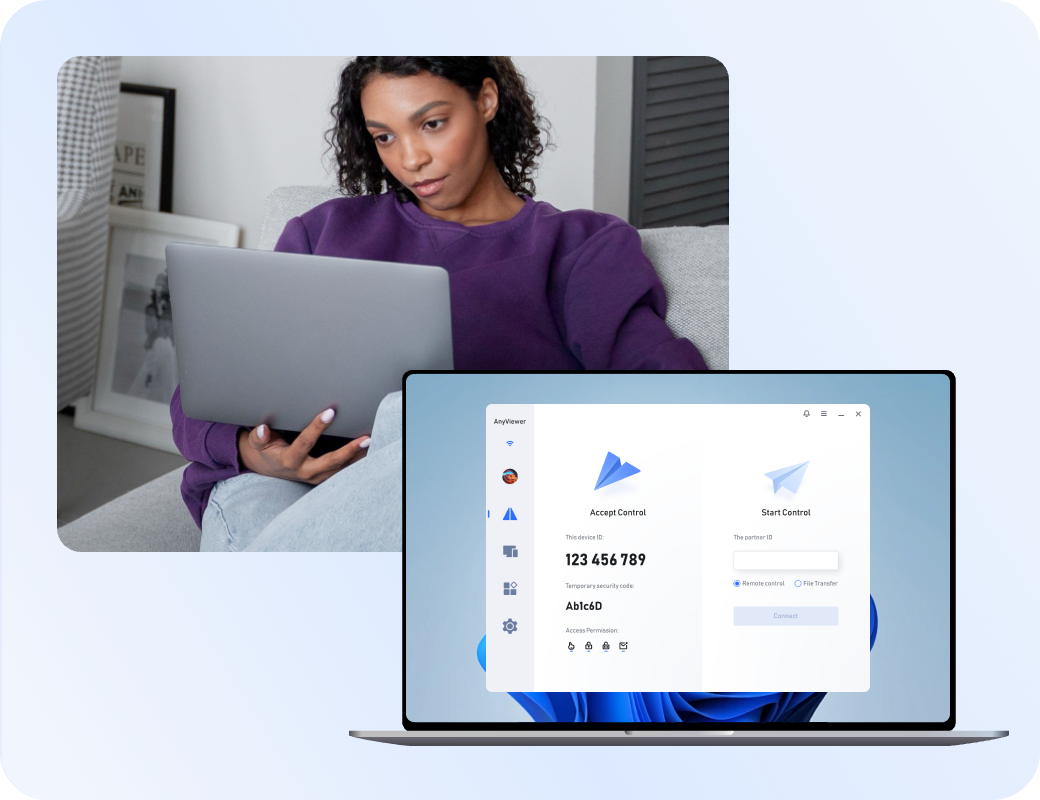
Still Looking for a GoToMyPC Alternative?
Start with AnyViewer for easier, safer, and worry-free remote access to any device.

Why Look for a GoToMyPC Alternative?

Although GoToMyPC has long been used for basic remote access, its steep subscription fees, rigid pricing, and aging interface lead many users to seek more affordable, modern alternatives.

High Subscription Costs for Individuals

High Subscription Costs for Individuals

The platform's pricing plans are heavily tailored toward corporate budgets, making it unnecessarily expensive for personal use, freelancers, or small businesses needing straightforward remote access without enterprise overhead.

Strict Device & Plan Limitations

Strict Device & Plan Limitations

Traditional licensing tiers often cap the number of computers you can access or support per account, forcing users to upgrade expensive plans just to manage a modest handful of devices.

Outdated Web-Based and Client Interface

Outdated Web-Based and Client Interface

While functional, the user interface and connection experience can feel dated compared to modern, lightweight desktop apps, sometimes resulting in clunky navigation and less intuitive remote control.

Limited Built-In Collaboration Features

Limited Built-In Collaboration Features

The platform primarily focuses on one-on-one desktop control, lacking flexible tools for modern team environments, such as multi-monitor switching controls or advanced session-sharing options for collaborative work.

Rigid Browser and Plugin Dependencies

Rigid Browser and Plugin Dependencies

Historically tied to browser-based plugins and applets, the setup process and routine connection maintenance can introduce compatibility hurdles and friction on modern operating systems.

Lack of Modern Bandwidth Optimization

Lack of Modern Bandwidth Optimization

On restricted networks or lower-bandwidth connections, users often experience sluggish display rendering and limited options to fine-tune image quality or frame rates for smoother performance.

Top GoToMyPC Alternatives in 2026

Review the top-rated programs like GoToMyPC to upgrade your workflow.

Software Best for Key Highlight
AnyViewer logoAnyViewer Everyday remote access & great value Lightweight design, easy setup, and fast file transfers
TeamViewer logoTeamViewer Advanced IT support Feature-rich, all-in-one enterprise solution
Splashtop logoSplashtop High-performance work Smooth HD streaming and multi-monitor support
RemotePC logoRemotePC Multi-computer access Scalable, affordable plans for unattended connections
RealVNC logoRealVNC Strict security & regulatory compliance Granular access controls and detailed audit logs
Zoho Assist logoZoho Assist Cloud-based, on-demand IT help Instant, browser-based remote support

Replacing GoToMyPC brings better performance and lower costs. Whether you choose AnyViewer for its everyday value or TeamViewer for advanced features, modern alternatives deliver smoother workflows for any setup.

1
AnyViewer logo

AnyViewer - The Cost-Effective Professional Choice to Replace GoToMyPC

An efficient remote desktop tool offering stable, standalone performance without high subscription fees or rigid licensing limitations.

Key Advantages:

  • Affordable pricing plans designed to cut down corporate overhead
  • Fast, reliable file transfers and flexible unattended access
  • Smooth multi-monitor switching with a modern, lightweight interface
  • Scalable performance from single home setups to business workflows

Recommended for:

Remote workers, freelancers, small businesses, and budget-conscious professionals.

Expert Review:

"AnyViewer cuts out high subscription costs while delivering seamless multi-device management and true desktop-level flexibility."

2
TeamViewer logo

TeamViewer - The Comprehensive Enterprise Alternative to GoToMyPC

An all-in-one, feature-rich remote support platform built for complex, multi-platform environments and advanced IT administration.

Key Advantages:

  • Extensive cross-platform compatibility across operating systems
  • Comprehensive IT management and advanced session control tools
  • Robust multi-user collaboration and session-sharing capabilities
  • Enterprise-grade security and administrative oversight

Recommended for:

Large enterprises, professional IT support teams, and system administrators.

Expert Review:

"TeamViewer provides an unmatched suite of advanced tools and cross-platform control for organizations needing full-scale IT management."

3
Splashtop logo

Splashtop - The High-Performance Professional Choice to Replace GoToMyPC

A high-speed remote access solution engineered for fluid media streaming and professional office workflows.

Key Advantages:

  • High-definition streaming with robust multi-monitor support
  • Significantly lower total cost of ownership compared to legacy tools
  • Secure, reliable "always-on" remote office connections
  • Fast file sharing and easy remote printing options

Recommended for:

Creative professionals, corporate office workers, and growing teams.

Expert Review:

"Splashtop delivers fluid high-definition performance and reliable multi-monitor handling at a fraction of traditional enterprise costs."

4
RemotePC logo

RemotePC - The Scalable "Always-On" GoToMyPC Alternative

A practical, multi-device remote access tool built for constant connectivity and easy unattended management.

Key Advantages:

  • Scalable multi-computer packages and flexible licensing tiers
  • Web-based dashboard for instant remote access from anywhere
  • Continuous unattended connection capabilities
  • Cost-effective plans for managing multiple office machines

Recommended for:

Small businesses, distributed teams, and individuals managing multiple devices.

Expert Review:

"RemotePC offers a practical, highly scalable approach to unattended access, making multi-computer management simple and affordable."

5
RealVNC logo

RealVNC - The Secure Compliance-Focused Choice to Replace GoToMyPC

A trusted remote access platform built on deep security foundations and fine-grained administrative controls.

Key Advantages:

  • Granular role-based access control and detailed audit logs
  • Strict adherence to modern data privacy and security compliance
  • Direct, highly secure peer-to-peer connection options
  • Stable performance across sensitive corporate networks

Recommended for:

Finance, healthcare, and industries with strict security and compliance requirements.

Expert Review:

"RealVNC provides the rigorous access controls and detailed auditing required by environments where security is non-negotiable."

6
Zoho Assist logo

Zoho Assist - The Cloud-Based On-Demand GoToMyPC Alternative

A lightweight, web-based remote support tool designed for instant assistance and hassle-free connectivity.

Key Advantages:

  • Zero-installation, browser-based quick support sessions
  • Instant chat and collaborative troubleshooting tools
  • Easy unattended remote access for scheduled maintenance
  • Clean, intuitive cloud interface for support teams

Recommended for:

Customer support desks, IT helpdesks, and service-oriented businesses.

Expert Review:

"Zoho Assist streamlines customer support with instant, browser-based connections that require zero complex setup."

Quick Comparison of Top GoToMyPC Competitors in 2026

Compare core features, pricing, security, and usability across leading remote desktop alternatives to find the right fit for your workflow.

Category GoToMyPC AnyViewer TeamViewer Splashtop RemotePC RealVNC Zoho Assist
Core features Unattended access, file transfer, printing Fast file transfer, unattended access, multi-display switching All-in-one IT support, session recording, cross-platform High-speed HD/4K streaming, multi-monitor support Scalable multi-device packages, cloud dashboard Granular access control, session recording, audit logs Browser-based quick support, instant chat, unattended access
Ease of Use Moderate High (modern & lightweight) Moderate (feature-dense) High (intuitive & smooth) High (simple web setup) Moderate (requires configuration) High (zero-installation web UI)
Compatibility Windows, Mac, Web Windows, iOS, Android, macOS Windows, Mac, Linux, iOS, Android, Web Windows, Mac, Linux, iOS, Android Windows, Mac, Linux, iOS, Android Windows, Mac, Linux, iOS, Android Windows, Mac, Linux, iOS, Android
Pricing Expensive Free tier / Cost-effective Premium Affordable tiers Budget-friendly Usage-based tiers Free tier / Low cost
Security & Encryption 256-bit AES, MFA End-to-end encryption 256-bit AES, 2FA TLS/AES encryption TLS 1.2, 2FA Role-based controls, MFA SSL/TLS, 2FA
Pros Trusted legacy brand, simple setup Great value, lightweight, modern UI Complete toolset for advanced enterprise support Excellent streaming performance and lower cost Great for scaling multiple computers affordably Top-tier security, compliance, and auditing Instant browser-based connection with zero friction
Cons Expensive licensing, rigid limits Advanced features require paid tiers High cost for small teams/individuals Fewer built-in collaborative helpdesk tools Interface can feel basic for advanced tasks Steeper learning curve for advanced settings Limited advanced features on entry tiers

Insight:

While GoToMyPC remains a familiar name for basic remote office connections, modern alternatives like AnyViewer deliver superior flexibility, better multi-device scalability, and significantly lower ownership costs for individuals and businesses alike.

Comparing Advanced Features Across GoToMyPC Competitors

Explore how GoToMyPC and its top-tier competitors handle modern remote workflows, from basic desktop access to advanced collaboration and administrative tools.

Features GoToMyPC AnyViewer TeamViewer Splashtop RemotePC RealVNC Zoho Assist
Unattended Remote Access
File Transfer
Multi-Monitor Support
Audio Synchronization
Clipboard Synchronization
Session Recording
Whiteboard & Annotation
Remote Reboot Limited
MSI Deployment
Privacy Mode
Multi-User Collaboration
In-Session Chat
Live Chat
Web-Based Access
Gaming Mouse
Screen Wall

Insight:

While GoToMyPC covers basic remote access needs, modern solutions like AnyViewer, TeamViewer, and Splashtop offer comprehensive toolkits, including advanced screen walls, session recording, and privacy modes, to support both remote workers and professional IT teams seamlessly.

GoToMyPC vs. Alternatives Pricing Models

Compare monthly rates, free tiers, and scaling costs to determine which platform delivers the best value for individuals and growing teams. (August 2026 update)

Pricing Dimension GoToMyPC AnyViewer TeamViewer Splashtop RemotePC RealVNC Zoho Assist
Free Tier / Trial No free tier or trial Free tier available Free for personal use only Free trial available Free trial available 14-day free trial 15-day free trial
Free Commercial Use Yes Yes No No No No No
Starting Price (Paid) $28.00 /mo per computer $3.58 /mo (Billed annually) $24.90 /mo (Remote Access plan) $5.00 /mo ($60/year) $24.50 /yr (Promo entry) $3.34 /mo (Essentials tier) $10.00 /mo (Standard edition)
Licensing Model Per-Computer (Cloud) Per-User / Multi-Device tiers Per-User / Concurrent Channels Per-User / Per-Technician Per-User / Device-bucket packs Per-Device / Session-based Per-Technician
Key Cost Considerations Expensive scaling for multiple devices; billed per host machine rather than user. Highly cost-effective entry point; offers deep discounts on multi-year commitments. Steep price jumps between tiers; strict commercial enforcement. Great mid-tier value ($99/user/yr for Pro features); volume discounts for IT teams. Often features steep first-year promo discounts, scaling up upon renewal. Scaled by the number of remote computers managed under the subscription. Excellent value for helpdesk and remote support workflows with pay-per-tech scaling.

Insight:

Legacy solutions like GoToMyPC charge high per-device fees with no free tier. In contrast, modern competitors offer vastly better value: AnyViewer uniquely includes free commercial use, while tools like RealVNC, Splashtop, and Zoho Assist provide much lower entry costs and flexible scaling for individuals and teams.

GoToMyPC vs. Competitor Security and Compliance

Examine how GoToMyPC and top competitors stack up in encryption, compliance frameworks, and multi-factor security controls.

Security Measures GoToMyPC AnyViewer TeamViewer Splashtop RemotePC RealVNC Zoho Assist
Encryption Standard AES-256 / SSL 256-bit ECC (End-to-End) AES 256-bit & RSA 4096-bit AES 256-bit / TLS TLS / AES 256-bit AES 256-bit (End-to-End) AES 256-bit / SSL
Two-Factor Authentication Yes Yes Yes Yes Yes Yes Yes
Single Sign-On (SSO) Integration Yes Yes Yes Yes Yes Yes Yes
Compliance Standards SOC 2, HIPAA GDPR, SOC 2, ISO 27001 SOC 2, SOC 3, HIPAA SOC 2 Type II, ISO 27001, GDPR, HIPAA HIPAA, SOC 2 ISO 27001, GDPR, HIPAA GDPR, HIPAA, SOC 2
Access Controls Device locking, IP restrictions Role-based permissions, Device grouping, Whitelist/Blacklist Device authorization, Whitelists Role-based access control, Device grouping Granular user management Pre-authorized access lists Role-based controls, Technician restriction
Screen blanking / Lock Blank screen / Block input Screen blanking Screen blanking Screen blanking Screen blanking Blank screen / Block input Screen blanking

Insight:

While core encryption and 2FA are universal, advanced features like SSO are consistently reserved for enterprise-tier plans across all platforms.

Performance Benchmarks For GoToMyPC Competitors

Explore how leading remote access solutions handle high refresh streaming, bandwidth optimization, and GPU acceleration for demanding daily workflows.

Conditions GoToMyPC AnyViewer TeamViewer Splashtop RemotePC RealVNC Zoho Assist
Frame Rate & Fluidity Standard (Up to 30 FPS) High (Up to 60 FPS) High (Up to 60 FPS) High (Up to 60 FPS) Moderate (30–60 FPS) High (Optimized streaming) Standard (30 FPS)
Latency & Responsiveness Moderate Low (Optimized for low delay) Very Low (Global server routing) Very Low (High-performance engine) Moderate to Low Low (Direct & relay connections) Moderate
Image & Color Quality Standard HD True Color (4:4:4) HD / High Fidelity High Quality (Multi-monitor) Standard HD / High Quality True Color support Standard HD
Bandwidth Optimization Basic adaptive compression Dynamic bandwidth adjustment Smart compression & hardware acceleration Adaptive streaming Dynamic quality scaling Adaptive rate control Basic compression
File Transfer Speed Moderate (Drag-and-drop / Copy-paste) Fast (High-speed batch file transfer) Very Fast (Optimized bulk transfer) Fast (Drag-and-drop & file manager) Fast (Drag-and-drop & mapped drives) Fast (Out-of-band file transfer) Moderate (Standard secure transfer)
Multi-Monitor Navigation Basic screen switching Seamless multi-screen toggle & display Advanced multi-monitor handling Multi-monitor switching & view options Standard multi-monitor view Multi-monitor display management Basic screen toggling
Hardware Acceleration Support Limited / Basic GPU-accelerated encoding Advanced GPU hardware acceleration GPU acceleration support Basic hardware support GPU-accelerated rendering Limited / Basic

Insight:

While GoToMyPC handles basic office tasks, modern tools like AnyViewer, TeamViewer, and Splashtop offer superior performance with 60 FPS streaming, GPU acceleration, and smooth multi-monitor support.

Testing Speed And System Load For GoToMyPC Alternatives

Discover how top remote access tools perform under stress with detailed metrics on responsiveness and resource consumption.

Software Connect Time Average Latency 2GB File Transfer Idle RAM Usage CPU Usage During Session
GoToMyPC 2.8-3.5s 80-110ms 45-60MB/s 200-260MB 12-18%
AnyViewer 1.2-1.6s 45-58ms 85-100MB/s 110-150MB 6-9%
TeamViewer 2.5-3.2s 70-95ms 55-70MB/s 280-350MB 13-20%
Splashtop 1.5-2.0s 45-65ms 75-90MB/s 220-290MB 8-14%
RemotePC 2.3-3.0s 75-100ms 50-65MB/s 250-320MB 11-17%
RealVNC 1.8-2.5s 50-75ms 50-65MB/s 90-130MB 8-12%
Zoho Assist 2.0-2.6s 65-80ms 60-75MB/s 160-210MB 9-14%

Test Setup:

  • Environment: Windows 11 computers
  • Connection: 200 Mbps Wi-Fi at a 15 km range
  • Display: 1080p dual screens
  • Data: Average from 5 trials

Observations:

  • AnyViewer and Splashtop offer the quickest connection times, lowest latency, and fastest file transfer speeds.
  • RealVNC uses the least RAM (90-130MB), while AnyViewer has the lowest CPU usage (6-9%).
  • Zoho Assist and RemotePC provide balanced, mid-tier connection speeds and resource usage.
  • TeamViewer requires the most RAM (280-350MB) and has the highest CPU usage (13-20%) during sessions.

Finding Your Ideal GoToMyPC Alternative Across Different Scenarios

Explore tailored software recommendations designed specifically for remote work, helpdesk support, and cross device operations.

Top GoToMyPC Alternatives for Remote Work

Remote workers need stable connections, multi-monitor navigation, and smooth daily productivity.

Recommended Tools

  • AnyViewer Fast connection times, low latency, and lightweight resource usage for seamless office-to-home workflows.
  • Splashtop High-performance streaming, multi-monitor switching, and reliable stability for daily professional tasks.
  • TeamViewer Comprehensive feature sets, hardware acceleration, and stable long-distance connectivity for remote professionals.
Remote Work

Top GoToMyPC Alternatives for IT Support

Helpdesk teams require fast ad-hoc connections, session recording, and robust diagnostic controls.

Recommended Tools

  • Zoho Assist On-demand support capabilities, instant session initiation, and streamlined helpdesk integration.
  • TeamViewer Industry-standard diagnostics, remote rebooting, and extensive cross-device troubleshooting utilities.
  • Splashtop Quick SOS modules for ad-hoc support, strong security protocols, and efficient technician deployment.
Remote Work

Top GoToMyPC Alternatives for Small Business

Growing teams require cost-effective deployment, reliable user management, and essential security features.

Recommended Tools

  • AnyViewer Budget-friendly scaling, fast batch file transfers, and simple device management for growing teams.
  • RemotePC Straightforward multi-user administration, dependable web-based access, and simple office deployment.
  • Zoho Assist Scalable pricing plans, essential unattended access, and practical session analytics without enterprise complexity.
Remote Work

Top GoToMyPC Alternatives for Remote Gaming

Gamers demand high-refresh-rate streaming, low latency, and fluid visual fidelity under stress.

Recommended Tools

  • AnyViewer High-performance 60 FPS streaming and True Color display support optimized for smooth motion and visuals.
  • Splashtop Advanced high-performance streaming engines capable of handling fluid visuals and audio-video synchronization.
  • TeamViewer Hardware acceleration and high-fidelity display options designed to handle demanding graphics and motion.
Remote Work

Top GoToMyPC Alternatives for Cross-Platform Access

Users managing mixed-OS environments need seamless connectivity between Windows, macOS, and mobile devices.

Recommended Tools

  • AnyViewer Unified account management and smooth cross-device compatibility spanning desktop and mobile operating systems.
  • RealVNC Reliable multi-platform server and viewer support with a low resource footprint across various systems.
  • TeamViewer Extensive ecosystem compatibility ensuring effortless connection and control across mixed-OS environments.
Remote Work

What Users Say About GoToMyPC Competitors?

Customer reviews were taken from Trustpilot and Software Advice on August 20, 2026.

AnyViewer

4.7
Excellent
5-star
4-star
3-star
2-star
1-star
Shawn Radov
I like that I can have a free account with my own devices and still support someone remotely that isn't part of my account.
The app is really easy to learn and setup, there aren't any annoying adds or forced license fees.
It really is "free" to use with added functions on purchased feature upgrades.
What is a bit annoying is that my application doesn't keep remembering my login details and i have to log in again after a while.
UsefulShare
ST
Sergio Torres
I've had a great experience with AnyViewer. It's incredibly easy to use, yet still powerful enough to handle everything I need for remote support.
Setup was simple, performance has been reliable, and it makes helping clients fast and stress-free. What really stands out is their support team — even though everything is handled via email, they've been responsive, helpful, and genuinely supportive whenever I've needed assistance.
Highly recommend for anyone looking for a practical, dependable remote access solution.
UsefulShare
DM
Dimitri M.
AnyViewer works perfectly. The UI is clean and transparent. The functions are all there. The pricing of the full version is fair, and there are some special prices coming and going every now and then. The demo version, which I used for a long time, is far more usable than that of the TeamViewer and many others, which I appreciate a lot. I do not see anything better thus far on the market, free or otherwise. Keep up the good work!
UsefulShare
CU
Customer
I have used another Remote Control program before but me and my family that I support much prefer AnyViewer. The program launches quickly the the view of the remote computer's screen refreshes smoothly. When I'm away from home I enjoy being able to use the portable version of the application on someone else PC.
UsefulShare

GoToMyPC

1.4
Bad
5-star
4-star
3-star
2-star
1-star
SA
Sam
Been using GoToMyPC for 10 years and been very happy. The past month, I have been unable to connect. Spent an hour with tech support last week. They uninstalled/reinstalled. Same problem this past weekend. Called tech support, spent 40 minutes with them, essentially, they said to uninstall/reinstall again, they were having launcher problems, with no resolution date. I asked to be transferred to cancel my account. They cancelled, and refunded the unused 6 months. VERY disappointed. For $420/yr., you would think they would keep things running.
UsefulShare
J
Jeff Vermette
Worst company ever, do no sign up you can never cancel, had to close my credit card account to stop it from auto renewing. It renewed again this year and they just take no responsibility on not processing cancellation last year. DO NOT USE!
UsefulShare
Wes Hankins
This product works as intended. But they give zero warnings on renewals, and have a strict no cancelation policy. Not even a proration. I was just billed $840 after a decade working with them. They are sinking ship if they are not willing to work with their clients. I would have gladly accepted a proration for a month. But insted they charged be for a full year.
UsefulShare
RI
Mike G-Matt Talbot
I dont need this service. Quite frankly I only needed this service for one instance to help someone. Now I find out that I am being billed monthly and even if I cancel my subscription.I am being billed monthly. I wont be recommending this service strictly because this subscription sign-up seems very misleading and the companywont honor a request to stop billing me until a year from now. Be Cautious - Event though the only other option other than annual billing appears to be a monthly option with a small pring option that binds you for annual subscription. Even though their website says call to cancel a subscription, the gent who answered said there is no remedy and that the billing wont cease until March 2027 even though I pled my case of only needing it for a one off circumstance. Whats sad is that the service actually works well. I think they know a lot of customers are going to be one and dones so this his how the keep revenue generating.
UsefulShare

TeamViewer

4.6
Excellent
5-star
4-star
3-star
2-star
1-star
CH
Chirisc
TeamViewer is a powerful and user-friendly remote access tool that makes it incredibly easy to connect to another computer or device from anywhere. Whether you're helping a friend fix a problem, accessing your work PC from home, or managing multiple devices, TeamViewer delivers smooth performance with very little setup.
Overall Impression
It's one of the easiest ways to provide tech support or manage devices remotely. For personal use, it's hard to beat its convenience and stability.
...wish free sessions were longer.
UsefulShare
AG
Andy Geez
Clear executable instructions.
"To help someone using TeamViewer, the best option is to have them use the TeamViewer QuickSupport application. This is designed specifically for spontaneous, one-time assistance where they do not need to install software, but can simply run an executable file to give you access."
Simplicity is the key to success.
Thank you TeamViewer peoples!
UsefulShare
RA
Ray
I liked being able to share my mobile device's screen. Despite having a bit of trouble during setup, I managed to configure it. The downside I found is that the shared screen is just a smidgeon larger than that of my 8" scan tool tablet. I was expecting something a bit closer to my laptop's 15" screen -- at least 11" or so.
UsefulShare
KE
Kenneth
The license is too expensive, and the trial period is too short, I cannot realize if it is useful for me or not. Because sometime the connection is unstable and the connection will be lost and I cannot re-login again
UsefulShare

Splashtop

4.2
Great
5-star
4-star
3-star
2-star
1-star
LH
Lisa Hendrickson
I was a long time user of LogMeInRescue. But when the company ownership changed, the product started to fail and their tech support wasn't as helpful as they once were. I decided to look around and other techs recommended Splashtop. Not only is it faster to connect, it also allows me to remote into phones so I can remote help with my clients email/data synching with their Outlook. And the price is way better too. Highly recommend.
UsefulShare
M.
M.Francis
I moved to Splashtop from LogMeIn, 'years ago', after LogMeIn decided to hike up their prices to ridiculous levels. Only Splashtop offered similar features and have looked after me ever since, for a very fair price.
The product just keeps getting better and I use it to support customers, family and friends.
I would recommend it to anyone.
UsefulShare
JO
Josh
Our small business has been a Splashtop customer from very early on (when LogMeIn pricing went crazy). As long as it remains affordable and stable, we will be customers for life. Currently use the Splashtop Business and SOS features.
UsefulShare
WI
William
I am very happy with the support. As most of my problems had to do with errors on Apples part I have always received prompt replies when submitting support requests. I just love the product even though I only use it now days for personally to get access to my computers no matter where I am. Keep up the great work!
UsefulShare

RemotePC

1.9
Bad
5-star
4-star
3-star
2-star
1-star
LH
Lisa Hendrickson
The product is basic and works ok at times... Customer support... there is no support. they lie and do nothing... Stay away from using this product, nothing but a headache.
UsefulShare
M.
M.Francis
Very poor software and worse support. You cannot use the native resolution of you monitor unless you use scroll bars or best fit option which makes everything blurry. By far the worst fault. No usb redirection. Useless support. Stutters and generally slow compared to others.
UsefulShare
JO
Josh
I am paid customer of RemotePC.com for last several years (SOHO). Suddenly I started getting a message "Remote Access Not Configured" on my screen, which made it impossible to see what is behind the annoying message and I spoke with Nandu at support of RemotePC.com, who told me that I have to do some kid of downgrade to get rid of the message! When I argued with him, he hung up on me!! I called again and found another person who told me the solution was in downloading & installing the latest version!!
UsefulShare
WI
William
I regret now for renewing my subscription. I will not renew it when the time comes. I have 1 GB download speed Ethernet connection and a very fast desktop, but RemotePC is still slow to connect, and when finally connected, it disconnects. Also, it will not retain the title I assign to the remote pc.
UsefulShare

RealVNC

2.0
Poor
5-star
4-star
3-star
2-star
1-star
NI
Nicholas
We've been using RealVNC in earnest for 50+ users since the pandemic. It has been solid and reliable, as far as I can tell we've had ZERO significant problems in 3 years of use. The fact that it began life as free open source software attracted me to use it, the price was a bonus.
UsefulShare
O
Olli Hurri
Earlier I was using free "home" version for one connection and three devices. Suddenly free "home" verions was disabled and prices was around 200 euros per year. In this June I got without any preliminary info or possibility to change my plan an invoice total 99 euros, but bank account was charged 999 euros. I contacted RealVNC and they replied that no possibility downgrade plan or get money back. They just wrote new invoice that totals 999 €.
UsefulShare
RO
Rob
Its like pulling teeth getting a refund for canceled service a keep assured its coming but its going on one month. This is a company with no moral compass service or overall sence of business! Do yourself a favor and stay away! Im still waiting for refund!
UsefulShare
CO
Consumer
Be very careful with this company, they double charge and then claim that it's your fault, offer discounts then do not follow through. They will increase the price and not notify you then claim you own them money for a subscription you never had . The software is okay but will often give you connection is already active errors. I'd consider a more reputable company very disappointing especially the customer service
UsefulShare

Zoho Assist

4.7
Excellent
5
4
3
2
1
MC
Manish C. Verified reviewer LinkedIn Information Technology 11-50 employees Daily Review source

love zoho assist

5.0
Overall, my experience with Zoho Assist has been very positive. It provides a reliable and cost-effective solution for delivering remote support, which is essential for running a small IT-focused business. Despite a few minor drawbacks, it offers strong functionality and ease of use, making it a valuable tool for supporting clients and maintaining efficient operations.
Ratings Breakdown
5 Ease of use5 Value for money5 Customer support5 Functionality
Read More
MM
Michael M. Verified reviewer LinkedIn Information Technology 11-50 employees Daily Review source

Zoho Assist for affordable remote support

5.0
My overall experience with Zoho Assist has been excellent. It is a reliable remote support tool that makes it easy to connect to client devices and solve problems quickly. The software is stable, secure, and user-friendly. I would recommend it to anyone looking for an affordable and dependable remote desktop solution.
Ratings Breakdown
5 Ease of use5 Value for money5 Customer support5 Functionality
Read More
CU
Customer Verified reviewer LinkedIn Information Technology 11-50 employees Daily Review source

Effective remote support for teams

5.0
When work-at-home was required in 2020, we were able to quickly implement effective remote support for all users with Zoho Assist. We have definitely received value for our investment since then.
Ratings Breakdown
5 Ease of use5 Value for money5 Customer support5 Functionality
Read More
CU
Customer Verified reviewer LinkedIn Information Technology 11-50 employees Daily Review source

Reliable connection when it matters

5.0
I had situations where I could not upkeep an internet connection. Anydesk would keep failing and drop connection causing me to reconnect every time. Zoho helped with the situation right there after and I could keep up the connection and change the Firewall settings and allow internet to an offsite office. keeping connection on LTE WIFI and configuring LAN. it helped a ton, and I was needed to fly to the client. all of this and at the same price I paid for other software with less capability.
Ratings Breakdown
5 Ease of use5 Value for money5 Customer support5 Functionality
Read More

FAQs About GoToMyPC Alternatives

What are the best GoToMyPC alternatives available on the market?

Leading alternatives include AnyViewer, Splashtop, TeamViewer, RemotePC, RealVNC, and Zoho Assist, each offering varying balances of streaming speed, pricing structure, and feature sets.

Why should you switch from GoToMyPC to another remote desktop software?

Many users seek alternatives due to GoToMyPC's relatively high per-computer subscription costs, lack of free tier options, and limited advanced performance features like high-refresh-rate streaming and GPU hardware acceleration.

Are there any free GoToMyPC alternatives for personal or commercial use?

Yes. Tools like AnyViewer offer robust free tiers that include essential features such as unattended access, file transfer, and multi-monitor support without immediate subscription requirements.

How do GoToMyPC alternatives compare in connection speed and latency?

Modern alternatives like AnyViewer and Splashtop typically outperform legacy tools by delivering lower latencies (under 65ms) and higher frame rates (up to 60 FPS), resulting in a smoother, more responsive remote session.

Can you access your office PC from mobile devices using these alternatives?

Yes. Most top-tier alternatives, including AnyViewer, TeamViewer, and Splashtop, provide dedicated iOS and Android applications, allowing you to control desktop hosts seamlessly from your smartphone or tablet.

Do GoToMyPC alternatives support multi-monitor navigation?

Yes. Tools such as AnyViewer, Splashtop, and TeamViewer feature advanced multi-screen toggling and display options, allowing you to switch between multiple host monitors effortlessly.

Which alternative is best suited for small businesses and growing teams?

AnyViewer and RemotePC are popular choices for small businesses due to their cost-effective scaling, straightforward user management, and reliable performance across daily operational workflows.

Which tool is ideal for IT support and helpdesk technicians?

Zoho Assist and TeamViewer are heavily tailored for IT support, offering on-demand ad-hoc connection modules, remote rebooting, session recording, and helpdesk CRM integrations.

How secure are these alternative remote desktop platforms?

Top alternatives employ robust security protocols, including end-to-end TLS encryption, 256-bit AES data protection, two-factor authentication, and device authorization checks to secure enterprise networks.

Do these alternatives support unattended access for remote work?

Yes. Tools like AnyViewer, Splashtop, and TeamViewer allow you to set up permanent, secure unattended access to your office computer so you can log in anytime without needing someone physically present at the host machine.

Which alternative offers the best file transfer speeds?

AnyViewer and Splashtop excel in file transfer benchmarks, offering high-speed batch transfers, drag-and-drop support, and reliable bulk file management during active sessions.

How do you choose the right GoToMyPC alternative for your specific needs?

Evaluate your primary use case, choose AnyViewer or Splashtop for general remote work and speed, Zoho Assist for customer support, and RealVNC or TeamViewer for cross-platform versatility and advanced technical controls.

Ready for a GoToMyPC Alternative?

Step away from outdated software constraints and find the modern solution built for your exact workflow.

  • If you want fast, cost-effective access, AnyViewer provides a powerful free tier with top-tier connection speeds.
  • If you need reliable multi-monitor support, Splashtop handles daily professional tasks with steady performance.
  • If your focus is client troubleshooting, Zoho Assist delivers dedicated helpdesk and session tools.