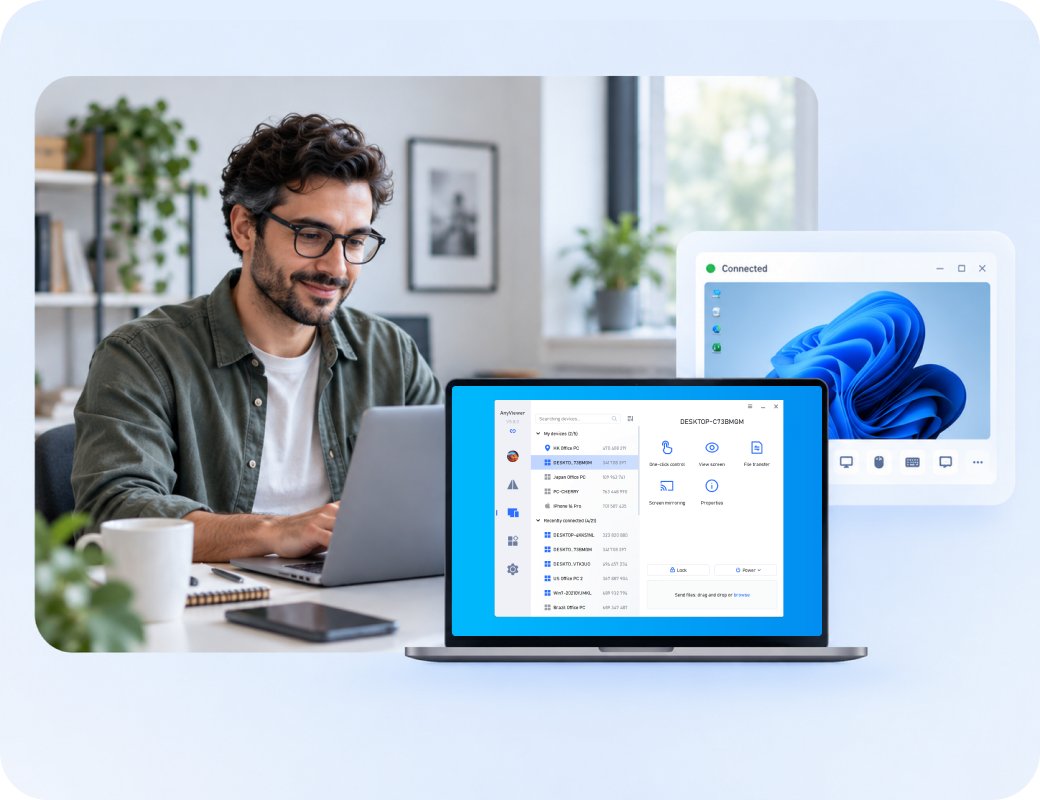
Still Looking for a ScreenConnect Alternative?
Start with AnyViewer for easier, safer, and worry-free remote access to any device.

Six ScreenConnect Alternatives to Shortlist

The six products below represent different replacement paths rather than a single universal ranking.

Software Best For Key Highlight
AnyViewer logoAnyViewer Everyday access and support for smaller teams Simple remote access, file transfer, and unattended entry
Splashtop logoSplashtop Support teams needing session tools and background actions Interactive live support with background system diagnostics
Zoho Assist logoZoho Assist Browser-led help desks and on-demand support Instant web-based support with integrated service desk tools
TeamViewer Remote logoTeamViewer Remote Mixed-device support and business integrations Multi-platform coverage with broad enterprise software integrations
BeyondTrust Remote Support logoBeyondTrust Remote Support Teams prioritizing controlled privileged support Zero-trust privilege management, credential vaulting, and session audits
ISL Online logoISL Online Teams considering cloud or self-hosted support Flexible self-hosted or cloud options with unlimited endpoints

Which ScreenConnect Alternative Should You Pick?

1
AnyViewer logo

AnyViewer — Best ScreenConnect Competitor for Everyday Access and Support

When most tickets involve accessing a computer, helping a colleague, or moving files, AnyViewer is a practical starting point. Focus the trial on the devices and support tasks you actually handle.

Key Advantages

  • Seamlessly combines attended support, unattended access, and safe file transfer
  • Low-latency remote sessions tailored for daily troubleshooting and office access
  • Easy screen-switching and integrated session recording for compliance
  • Simple, role-based device assignment and access management out of the box

Recommended for:

Small internal IT teams, remote workers, and businesses with routine support needs.

Expert Review:

"Shortlist AnyViewer when straightforward access is the priority and specialized background administration is not a mandatory replacement requirement."

2
Splashtop logo

Splashtop — Best ScreenConnect Alternative for Support Sessions and Background Tasks

Splashtop is worth evaluating when technicians need both interactive support and system maintenance. Compare the Remote Support offering, including the edition required for Background Actions.

Key Advantages

  • Reliable attended and unattended remote support
  • System maintenance tools including reboot and reconnect
  • Fast file transfer and technician collaboration features
  • Background Actions for background endpoint troubleshooting

Recommended for:

Help desks and MSPs balancing live assistance with endpoint troubleshooting.

Expert Review:

"A relevant candidate for workflow preservation, provided the required tools are included in the proposed subscription."

3
Zoho Assist logo

Zoho Assist — Best ScreenConnect Alternative for Browser-Led Service Desks

Zoho Assist suits support teams that want to launch sessions through a web-based workflow and keep unattended troubleshooting close to the service desk.

Key Advantages

  • Web-based on-demand support and unattended access
  • Comprehensive session reporting and audit logs
  • Built-in diagnostic tools and remote command-line access
  • Direct management of processes and services across OS platforms

Recommended for:

Distributed help desks, customer support teams, and organizations using Zoho service tools.

Expert Review:

"Evaluate the complete journey from ticket to connection to support record; a quick session start is only one part of the replacement."

4
TeamViewer Remote logo

TeamViewer Remote — Best ScreenConnect Alternative for Mixed Environments

TeamViewer Remote is a candidate when device coverage and connections to existing business tools carry more weight than a minimal support setup.

Key Advantages

  • High-performing remote support and unattended access
  • Broad endpoint coverage across multiple operating systems
  • Extensive integrations with tools like Microsoft Intune and ServiceNow
  • Scalable architecture suited for complex enterprise environments

Recommended for:

IT teams supporting varied endpoints or working inside established service-management systems.

Expert Review:

"Choose the exact product and package around your environment; a broad product portfolio does not guarantee every capability in one license."

5
BeyondTrust Remote Support logo

BeyondTrust Remote Support — Best ScreenConnect Alternative for Governed Access

BeyondTrust Remote Support is a relevant option when the replacement decision centers on who can access systems, how credentials are handled, and what evidence remains after support.

Key Advantages

  • Granular role-based access control (RBAC) and permissions
  • Secure credential-injection workflows to protect passwords
  • Comprehensive session recording and compliance auditing
  • Enterprise-grade remote access designed for privileged accounts

Recommended for:

Enterprise service desks and organizations with demanding privileged-support requirements.

Expert Review:

"A governance-focused candidate when routine desktop access alone cannot meet the support policy."

6
ISL Online logo

ISL Online — Best ScreenConnect Alternative for Deployment Choice

ISL Online offers a distinct path for teams comparing a hosted service with a self-hosted remote support environment.

Key Advantages

  • Flexible cloud-hosted or self-hosted (ISL Conference Proxy) options
  • Full attended and unattended remote control capabilities
  • Administrative mode with restart and automatic reconnect
  • Secure file transfer, chat, and complete session recording

Recommended for:

IT providers and organizations that need control over their hosting arrangement.

Expert Review:

"Include ISL Online when hosting control is a selection requirement and the team can support the operating model."

ScreenConnect Alternatives Quick Comparison

A direct evaluation of ScreenConnect versus leading remote support alternatives across deployment, cost, security, and workflows.

Comparison lens ConnectWise ScreenConnect AnyViewer Splashtop Zoho Assist TeamViewer Remote BeyondTrust Remote Support ISL Online
Primary Deployment Cloud SaaS / On-Premises Cloud SaaS Cloud SaaS / On-Premises (Enterprise) Cloud SaaS Cloud SaaS / Hybrid (Tensor) Self-Hosted Appliance (Virtual/Hardware) / Dedicated Cloud Cloud SaaS / Self-Hosted Server
Target Market & Audience MSPs, IT Service Providers, and mid-to-large IT Help Desks Small businesses, individual IT techs, budget-conscious users SMBs, Educational Institutions, MSPs, and Creative Professionals Businesses already using Zoho Suite, Help Desks, IT Support SMBs Global Enterprise IT, cross-platform IT teams, Industrial/IoT Highly regulated Enterprises, Government, Healthcare, Financial Services MSPs, Enterprise IT departments requiring flexible licensing
Pricing & Licensing Model Per-concurrent technician or per-managed endpoint tiers Freemium model; tiered per-user/per-device subscriptions Per-concurrent user or per-managed endpoint pricing Per-technician subscription (Remote Support & Unattended Add-ons) Tiered per-user license with strict concurrent session limits Named/Concurrent user licenses with annual enterprise subscription Concurrent license model (unlimited technicians/devices) or Pay-Per-Use
Security Architecture Dynamic granular permissions, mandatory MFA, detailed session auditing End-to-end 256-bit ECC encryption, 2FA SOC 2 Type II, SSO/MFA, Zero Trust architecture options TLS 1.2 / AES-256, IP whitelisting, Role-Based Access Control (RBAC) End-to-end encryption, Condition-Based Access control Zero Trust, Privileged Access Management (PAM), full video session audit End-to-end 256-bit AES, RSA 2048 key exchange, 2FA
Integration Ecosystem Deep ConnectWise ecosystem, extensions library, major MSP platforms Lightweight standalone, basic OS/desktop tools ServiceNow, Autotask, Datto, Zendesk, Freshdesk Deep Zoho suite (Desk/CRM), Zendesk, ServiceNow Microsoft Teams, Intune, Salesforce, ServiceNow Enterprise IAM/SIEM, ServiceNow, Jira, BMC Custom API / Webhooks, key Service Desk platforms
Operational Workflows High-perf streaming, custom script execution, unattended background management Lightweight access, silent unattended management, batch deployment 4K/60fps media streaming, cost-effective unattended IT patching Browser-first web sessions, AI-driven ticket logging, seamless chat escalation Cross-platform/IoT coverage, AR field support, mass enterprise deployment Non-VPN access for high-compliance environments, privileged credential injection Flexible concurrent licensing, multi-monitor support, seamless NAT traversal

Insight:

Choose BeyondTrust for maximum security, ScreenConnect/Splashtop for operational speed, or AnyViewer for budget-friendly basic remote support.

Evaluating ScreenConnect Alternatives on Security

Compare key security capabilities across leading remote support solutions.

Security lens ConnectWise ScreenConnect AnyViewer Splashtop Zoho Assist TeamViewer Remote BeyondTrust Remote Support ISL Online
Network Exposure & Deployment Self-hosted or cloud relay; self-hosted setups require firewall and ingress port hardening. Cloud relay-based architecture; utilizes proprietary encrypted tunnels to avoid direct inbound port exposure. Cloud-native routing via HTTPS (Port 443); eliminates the need to open inbound firewall ports. Cloud-based SaaS using Web/SSL tunnels; no public IP or port forwarding required. Routing through Global Mesh Node network; avoids exposing open inbound ports to the internet. Zero Trust architecture (Appliance/SaaS); secure outbound connections without VPN or open inbound ports. Self-hosted (On-Premises) or Cloud options; requires outbound communication over ports 443/80/4433.
Access Controls & Authentication Granular RBAC, MFA enforcement, and integration with ConnectWise SSO, SAML, and OAuth. Account/Device Code authentication, MFA, and basic device authorization lists. MFA, Single Sign-On (SAML 2.0) integration, and device-level authentication. SAML SSO, MFA, IP address whitelisting, and department-level RBAC. Conditional Access policies, SSO integration, MFA, and device allowlists. Zero-Trust / Vault passwordless integration, Just-In-Time (JIT) access, and granular session permissions. MFA, SAML 2.0 SSO, access code session controls, and strict IP restrictions.
Endpoint Safety & Session Protection Dynamic temporary agent generation, session privilege elevation prompts, and AES-256 encryption. 256-Bit Elliptic Curve Encryption (ECC), automatic screen locking, and black screen mode. TLS/AES-256 session encryption, blank screen feature, remote lock, and idle session timeout. 128-bit/256-bit AES encryption, requiring explicit user authorization before connection. RSA/AES-256 end-to-end encryption, remote screen blanking, and immediate session termination options. Automatic temporary agent uninstallation post-session; complete separation of privilege levels. 256-bit AES end-to-end encryption, privilege elevation prompts, and auto-screen lock.
Privacy, Auditability & Compliance GDPR, SOC 2 Type II compliant; offers customizable audit logging and session recording. GDPR compliant; basic session logging with limited tamper-evident audit trails. SOC 2 Type II, GDPR, HIPAA, PCI-DSS compliant; centralized audit trails. GDPR, HIPAA, CCPA compliant; detailed, exportable activity logs and video session audits. SOC 2, ISO 27001, GDPR compliant; centralized audit logging and connection reporting. HIPAA, PCI-DSS, SOC 2 compliant; tamper-proof video recording and detailed text-based audit logs. GDPR, HIPAA compliant; comprehensive session audit trails with local log retention for self-hosted versions.

Insight:

While ScreenConnect alternatives like Splashtop and TeamViewer minimize network exposure, BeyondTrust provides the strongest posture by combining zero-trust privilege management with tamper-proof auditing.

Compare the Cost of Your Actual Support Setup

Compare core licensing models and cost drivers across leading remote support platforms.

Licensing Lens ConnectWise ScreenConnect AnyViewer Splashtop Zoho Assist TeamViewer Remote BeyondTrust Remote Support ISL Online
Technicians & Simultaneous Use Per concurrent user or named tech; supports multi-session per tech depending on tier. Licensed by named user; multi-device concurrent connections restricted by tier. Licensed per named user; concurrency limits enforced based on Business/Enterprise plan. Licensed per named technician; concurrent session limits vary by subscription tier. Licensed per named user or concurrent seat (Licensed User vs. Concurrent Seats). Licensed primarily by concurrent technician seats; unlimited named user creation. Licensed per concurrent session or named user; flexible multi-session pooling.
Unattended Devices Estate Includes unattended agent tiers; scaling cost depends on total managed endpoints. Fixed unattended device quota per user license; upgrades required for larger estates. Bundled unattended access per user (e.g., 10–100/tech); add-ons for large estates. Unattended node packages sold separately or capped per technician tier. Unattended endpoints managed via managed device add-ons or tier quotas. Unlimited unattended endpoint deployment; cost driven purely by technician seats. Unlimited unattended endpoint deployment; usage constrained only by concurrent sessions.
Required Functionality & Add-ons Core remote control included; SSO, advanced scripting, and premium add-ons billed extra. Essential tools included; enterprise security and advanced management locked in higher tiers. Background diagnostics included in Pro/Enterprise; SSO requires Enterprise. Background diagnostic tools included in Professional/Enterprise; SSO in top tier. Basic access in entry tiers; Conditional Access, SSO, and custom integrations require Enterprise. All-inclusive enterprise security: Vault, SSO, JIT access, and full audit logs included. All features included (custom branding, mobile, background access); no hidden feature tiers.
Contract Terms & Licensing Model Annual or monthly subscriptions; perpetual legacy licenses subject to maintenance fees. Annual subscription options; scaled pricing based on user and device quotas. Annual billing per user; volume tiering for larger teams and enterprise agreements. Monthly or annual billing options per tech; flexible scaling with pay-as-you-go add-ons. Annual subscription contracts; tiered entry, business, and corporate licensing. Annual enterprise subscription based on concurrent seats; custom quote required. Pay-per-use, annual cloud subscription, or perpetual self-hosted license options.

Insight:

While SMB-focused solutions bill per named user with endpoint limits, enterprise platforms like BeyondTrust and ISL Online offer predictable scaling by charging strictly per concurrent technician or session with unlimited endpoints.

Selecting the Ideal ConnectWise ScreenConnect Alternative by Scenario

Discover tailored remote access, support, and management solutions grouped by specific organizational needs and operational workflows.

Top Alternatives for Straightforward SMB Remote Access

For small businesses needing easy, affordable remote support without complex IT setups.

Recommended Tools

  • AnyViewer Provides simple PC and mobile access, file transfer, and unattended entry at low cost.
  • Zoho Assist Offers pay-as-you-go cloud access for fast, zero-setup browser sessions.
  • Splashtop Delivers an easy central console and user controls for rapid SMB rollout.
SMB Remote Access

Top Alternatives for High Security and Zero-Trust Remote Support

For regulated sectors needing privilege management, credential protection, and tamper-proof audits.

Recommended Tools

  • BeyondTrust Remote Support Uses credential vaulting, JIT access, and session recording with auto-uninstalled agents.
  • ISL Online Delivers full data control via on-premises hosting within your network boundary.
  • TeamViewer Remote Offers Conditional Access policies, SSO, and ISO 27001 compliance.
High Security & Regulated Access

Top Alternatives for Scalable MSP and Helpdesk Support

For IT service providers needing CRM and ticketing system integration alongside cost-effective team scaling.

Recommended Tools

  • Zoho Assist Integrates with Zoho Desk and Zendesk for instant, browser-based support.
  • ISL Online Uses concurrent-session licensing with unlimited devices to lower costs at scale.
  • Splashtop Combines unattended endpoint management with high-performance helpdesk tools.
MSP Service Desk

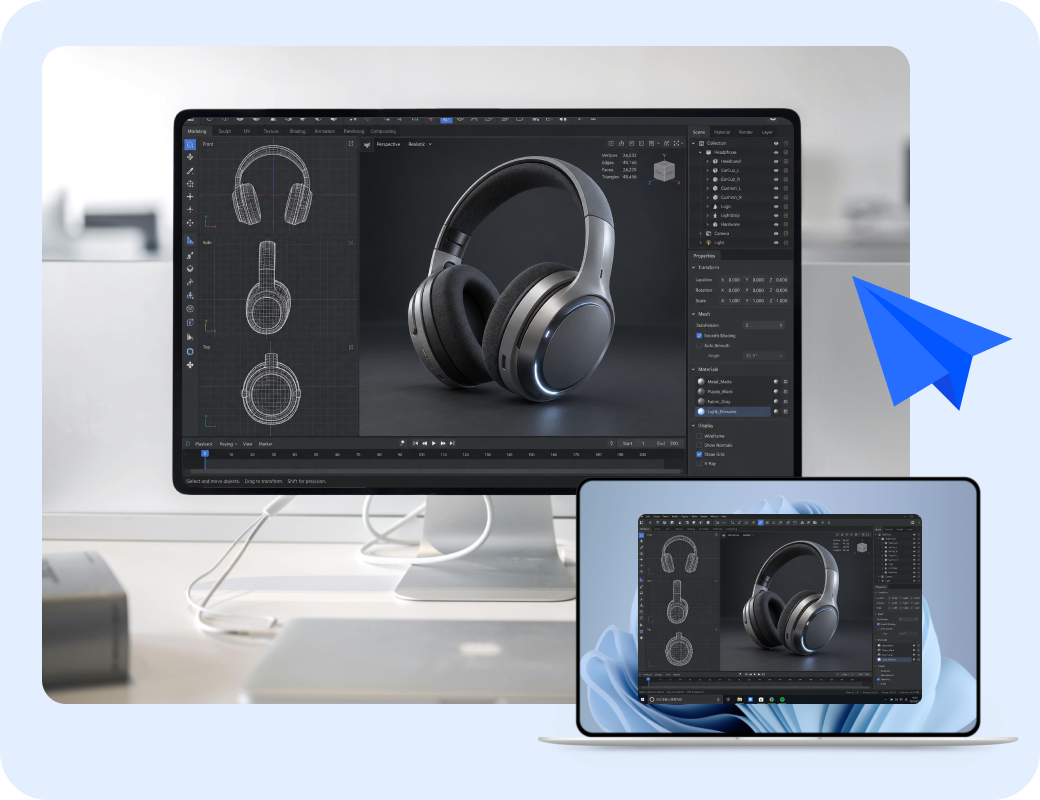
Top Alternatives for High-Performance Graphics Remote Access

For creative pros requiring low latency and high frame rates for 3D, video, and CAD work.

Recommended Tools

  • Splashtop Delivers smooth 4K/60fps remote performance for graphics-heavy workloads.
  • AnyViewer Supports 60fps streaming with hardware acceleration for fast desktop response.
  • TeamViewer Remote Uses global mesh routing to maintain image quality over long-distance sessions.
High-Performance Support

Top Alternatives for On-Premises Hosting and Custom Deployment

For teams needing local server control or firewall bypass across complex OT networks.

Recommended Tools

  • ISL Online Offers self-hosted licensing that traverses corporate firewalls over outbound port 443.
  • BeyondTrust Remote Support Deploys on hardware/virtual appliances for air-gapped or high-security networks.
  • TeamViewer Remote Extends remote control to Linux, Raspberry Pi, and industrial IoT devices.
On-Premises & Custom Hosting

Common User Reviews of ScreenConnect Alternatives

Customer reviews were taken from Trustpilot and Software Advice on September 8, 2026.

AnyViewer

4.7
Excellent
5-star
4-star
3-star
2-star
1-star
Shawn Radov
I like that I can have a free account with my own devices and still support someone remotely that isn't part of my account.
The app is really easy to learn and setup, there aren't any annoying adds or forced license fees.
It really is "free" to use with added functions on purchased feature upgrades.
What is a bit annoying is that my application doesn't keep remembering my login details and i have to log in again after a while.
UsefulShare
ST
Sergio Torres
I've had a great experience with AnyViewer. It's incredibly easy to use, yet still powerful enough to handle everything I need for remote support.
Setup was simple, performance has been reliable, and it makes helping clients fast and stress-free. What really stands out is their support team — even though everything is handled via email, they've been responsive, helpful, and genuinely supportive whenever I've needed assistance.
Highly recommend for anyone looking for a practical, dependable remote access solution.
UsefulShare
DM
Dimitri M.
AnyViewer works perfectly. The UI is clean and transparent. The functions are all there. The pricing of the full version is fair, and there are some special prices coming and going every now and then. The demo version, which I used for a long time, is far more usable than that of the TeamViewer and many others, which I appreciate a lot. I do not see anything better thus far on the market, free or otherwise. Keep up the good work!
UsefulShare
CU
Customer
I have used another Remote Control program before but me and my family that I support much prefer AnyViewer. The program launches quickly the the view of the remote computer's screen refreshes smoothly. When I'm away from home I enjoy being able to use the portable version of the application on someone else PC.
UsefulShare

ConnectWise ScreenConnect

2.2
Poor
5-star
4-star
3-star
2-star
1-star
J
Jon Cullen
Worse App /system I have ever used . Constantly crashes constantly has bugs on it Logging in is virtually impossible . Absolute Garbage system . Use Safety Culture its 50 times better 🙄
UsefulShare
TN
Tim Neville
We use ScreenConnect and it has been 'okay'. The actual product is great when it works, but it is not always perfect.
Service is not particularly helpful and often does not seem to fully grasp the issue.
Overall happy with the product, but could be happier...!
UsefulShare
DL
David L
Been a client for well over a decade and have a variety of the Connectwise products under contract. While there are some occasional hiccups, the account management and support teams are great and always ready to help.
Once you dive in and get to know all the ins and outs of the products, they are great to work with.
UsefulShare
UP
UnknOwn Profian
This company, increase prices right after contract. They do not reply to support tickets. Months of problems without solutions. Closing tickets without solving or even answering. Worst support I ever encountered. If you think to be their partner - think again, after 1 year they will go after your customers directly, offering lowered contracts for them then for partner - and after a year they increase price to normal for that customer. Choose something better then this for your clients! Worst experience ever.
UsefulShare

Splashtop

4.3
Great
5-star
4-star
3-star
2-star
1-star
LH
Lisa Hendrickson
I was a long time user of LogMeInRescue. But when the company ownership changed, the product started to fail and their tech support wasn't as helpful as they once were. I decided to look around and other techs recommended Splashtop. Not only is it faster to connect, it also allows me to remote into phones so I can remote help with my clients email/data synching with their Outlook. And the price is way better too. Highly recommend.
UsefulShare
M.
M.Francis
I moved to Splashtop from LogMeIn, 'years ago', after LogMeIn decided to hike up their prices to ridiculous levels. Only Splashtop offered similar features and have looked after me ever since, for a very fair price.
The product just keeps getting better and I use it to support customers, family and friends.
I would recommend it to anyone.
UsefulShare
JO
Josh
Our small business has been a Splashtop customer from very early on (when LogMeIn pricing went crazy). As long as it remains affordable and stable, we will be customers for life. Currently use the Splashtop Business and SOS features.
UsefulShare
WI
William
I am very happy with the support. As most of my problems had to do with errors on Apples part I have always received prompt replies when submitting support requests. I just love the product even though I only use it now days for personally to get access to my computers no matter where I am. Keep up the great work!
UsefulShare

Zoho Assist

4.7
Excellent
5
4
3
2
1
MC
Manish C. Verified reviewer LinkedIn Information Technology 11-50 employees Daily Review source

love zoho assist

5.0
Overall, my experience with Zoho Assist has been very positive. It provides a reliable and cost-effective solution for delivering remote support, which is essential for running a small IT-focused business. Despite a few minor drawbacks, it offers strong functionality and ease of use, making it a valuable tool for supporting clients and maintaining efficient operations.
Ratings Breakdown
5 Ease of use5 Value for money5 Customer support5 Functionality
Read More
MM
Michael M. Verified reviewer LinkedIn Information Technology 11-50 employees Daily Review source

Zoho Assist for affordable remote support

5.0
My overall experience with Zoho Assist has been excellent. It is a reliable remote support tool that makes it easy to connect to client devices and solve problems quickly. The software is stable, secure, and user-friendly. I would recommend it to anyone looking for an affordable and dependable remote desktop solution.
Ratings Breakdown
5 Ease of use5 Value for money5 Customer support5 Functionality
Read More
CU
Customer Verified reviewer LinkedIn Information Technology 11-50 employees Daily Review source

Effective remote support for teams

5.0
When work-at-home was required in 2020, we were able to quickly implement effective remote support for all users with Zoho Assist. We have definitely received value for our investment since then.
Ratings Breakdown
5 Ease of use5 Value for money5 Customer support5 Functionality
Read More
CU
Customer Verified reviewer LinkedIn Information Technology 11-50 employees Daily Review source

Reliable connection when it matters

5.0
I had situations where I could not upkeep an internet connection. Anydesk would keep failing and drop connection causing me to reconnect every time. Zoho helped with the situation right there after and I could keep up the connection and change the Firewall settings and allow internet to an offsite office. keeping connection on LTE WIFI and configuring LAN. it helped a ton, and I was needed to fly to the client. all of this and at the same price I paid for other software with less capability.
Ratings Breakdown
5 Ease of use5 Value for money5 Customer support5 Functionality
Read More

TeamViewer

4.6
Excellent
5-star
4-star
3-star
2-star
1-star
CH
Chirisc
TeamViewer is a powerful and user friendly remote access tool that makes it incredibly easy to connect to another computer or device from anywhere. Whether you're helping a friend fix a problem, accessing your work PC from home, or managing multiple devices, TeamViewer delivers smooth performance with very little setup.
Overall Impression
It's one of the easiest ways to provide tech support or manage devices remotely. For personal use, it's hard to beat its convenience and stability.
...wish free sessions were longer.
UsefulShare
AG
Andy Geez
Clear executable instructions.
"To help someone using TeamViewer, the best option is to have them use the TeamViewer QuickSupport application. This is designed specifically for spontaneous, one-time assistance where they do not need to install software, but can simply run an executable file to give you access."
Simplicity is the key to success.
Thank you TeamViewer peoples!
UsefulShare
RA
Ray
I liked being able to share my mobile device's screen. Despite having a bit of trouble during setup, I managed to configure it. The downside I found is that the shared screen is just a smidgeon larger than that of my 8" scan tool tablet. I was expecting something a bit closer to my laptop's 15" screen -- at least 11" or so.
UsefulShare
KE
Kenneth
The license is too expensive, and the trial period is too short, I cannot realize if it is useful for me or not. Because sometime the connection is unstable and the connection will be lost and I cannot re-login again
UsefulShare

BeyondTrust Remote Support

4.6
Overall Rating
5
4
3
2
1
MN
Marat N. Technology and Services 2-10 employees Used daily for more than 2 years Review source

BeyondTrust Remote Support review

5
Like I mentioned above we often use BeyondTrust Remote Support tool to resolve various types of issues of our customers. Some unique features of Remote Support tool make it irreplaceable for us.
Ratings Breakdown
5 Ease of use4 Value for money5 Customer support5 Functionality
VR
Verified Reviewer Research 2-10 employees Used daily for more than 2 years Review source

Remote support is one of the best remote desktop app

4
Remote support solves issues and saves time for those who don't know how to solve a specific issue on their computer that leads u to connect with their computer and help them with a lot if issues they suffer from.
Ratings Breakdown
4 Ease of use3 Value for money4 Customer support3 Functionality
VR
Verified Reviewer Retail 10000+ employees Used monthly for less than 6 months Review source

Amazing but Expensive

3
Providing remote support to clients and vendors when onsite access is unavailable.
Ratings Breakdown
2 Ease of use3 Value for money2 Customer support3 Functionality
AM
Verified Reviewer Hospital & Health Care 10000+ employees Used daily for less than 12 months Review source

Remote Support- A good remote mobility solution

4
In a nutshell, Remote Support is a good tool for the overall company's customer satisfaction score growth and loyalty. It helps achieve needed tasks in seamless manner.
Ratings Breakdown
5 Ease of use3 Value for money4 Customer support3 Functionality

ISL Online

2.6
Poor
5-star
4-star
3-star
2-star
1-star
NI
Nick
Perfect tool for all IT people. I maintain more than 50 computers all over France, and ISL helped me keep all of my clients working during the COVID lockdowns. The tool is reasonably priced considering all of the advantages it offers - rapid interventions, zero kilometers, satisfied customers.
UsefulShare
LU
Luka
Screen sharing and computer management are easy using ISL Light. Integration in our business process was very fast. Regular updates with new features and fixes.
UsefulShare
D
Dieter Keijzer
ISL makes life much easier for out IT department. We just send the link to the person in need and we are ready to go. No difficult login codes. Just perfect!
UsefulShare
TA
Tatjana
What I like most is that I can work from home with ISL Online and feel like I would be sitting in my office and working on my office computer.
UsefulShare

FAQs About ConnectWise ScreenConnect Alternatives

What is a good ConnectWise ScreenConnect alternative?

AnyViewer is a starting point for routine access and support. Splashtop, Zoho Assist, TeamViewer Remote, BeyondTrust Remote Support, and ISL Online address other priorities, including background tools, integrations, governed access, and hosting choice.

Is ConnectWise Control the same product as ScreenConnect?

ConnectWise Control is a former name associated with ScreenConnect. When comparing alternatives, identify the ScreenConnect product, license, and deployment you currently use so the comparison matches your setup.

Which alternatives should I test if I depend on Backstage?

Start by examining Splashtop Background Actions and Zoho Assist diagnostics. Test the exact tasks you perform, including permissions and user impact. Background tools, command access, screen blanking, and an isolated desktop workspace are different capabilities.

Can AnyViewer replace ScreenConnect for unattended access?

AnyViewer supports unattended access to authorized devices. It can be a candidate when this is your main requirement. Validate your platforms, plan limits, and access controls, and assess any dependency on specialized technician tools separately.

Which option should I consider for self-hosting?

ISL Online offers a self-hosted option using ISL Conference Proxy. Evaluate server configuration, updates, backup, and recovery alongside the remote support workflow.

Can I choose a free alternative for a business support team?

A free plan is only useful if its current terms and limits cover your workload. Verify commercial-use rights, users, enrolled devices, concurrent sessions, and required controls before treating it as a business replacement.

How do I avoid disrupting support during migration?

Pilot a small group, validate permissions and administrative tasks, and agree on rollback conditions. Move in stages and remove old agents and access only after the new workflow passes acceptance.

Ready to Test a ScreenConnect Alternative?

Choose the right ScreenConnect alternative by matching your core operational requirements with the best-fit replacement path:

  • If your team needs everyday remote access and support, start with AnyViewer on a small group of authorized devices.
  • Evaluate Splashtop or Zoho Assist for background troubleshooting and helpdesk workflows.
  • Choose BeyondTrust, TeamViewer, or ISL Online for zero-trust governance, enterprise tools, or self-hosted control.