
Strict Browser & Account Dependencies
Requires a Google account and relies heavily on Chrome, which can be inconvenient for users of other browsers or strict corporate environments.


Although Chrome Remote Desktop is a convenient free tool for basic tasks, its browser-dependent constraints and lack of advanced features lead many users to seek more powerful, flexible alternatives.
Requires a Google account and relies heavily on Chrome, which can be inconvenient for users of other browsers or strict corporate environments.
Supports only one active controller, with no multi-user viewing or session sharing for team collaboration.
Designed for basic remote access, it lacks professional features like text chat, remote reboot, and session recording.
Uses browser-based upload and download instead of a dedicated file manager, making large or batch transfers less efficient.
Lacks advanced options such as role-based access, custom permissions, and detailed audit logs.
Offers few options to adjust image quality, frame rate, or bandwidth, which can lead to lag on slower networks.
Review the top-rated remote tools to replace Chrome Remote Desktop:
| Software | Best for | Key Highlight |
|---|---|---|
 AnyViewer AnyViewer |
Budget-friendly remote access | High value and stable performance |
 TeamViewer TeamViewer
|
Enterprise IT compliance | Industry-standard security and reliability |
 AnyDesk AnyDesk |
Low-bandwidth networks | Lightweight client with ultra-low latency |
 RemotePC RemotePC |
Scalable business access | Premium features at a fraction of the cost |
 Zoho
Assist Zoho
Assist |
Client support & ticketing | Instant client access that streamlines workflows |
 RustDesk RustDesk |
Self-hosted privacy control | Open-source architecture with full data sovereignty |
Choose AnyViewer for cost-effective value, AnyDesk for weak networks, RemotePC for affordable scaling, Zoho Assist for support, RustDesk for privacy, and TeamViewer for enterprise compliance.
An efficient remote desktop and IT support tool offering stable, standalone performance without browser or account limitations.
IT support professionals, remote workers, small businesses, and budget-conscious users.
“AnyViewer frees you from browser constraints while delivering professional multi-monitor management at an unbeatable price.”
A feature-rich industry leader built for enterprise-grade remote infrastructure and IT maintenance.
Enterprise IT departments, system administrators, and large organizations.
“For organizations requiring uncompromising cross-platform support and rigorous security, TeamViewer remains the industry standard.”
A lightweight, ultra-fast remote connection tool built for speed and low-bandwidth reliability.
IT technicians, field workers, and users operating in low-bandwidth network environments.
“Powered by the DeskRT codec, AnyDesk delivers unmatched speed and ultra-low latency even on weak connections.”
A robust remote access tool designed for stable, long-term multi-device hosting and growing team needs.
Small businesses, growing teams, and multi-device users.
“RemotePC delivers high-end multi-monitor and management capabilities without the high cost of legacy enterprise suites.”
A cloud-driven remote assistance tool built to streamline customer support and IT helpdesk workflows.
IT helpdesks, customer support teams, and managed service providers.
“Zoho Assist bridges Chrome Remote Desktop's gaps with built-in live chat, large file transfers, and instant support tools.”
A secure, open-source, and self-hostable privacy alternative for total infrastructure control.
Tech-savvy users, privacy-conscious teams, and organizations requiring self-hosted control.
“RustDesk gives you total data sovereignty and server control through a transparent, open-source framework.”
When selecting any alternative to Chrome Remote Desktop, review how key metrics stack up:
| Category | Chrome Remote Desktop | AnyViewer | TeamViewer | AnyDesk | RemotePC | Zoho Assist | RustDesk |
|---|---|---|---|---|---|---|---|
| Core features | Basic screen sharing & browser file transfer | Standalone client, fast transfers, unattended access | Enterprise audits, remote printing, session recording | Ultra-low latency, lightweight DeskRT codec | Cloud-managed multi-device access & whiteboards | On-demand support, live chat, remote printing | Open-source architecture, self-hosted data control |
| Ease of Use | Very easy (browser-tied) | Highly intuitive & clean | Moderate (feature-heavy) | Extremely simple & fast | User-friendly web dashboard | Frictionless client onboarding | Moderate (requires tech setup) |
| Cross-Platform Support | Windows, Mac, Linux, iOS, Android | Windows, Mac, iOS, Android | Windows, Mac, Linux, iOS, Android | Windows, Mac, Linux, iOS, Android | Windows, Mac, Linux, Web, iOS, Android | Windows, Mac, Linux, iOS, Android | Windows, Mac, Linux, iOS, Android |
| Pricing | 100% Free | Free tier & low-cost plans | Expensive commercial tiers | Free (personal) / Paid (pro) | Affordable business plans | Free tier & competitive plans | Free / Open Source (self-hosted) |
| Pros | Free, lightweight, no installation | High value, fast, standalone | Industry standard, secure | Low latency on weak networks | Scalable features, cost-effective | Perfect for IT helpdesks | Complete privacy & data control |
| Cons | Browser-dependent, poor multi-monitor | Fewer legacy enterprise suites | High cost, restrictive free use | Limited advanced support tools | Less suited for ad-hoc helpdesks | Less ideal for unattended nodes | Setup effort for self-hosting |
While Chrome Remote Desktop suits basic use, choose AnyViewer for value, AnyDesk for speed, RemotePC for scaling, Zoho Assist for support, RustDesk for privacy, or TeamViewer for compliance.
Review how Chrome Remote Desktop and its leading alternatives handle everyday tasks and advanced IT requirements.
| Features | Chrome Remote Desktop | AnyViewer | TeamViewer | AnyDesk | RemotePC | Zoho Assist | RustDesk |
|---|---|---|---|---|---|---|---|
| Unattended Remote Access | |||||||
| File Transfer (Drag/Drop) | |||||||
| Multi-Monitor Support | |||||||
| Audio Synchronization | |||||||
| Clipboard Synchronization | |||||||
| Session Recording | |||||||
| In-Session Chat | |||||||
| Whiteboard & Annotation | |||||||
| Remote Reboot | |||||||
| Role Permission Management | |||||||
| MSI Deployment | |||||||
| Privacy Mode | Limited | ||||||
| Gaming Mouse Optimization | |||||||
| Screen Wall | |||||||
| Self-Hosting / Private Server | Limited |
While Chrome Remote Desktop covers basic needs, alternatives unlock essential professional tools, with AnyViewer and enterprise suites providing out-of-the-box management and specialized features, and RustDesk delivering self-hosted data sovereignty.
Compare subscription models, hidden costs, and free tiers to find the most cost-effective remote access solution for your budget. (August 2026 update)
| Plans | Chrome Remote Desktop | AnyViewer | TeamViewer | AnyDesk | RemotePC | Zoho Assist | RustDesk |
|---|---|---|---|---|---|---|---|
| Pricing & Starting Cost | 100% Free | From $2.19/mo (Billed annually) | From $24.90/mo | From $22.90/mo (Billed annually) | From $29.50/year (Flat rate) | From $12/technician/month | Free (OSS) / Pro from $11.88/mo |
| Free Commercial Use | Yes | Yes | No | No | No | Yes | Yes |
| Cost Level & Value | Free / Max Value | High Value | Premium | Premium | High Value | Competitive | Low Cost |
| Billing Options | N/A | Annual | Annual | Annual | Annual | Monthly / Annual | Annual (Pro) / Free (OSS) |
| Infrastructure & Hidden Costs | None (Hosted entirely by Google) | None (Cloud SaaS infrastructure) | None (Cloud SaaS infrastructure) | None (Cloud SaaS infrastructure) | None (Cloud SaaS infrastructure) | None (Cloud SaaS infrastructure) | Requires VPS / private relay server maintenance for Pro features |
| Best Pricing Advantage | Unbeatable ($0 cost) | Best entry-level commercial value | Established enterprise-grade trust | High deployment flexibility | Predictable fixed-device budgeting | Scalable pay-per-technician model | Total data sovereignty via self-hosting |
While Chrome Remote Desktop offers unmatched free value, commercial alternatives range from budget-friendly options like AnyViewer to self-hosted solutions like RustDesk.
Evaluate core encryption, compliance certifications, and access controls across leading remote access tools.
| Security Measures | Chrome Remote Desktop | AnyViewer | TeamViewer | AnyDesk | RemotePC | Zoho Assist | RustDesk |
|---|---|---|---|---|---|---|---|
| Encryption Standard | TLS / AES | 256-bit ECC (End-to-End) | 256-bit AES / RSA | TLS 1.2 / 256-bit AES | TLS / AES-256 | SSL / 256-bit AES | End-to-end (NaCl / Sodium) |
| Two-Factor Authentication | |||||||
| Role-Based Access Control | |||||||
| Privacy Mode / Screen Blanking | Limited | ||||||
| Block & Allowlist | |||||||
| Idle Session Timeout / Auto-Lock | Yes (Google session-managed) | Yes (Configurable) | Yes (Configurable timeout) | Yes (Configurable timeout) | Yes (Auto-lock on idle) | Yes (Automatic session timeout) | Yes (Configurable) |
| Compliance Certifications (SOC 2/HIPAA) | Inherits Google Cloud compliance | GDPR compliant | HIPAA, SOC 2, ISO 27001 | HIPAA, SOC 2, ISO 27001 | HIPAA, SOC 2 compliant | HIPAA, SOC 2, GDPR ready | Self-managed (Depends on deployment) |
| Data Sovereignty & Self-Hosting | No (Google Cloud only) | No (Cloud SaaS) | No (Cloud SaaS) | No (Cloud SaaS) | No (Cloud SaaS) | No (Cloud SaaS) | Yes (Full self-hosted control) |
Commercial tools excel with built-in audit features, whereas RustDesk offers ultimate privacy via self-hosting.
Evaluate streaming speed, latency, bandwidth efficiency, and file transfer capabilities across leading remote desktop tools.
| Conditions | Chrome Remote Desktop | AnyViewer | TeamViewer | AnyDesk | RemotePC | Zoho Assist | RustDesk |
|---|---|---|---|---|---|---|---|
| Frame Rate & Resolution | Up to 60 FPS / HD | High-framerate / True Color display | Up to 60+ FPS / 4K support | High-performance (Up to 60 FPS) | High resolution support | Standard optimization for support | High FPS (Custom codec options) |
| Latency & Responsiveness | Moderate to Low (Network dependent) | Low latency stream optimization | Ultra-low latency (Smart routing) | Extremely low latency (DeskRT codec) | Good responsiveness | Optimized for quick IT response | Low latency (P2P direct connection) |
| Bandwidth Efficiency & Compression | Standard dynamic adjustment | High-efficiency compression for low bandwidth | Advanced dynamic compression & adaptation | DeskRT codec offers industry-leading efficiency | Balanced compression for office tasks | Optimized web-based streaming compression | Customizable compression & settings |
| File Transfer Speed | Basic file download/upload | Fast direct transfer & drag-and-drop | High-speed file transfer (Cloud & LAN) | High-speed file transfer & clipboard | Fast drag-and-drop file sharing | Secure file transfer capabilities | Direct peer-to-peer file transfer |
| Hardware Acceleration | Basic GPU rendering | GPU-accelerated rendering | Advanced GPU acceleration | Advanced hardware decoding | Standard hardware support | Standard rendering | GPU acceleration (Configurable) |
| Connection Architecture | Google Cloud Relay | Cloud relay / P2P optimization | Global router network / P2P | Direct P2P connection (DeskRT) | Cloud-managed relay / P2P | Cloud-based gateway routing | Self-hosted or public P2P servers |
While AnyDesk stands out with its ultra-efficient DeskRT codec for low-bandwidth environments, solutions like AnyViewer and TeamViewer deliver well-rounded speed and dynamic compression for professional remote workloads.
Discover how leading alternatives perform under stress with rigorous speed and latency metrics.
| Software | Connect Time | Average Latency | 2GB File Transfer | Idle RAM Usage | CPU Usage During Session |
|---|---|---|---|---|---|
 Chrome
Remote Desktop Chrome
Remote Desktop |
2.0-2.8s | 80-110ms | N/A | 170-230MB | 8-13% |
| AnyViewer |
1.2-1.6s | 45-58ms | 85-100MB/s | 110-150MB | 6-9% |
| TeamViewer |
2.5-3.2s | 70-95ms | 55-70MB/s | 280-350MB | 13-20% |
| AnyDesk |
1.3-1.7s | 45-60ms | 80-95MB/s | 140-180MB | 7-11% |
| RemotePC |
2.3-3.0s | 75-100ms | 50-65MB/s | 250-320MB | 11-17% |
| Zoho Assist |
2.0-2.6s | 65-80ms | 60-75MB/s | 160-210MB | 9-14% |
| RustDesk |
1.7-2.3s | 60-85ms | 60-78MB/s | 180-240MB | 9-15% |
Test Environment:
|
Observations:
|
||||
Find the right tool for your specific workflow, from remote work to IT support and gaming.
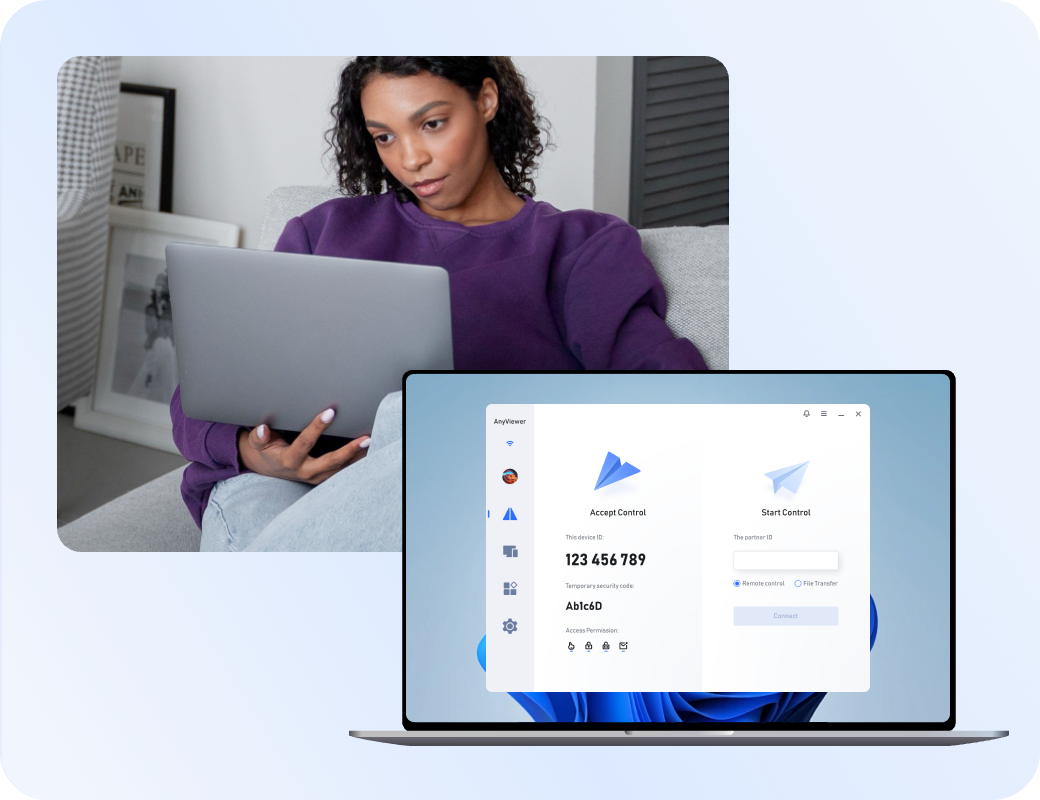
Remote workers need stable connections, multi-monitor navigation, and smooth daily productivity.
IT professionals require rapid connection speeds, unattended access, and robust session management tools.

Small businesses require cost-effective pricing models, predictable budgeting, and reliable multi-user deployment.

Remote gamers demand high frame rates, ultra-low latency, and advanced GPU-accelerated video rendering.

Cross-platform users require seamless compatibility across Windows, macOS, Linux, and mobile devices.

Customer reviews were taken from Trustpilot and Software Advice on August 20, 2026.



 Useful
 Share
Share UsefulShare
UsefulShare
UsefulShare
UsefulShare
UsefulShare


 Individual & Family
1-10 employees
Daily
Review source
Individual & Family
1-10 employees
Daily
Review source 
 5.05 Ease
of use5 Value
for money5
Customer support5
Functionality
Individual & Family
1-10 employees
Daily
Review source
5.05 Ease
of use5 Value
for money5
Customer support5
Functionality
Individual & Family
1-10 employees
Daily
Review source
 4.04 Ease
of use4 Value
for money4
Customer support4
Functionality
Individual & Family
1-10 employees
Daily
Review source
5.05 Ease
of use5 Value
for money5
Customer support5
Functionality
Individual & Family
1-10 employees
Daily
Review source
4.04 Ease
of use4 Value
for money4
Customer support4
Functionality
4.04 Ease
of use4 Value
for money4
Customer support4
Functionality
Individual & Family
1-10 employees
Daily
Review source
5.05 Ease
of use5 Value
for money5
Customer support5
Functionality
Individual & Family
1-10 employees
Daily
Review source
4.04 Ease
of use4 Value
for money4
Customer support4
Functionality UsefulShare
UsefulShare
UsefulShare UsefulShare
 UsefulShare
 UsefulShareUsefulShareUsefulShareUsefulShare
 UsefulShare
UsefulShareUsefulShare
Information Technology
11-50 employees
Daily
Review source
5.05 Ease
of use5 Value
for money5
Customer support5
Functionality
Information Technology
11-50 employees
Daily
Review source
5.05 Ease
of use5 Value
for money5
Customer support5
Functionality
Information Technology
11-50 employees
Daily
Review source
5.05 Ease
of use5 Value
for money5
Customer support5
Functionality
Information Technology
11-50 employees
Daily
Review source
5.05 Ease
of use5 Value
for money5
Customer support5
Functionality
UsefulShare
UsefulShareUsefulShareUsefulShare
Information Technology
11-50 employees
Daily
Review source
5.05 Ease
of use5 Value
for money5
Customer support5
Functionality
Information Technology
11-50 employees
Daily
Review source
5.05 Ease
of use5 Value
for money5
Customer support5
Functionality
Information Technology
11-50 employees
Daily
Review source
5.05 Ease
of use5 Value
for money5
Customer support5
Functionality
Information Technology
11-50 employees
Daily
Review source
5.05 Ease
of use5 Value
for money5
Customer support5
Functionality
 UsefulShareUsefulShareUsefulShareUsefulShare
While Chrome Remote Desktop is free and simple, alternatives offer advanced features like flexible multi-monitor navigation, robust file transfer speeds, granular permission controls, detailed audit logs, and dedicated performance optimization.
Yes. Tools like RustDesk offer free open-source access, and platforms like AnyViewer provide functional free tiers. However, advanced commercial features or heavy multi-user environments typically require a paid subscription.
Paid solutions deliver dedicated infrastructure, ultra-low latency codecs, professional customer support, compliance certifications (such as HIPAA and SOC 2), and advanced security features that free web tools lack.
Most third-party tools, including AnyViewer, AnyDesk, TeamViewer, and RemotePC, support unattended access, allowing you to securely connect to a host computer without requiring someone physically present to accept the session.
RustDesk is the leading open-source choice that lets you host your own private relay server, ensuring complete data sovereignty, customized security rules, and full control over your connection logs.
Yes. Solutions like AnyDesk, TeamViewer, and RustDesk provide comprehensive cross-platform support across Windows, macOS, Linux, iOS, and Android devices.
AnyDesk (using its proprietary DeskRT codec) and TeamViewer excel at delivering high frame rates, low latency, and smooth responsiveness even under demanding network conditions.
Dedicated tools generally outperform basic browser solutions, with options like AnyViewer and AnyDesk offering high-speed direct or relay file transfers that easily handle large media and document archives.
Enterprise-focused tools such as TeamViewer, Zoho Assist, and AnyDesk offer built-in regulatory compliance, making them suitable for healthcare, finance, and enterprise IT compliance requirements.
Zoho Assist and TeamViewer are purpose-built for helpdesks, offering technician management, multi-session handling, instant chat, and remote diagnostic tools.
Most commercial solutions feature quick installers and intuitive user interfaces. However, self-hosted tools like RustDesk require basic technical familiarity to configure a private server infrastructure.
Select AnyViewer for budget-friendly daily use, AnyDesk or TeamViewer for high-performance cross-platform speed, Zoho Assist for professional IT support, or RustDesk for absolute self-hosted control.
Explore the top recommendations to find the tool that fits your unique operational needs.