Core Comparison Quick Overview Features Pricing Security Performance Use Cases Small Business Large Enterprise Remote Support Commercial Use Cross-Platform Remote Gaming Decision Support User Reviews FAQs How to Choose Best Alternative Download AnyViewer
Start with AnyViewer for easier, safer and worry-free remote access to any device.

Quick Comparison of TeamViewer vs. AnyDesk

This comprehensive TeamViewer vs. AnyDesk comparison highlights the core differences at a glance.

Category AnyDesk TeamViewer
Best For IT professionals, geeks, and SMEs looking for speed and value. Mid-to-large corporations and IT teams needing massive scale.
Free Plan Free for personal use, but increasingly limits frequent users. Free for personal use, but heavily restricted by aggressive commercial detection.
Ease of Use Ultra-lightweight. Tiny file size, runs instantly without installation. Minimalist interface. Feature-heavy. A comprehensive, enterprise-style dashboard that takes time to learn.
Performance Fastest. Low latency and smooth 60fps, even on weak internet connections. Stable. Reliable on strong corporate networks, but heavier on system resources.
Pricing Affordable. Budget-friendly plans with flexible scaling for small teams. Premium. High cost, with extra fees for add-ons like mobile support.
Security Standard. Safe and secure with AES-256 encryption and 2FA. Enterprise-Grade. Strict compliance (GDPR/HIPAA), detailed audit logs, and SSO.

Which Is Better for Remote Access?

Below is a detailed feature check to assist in your AnyDesk vs TeamViewer comparison.

Feature AnyDesk TeamViewer
One-Click Unattended Access
File Transfer
Multi-Monitor Support
Remote Printing
Wake-on-LAN
Session Recording
Text Chat
On-screen Whiteboard
Video Call
VoIP
Mobile Access iOS & Android iOS & Android
Connection from Windows, macOS, iOS, Android, Linux Windows, macOS, Linux, iOS, Android, Chrome OS, Raspberry Pi, Remote Web Client
Connection to Windows, macOS, iOS, Android, Linux, Chrome OS, Apple TV, Free BSD Windows, macOS, Linux, iOS, Android, Chrome OS, Raspberry Pi
Security TLS encryption + RSA AES-256 bit + RSA Verification + 2FA
Centralized Management Standard (Via my.anydesk portal for group policies & address books) Advanced (Via TeamViewer ONE platform for complex enterprise policies)
Integrations Basic (REST API and MDM like Intune/Jamf) Massive Ecosystem (Out-of-the-box for Salesforce, ServiceNow, Jira, etc.)
Specialized Add-ons Basic monitoring and process tables Advanced Options (AR/Smart Glasses, IoT, and Patch Management)
Proprietary Codec DeskRT (Built for low-bandwidth, low-latency, up to 60fps) Standard Engine (Optimized for high-speed corporate networks)
Installation Footprint Ultra-light (~5-10 MB) Heavy (~50-100 MB)
Session Invitation / Handover Basic (Invite users via session link) Advanced (Service desk queues, auto-routing, and handovers)
Custom Client Generator
Mass Deployment (MSI)
On-Premises Option

Feature Insight: Both cover core remote tools, but TeamViewer offers a heavy-duty enterprise ecosystem with advanced integrations while AnyDesk provides a lightweight, highly efficient setup optimized for low-bandwidth performance.

Pricing Comparison: TeamViewer vs. AnyDesk

Plans

AnyDesk

Known for highly flexible, concurrent-connection-based scaling and budget-friendly entry steps.

TeamViewer

Known for rigid annual contracts and aggressive commercial detection on free users.
For free

Commercial use requires payment

  • 1 licensed user
  • 3 managed devices
  • 1 channel

Free for strictly non-commercial use

  • 1 licensed user
  • 3 managed devices
  • 1 channel
For single users

Start from $28.90/month

  • 1 licensed user
  • 100 managed devices
  • 1 channel

From $24.90 to $50.90/month

  • 1 licensed user
  • 3 to 200 managed devices
  • 1 channel
For teams

Start from $49.90/month

  • 20 licensed users
  • 500 managed devices
  • Start from 1 and can additionally purchase to 20 channels

Start from $112.90/month

  • 15 licensed users
  • 300 managed devices
  • 1 concurrent channel (Additional channels available for purchase)
For corporations

Start from $111.90/month

  • 100 licensed users
  • 1000 managed devices
  • Start from 2 and can additionally purchase to 50 channels

Start from $229.90/month

  • 30 licensed users
  • 500 managed devices
  • 3 concurrent channel (Additional channels available for purchase)

Pricing Insight: While both offer free tiers strictly for personal use, AnyDesk provides more cost-effective team and corporate pricing with flexible concurrent channel scaling, whereas TeamViewer commands a premium price tag with stricter device limits on its corporate plans.

AnyDesk vs. TeamViewer: Security Breakdown

Security Measures AnyDesk TeamViewer
256-bit AES Encryption
TLS 1.2 Session Protection
RSA 4096-bit Key Exchange
Blacklist and Whitelist
Two-Factor Authentication (2FA)
Trusted Devices Verification
Single Sign-On (SSO)
Tamper-Proof Audit Logs
Conditional Access Policies
On-Premises Deployment
Brute-Force Protection
Granular Permission Profiles
Screen Blanking / Privacy Mode
Session Watermarking
GDPR / HIPAA Compliance
Fully Independent On-Premises Option

Security Insight: Both platforms provide strong standard encryption, but TeamViewer offers a deeper suite of corporate security tools like SSO and audit logs, while AnyDesk stands out for its fully isolated on-premises option.

TeamViewer vs. AnyDesk on Performance Comparison

Performance Metrics AnyDesk TeamViewer
Max Frame Rate Consistent 60 FPS on local networks and most standard internet connections. Up to 60 FPS (Adapts dynamically based on hardware and connection quality).
Average Latency Under 16 ms on local networks, rendering the delay imperceptible to the human eye. Varies by network route, generally ranging from 20 ms to 50 ms in corporate setups.
Bandwidth Consumption Highly optimized; maintains continuous, smooth operation on bandwidths as low as 100 kb/s. Highly optimized; maintains continuous, smooth operation on bandwidths as low as 100 kb/s.
Core Compression Technology Driven by its proprietary DeskRT codec, specifically designed for high-refresh graphical interfaces. Driven by a standard corporate image processing engine optimized for text and static documents.
Local Connection Efficiency Establishes a direct peer-to-peer (P2P) data path entirely offline within local area networks. Relies heavily on external cloud servers to handshake and validate the session route.
System Resource Footprint Extremely low background footprint with an application package size under 10 MB. Heavier system overhead with an enterprise installation footprint averaging 50 MB to 100 MB.

Insight: AnyDesk delivers lower latency and higher local efficiency using its lightweight, offline-friendly codec, while TeamViewer carries a heavier system footprint and relies more heavily on cloud server validation.

Small Business Fit: AnyDesk vs. TeamViewer

Category AnyDesk TeamViewer
Subscription cost predictability during team scaling
AnyDesk offers flexible shared connections, while TeamViewer's per-user pricing makes scaling costs unpredictable for growing businesses.
Client onboarding friction for non-technical users
AnyDesk's tiny, portable file runs instantly without installation, making remote client connections effortless.
In-session collaboration tools and active support queues
TeamViewer excels with built-in VoIP, video, and service queues, while AnyDesk offers only basic text chat.
Mass silent deployment capabilities for multi-device offices
Both support silent MSI deployment, but TeamViewer provides deeper centralized control over host settings and policies.
Hardware resource consumption on legacy office computers
AnyDesk uses minimal CPU/RAM for older PCs and weak networks, whereas TeamViewer demands heavier local resources.
Overall value proposition for typical small business setups
AnyDesk is the practical, budget-friendly choice for standard offices, while TeamViewer is justified only for strict compliance needs.

Insight: AnyDesk is the more practical and budget-friendly choice for small businesses due to its lower resource usage, instant onboarding, and predictable scaling costs, while TeamViewer is better suited for teams requiring advanced in-session collaboration and heavy mass-deployment tools.

AnyDesk vs. TeamViewer: The Enterprise Evaluation

Category AnyDesk TeamViewer
Enterprise compliance and regulatory certification standards
TeamViewer holds native SOC 2 Type II, HIPAA, and GDPR certifications, making it the top choice for strictly regulated global corporations.
Centralized configuration and deep security policy controls
TeamViewer Tensor offers granular, conditional access policies to lock down networks, while AnyDesk provides standard centralized management.
Network isolation and independent on-premises deployment
AnyDesk allows full, independent on-premises deployments isolated from the cloud, whereas TeamViewer remains heavily cloud-dependent.
Active Directory, SSO, and identity provider integration
TeamViewer integrates seamlessly with SAML 2.0 and Azure AD, offering superior user lifecycle provisioning.
Tamper-proof audit logging and automated session recording
TeamViewer provides centralized, unalterable audit logs for compliance, while AnyDesk relies mostly on local, device-based logs.
Mass endpoint monitoring and IT asset tracking
TeamViewer integrates patch management, hardware monitoring, and asset tracking directly into its enterprise dashboard.
Global scale support and dedicated customer success
TeamViewer offers 24/7 premium enterprise support and dedicated account managers tailored for massive global deployments.

Insight: TeamViewer is the better enterprise choice for robust compliance, advanced security policies, and asset management, while AnyDesk is preferred solely for cloud-isolated, on-premises deployments.

Comparing TeamViewer vs. AnyDesk for IT Support

Category AnyDesk TeamViewer
Incoming request management and service queue organization
TeamViewer features a robust built-in support queue, whereas AnyDesk requires external ticketing tools to manage incoming requests.
Cross-platform support for mobile device troubleshooting
TeamViewer provides broader interactive remote control for iOS/Android, while AnyDesk's mobile features vary by manufacturer.
Unattended access setup for ongoing server maintenance
AnyDesk offers lightweight password access for quick server management, while TeamViewer requires heavier cloud-account assignments.
On-the-fly UAC prompt elevation and administrator switching
TeamViewer handles Windows UAC elevation seamlessly, whereas AnyDesk may require the end-user to manually grant administrative rights.
Cross-session file transfer and automated clipboard syncing
Both tools provide fast file transfers and clipboard sync, though AnyDesk's file manager interface is noticeably lighter.
Diagnostic tool availability and system information retrieval
TeamViewer displays remote system diagnostics and logs instantly, while AnyDesk offers more limited built-in troubleshooting data.

Insight: TeamViewer is ideal for help desks due to its robust service queues, seamless UAC elevation, and deep diagnostic tools, while AnyDesk serves as a lighter alternative best suited for fast, uncomplicated unattended server access.

AnyDesk vs. TeamViewer for Commercial Use

Category AnyDesk TeamViewer
Commercial use detection and connection timeout behavior
TeamViewer enforces aggressive commercial use blocks that cut sessions after 5 minutes, while AnyDesk's detection is more lenient.
Simultaneous connection flexibility via shared licensing channels
AnyDesk allows teams to pool and share concurrent lines flexibly, whereas TeamViewer binds licenses strictly to named accounts.
White-label branding options for client-facing software
TeamViewer provides deeply customizable branding for custom client modules, while AnyDesk offers basic logo and icon modifications.
Cross-border commercial connectivity and global routing
Both support global routing, but AnyDesk's lighter network engine delivers faster cross-border commercial connections.
Audit compliance risks for commercial contract renewals
TeamViewer uses strict auto-renewal contract policies requiring early cancellation, whereas AnyDesk offers simpler subscription terms.
Cross-device commercial licensing for mobile and desktop
Both vendors restrict mobile-to-PC or PC-to-mobile connections to higher-tier paid commercial licenses.

Insight: AnyDesk is more commercial-friendly due to its lenient connection blocks, flexible shared licensing channels, and simpler contract terms, while TeamViewer excels specifically in deep white-label branding options for client-facing software.

AnyDesk vs. TeamViewer for Cross-Platform Remote Access

Category AnyDesk TeamViewer
Linux desktop environment integration and GUI support
AnyDesk provides superior native Linux support with a lightweight GUI, while TeamViewer uses a heavier Wine-based backend for some versions.
Mobile operating system control and interactive gestures
TeamViewer offers reliable remote control across more iOS/Android models, whereas AnyDesk's mobile control varies by manufacturer.
Headless server administration via command-line interface
AnyDesk features lightweight CLI commands for headless server management, while TeamViewer requires a heavier, more complex setup.
macOS system permission setup and keyboard mapping
Both struggle with strict macOS security prompts, but TeamViewer handles cross-platform Command/Control keyboard mapping better.
Web-based console access without local app installation
TeamViewer features a robust web client to run sessions entirely from a browser, while AnyDesk requires a native app install.

Insight: AnyDesk excels at lightweight Linux GUI and headless server administration via the command line, whereas TeamViewer provides superior web-based console access and more reliable mobile remote control.

Remote Gaming Performance: TeamViewer vs. AnyDesk

Category AnyDesk TeamViewer
Frame rate rendering and display fluidity under heavy load
AnyDesk's DeskRT codec natively pushes up to 60 FPS for smoother gameplay, while TeamViewer suffers from heavy frame-skipping.
Input latency and mouse responsiveness in fast-paced games
AnyDesk delivers much lower input latency for responsive cursor tracking, whereas TeamViewer introduces massive control lag.
In-game 3D mouse tracking and camera rotation lock
Both tools suffer from spinning-camera bugs in 3D games, making them inferior to dedicated apps like Parsec or Sunshine.
Remote game audio streaming and sound synchronization
TeamViewer provides reliable, synced game audio streaming, while AnyDesk occasionally suffers from audio drops.
Bandwidth efficiency and stream quality on weak networks
AnyDesk compresses data effectively to maintain visual clarity on weak Wi-Fi, while TeamViewer pixelates heavily.
Session duration stability and sudden timeout detection
TeamViewer flags long gaming sessions as commercial use and cuts connections, while AnyDesk is far less aggressive.

Insight: AnyDesk delivers smoother gameplay with lower latency and fewer timeouts on weak networks, whereas TeamViewer offers better audio synchronization but suffers from heavy lag, frame-skipping, and aggressive commercial detection.

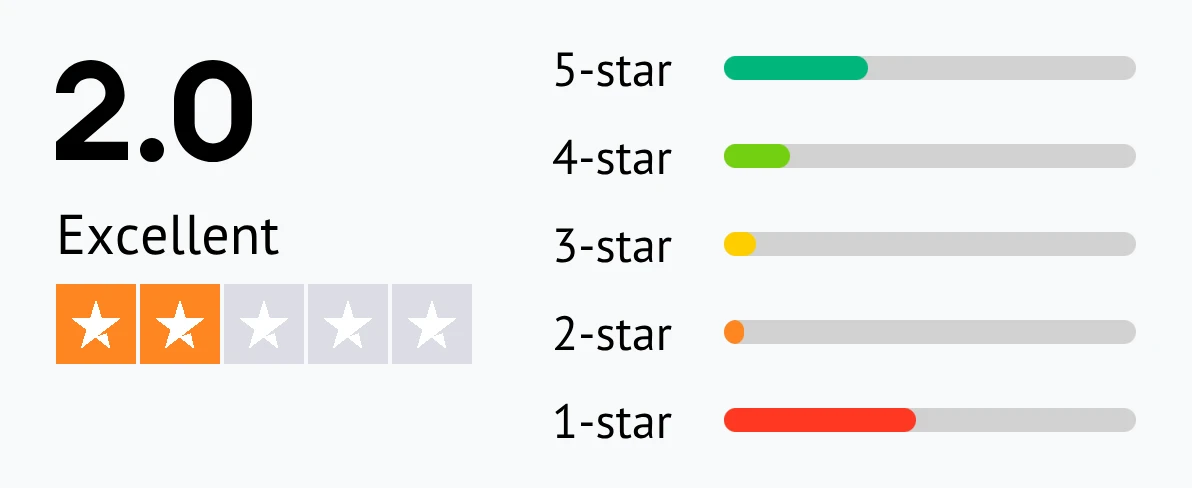
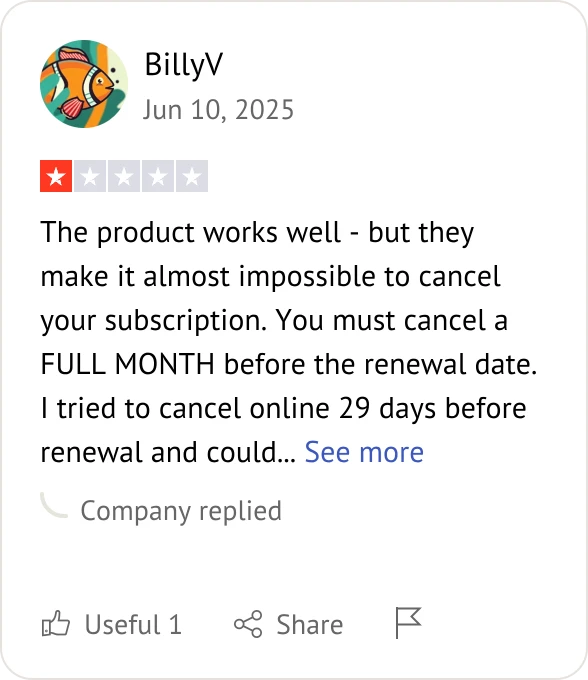
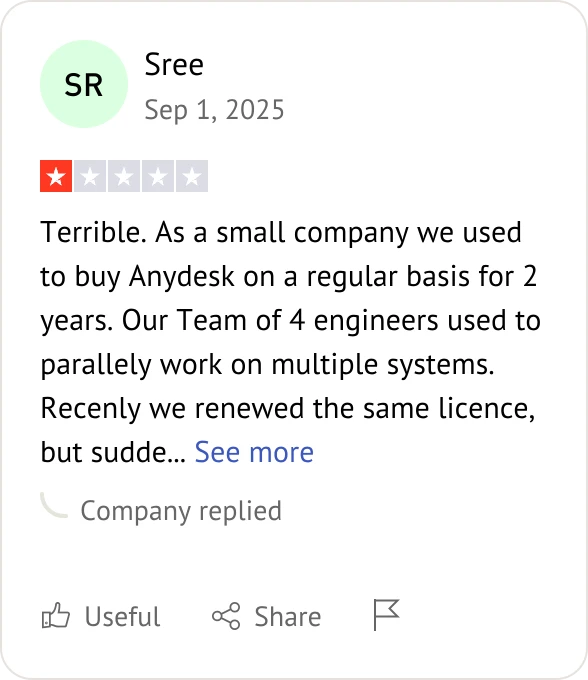
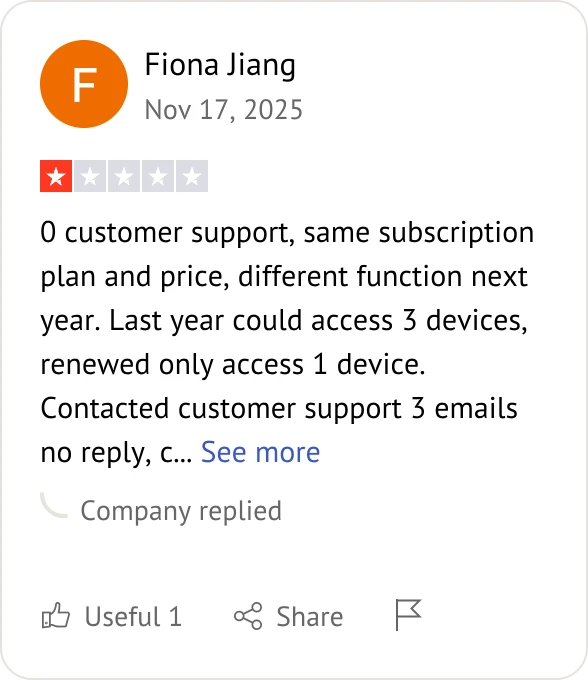
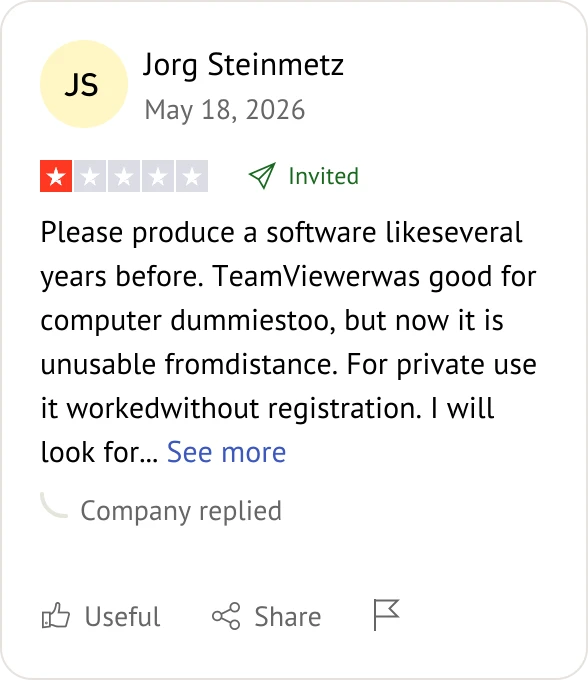
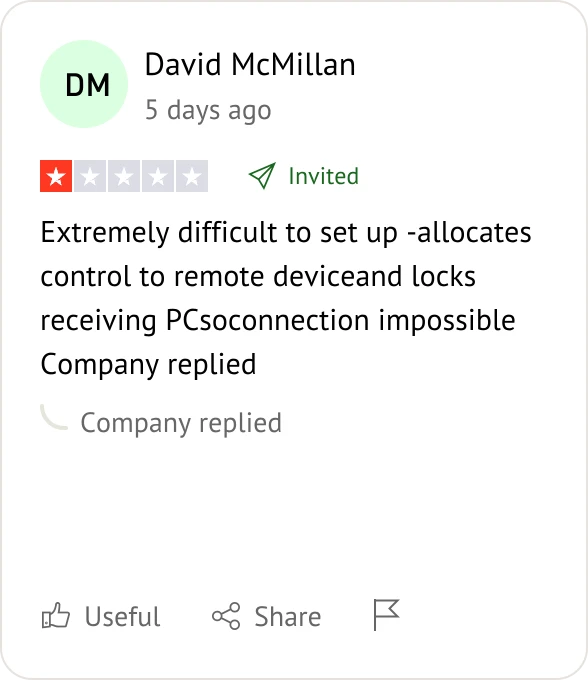
What Users Are Saying About AnyDesk and TeamViewer?

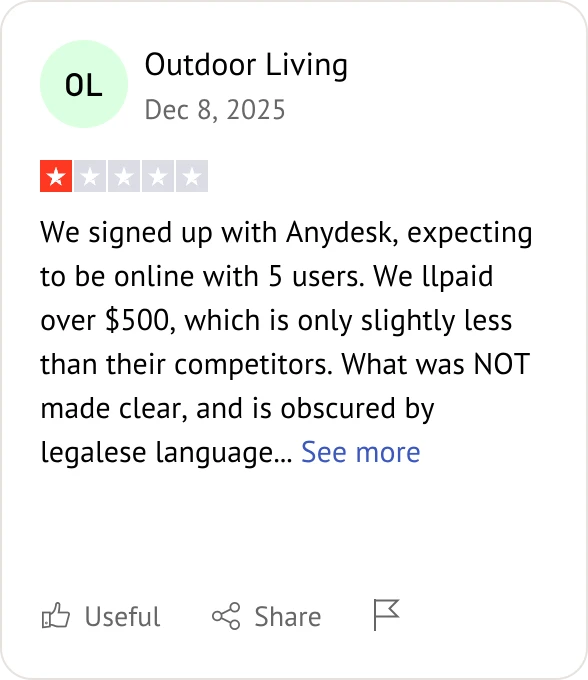
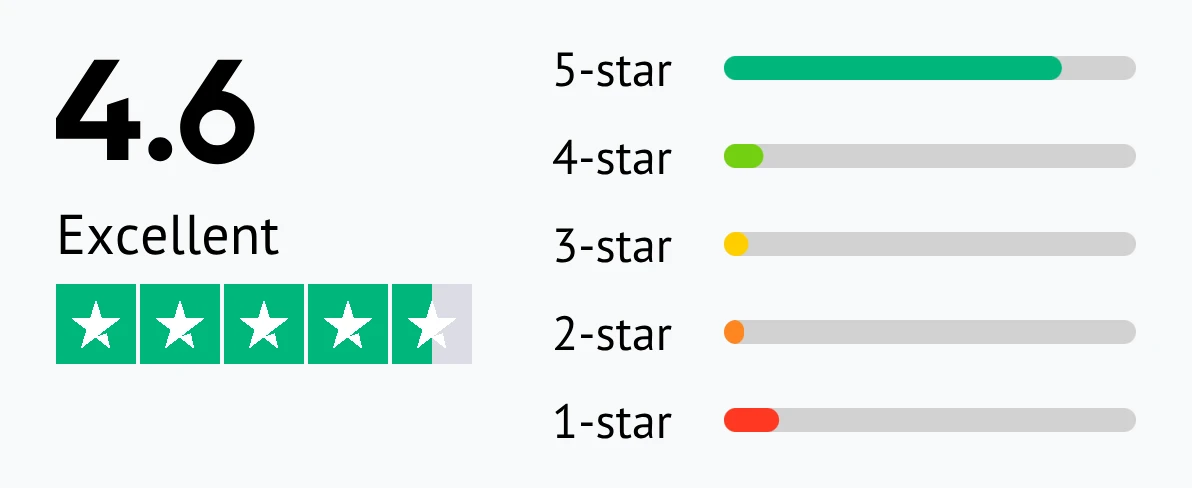
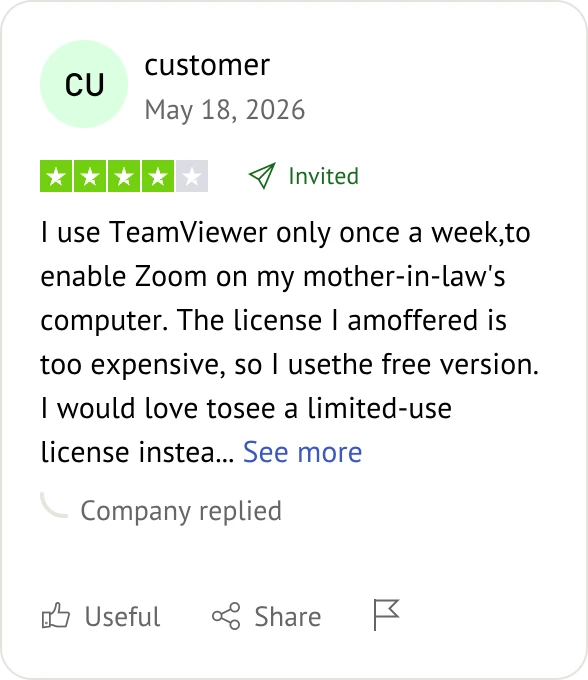
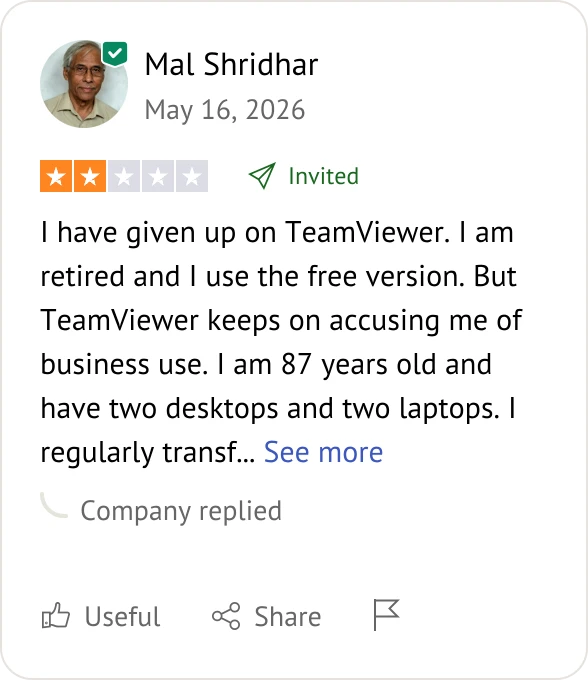
Customer reviews were taken from Trustpilot on June 8, 2026.

splashtop user review

teamViewer user review

FAQs When Comparing TeamViewer and AnyDesk

Which software has lower connection latency, TeamViewer or AnyDesk?

AnyDesk. Powered by its proprietary DeskRT codec, AnyDesk provides much lower latency and faster screen refreshes than TeamViewer, especially on low-bandwidth networks.

Which platform is better for strict corporate compliance when evaluating TeamViewer vs AnyDesk?

TeamViewer. TeamViewer holds native SOC 2 Type II, HIPAA, and GDPR compliance certifications, giving it a security advantage over AnyDesk for strictly regulated global corporations.

Can I run TeamViewer and AnyDesk completely without an internet connection?

Only AnyDesk supports this. AnyDesk allows full, independent on-premises deployments completely isolated from the cloud, whereas TeamViewer remains heavily cloud-dependent.

Why does TeamViewer cut my session after 5 minutes when comparing the free tiers of TeamViewer vs AnyDesk?

Commercial Use Detection. TeamViewer aggressively flags suspected business activity on its free tier and cuts connections, while AnyDesk's free tier is noticeably more lenient.

Which file is easier for non-technical clients to launch instantly between TeamViewer and AnyDesk?

AnyDesk. AnyDesk features a tiny, portable file (~5-10MB) that runs instantly without installation, making client onboarding faster than TeamViewer's standard setup.

How do the subscription licensing models differ for growing teams in TeamViewer vs AnyDesk?

AnyDesk allows teams to pool and share concurrent connection lines flexibly, whereas TeamViewer charges strictly per named user account, making TeamViewer scaling costs higher.

Which software offers better built-in helpdesk queuing tools when choosing between TeamViewer and AnyDesk?

TeamViewer. TeamViewer features a robust, built-in support service queue and case assignment system, while AnyDesk requires external ticketing tools to manage client requests.

Can either platform be used for real-time 3D gaming when comparing TeamViewer vs AnyDesk?

Neither is recommended. While AnyDesk handles 60 FPS better than TeamViewer, both TeamViewer and AnyDesk suffer from 3D camera-spinning bugs, making them inferior to dedicated gaming apps like Parsec.

How do TeamViewer and AnyDesk handle Windows UAC administrative prompts remotely?

TeamViewer handles Windows UAC elevation seamlessly out of the box, whereas AnyDesk occasionally requires the end-user to manually grant administrative rights to the technician.

Which platform integrates better with corporate Single Sign-On (SSO) when deploying TeamViewer vs AnyDesk?

TeamViewer. TeamViewer Tensor integrates seamlessly with SAML 2.0 and Azure AD for automated user provisioning, offering deeper corporate identity control than AnyDesk.

Which software delivers better native performance on Linux in the TeamViewer vs AnyDesk matchup?

AnyDesk. AnyDesk provides superior native Linux support with a lightweight GUI, while TeamViewer uses a heavier Wine-based backend for certain Linux versions.

Can I brand the client application with my own company logo in TeamViewer and AnyDesk?

Yes, both support branding. TeamViewer offers a deeply customizable QuickSupport module with custom corporate colors, while AnyDesk allows basic custom application icons and logo modifications.

Which Tool Fits Your Needs? AnyDesk or TeamViewer?

Pick the right remote desktop software based on your team's infrastructure, security standards, and budget.

AnyDesk Choose AnyDesk for

  • Lower costs with shared concurrent lines.
  • Lightweight speed on weak connections with no installation.
  • On-premises deployment fully isolated from the cloud.

TeamViewer Choose TeamViewer for

  • Strict compliance via native SOC 2, HIPAA, and audit logs.
  • Enterprise governance using SAML 2.0 / Azure AD SSO.
  • Full IT operations with built-in patching, queues, and tracking.

Looking for a Budget-Friendly Alternative?

If AnyDesk or TeamViewer is too expensive or blocks your sessions, AnyViewer offers a fast, affordable alternative.

AnyViewer Choose AnyViewer for

  • Lower costs with premium features at a fraction of the price.
  • No strict timeouts or sudden commercial blocks on free accounts.
  • High frame rates supporting smooth remote access at up to 60 FPS.
Try for Free
Try for Free

Download on the

App Store

Download

AnyViewer

Choose the Right Remote Access Tool for Your Needs

While all three solutions get you remote desktop control, pick the one that fits your budget:

  • Go with AnyDesk if your priority is localized data sovereignty, weak network connections, and cost-effective concurrent line licensing.
  • Select TeamViewer for global enterprises requiring strict SOC 2 compliance, advanced SSO governance, and deep asset tracking.
  • Switch to AnyViewer if you want a fast, streamlined alternative that cuts costs and avoids aggressive commercial session blocks.