

Complete Guide to Setting Up a Home Office for Remote Work
Setting up a home office for remote work means having a comfortable, organized, and productive space. This guide covers location, ergonomic furniture, lighting, essential tech, remote desktop tools, and storage tips to help you work efficiently from home.

By Ellie / Updated on November 26, 2025


What is an ideal home office setup for remote work?
Working from home isn't just a trend; it's the new standard for millions of people. Whether you're a freelancer, employee, or business owner, a well-structured home office setup can make all the difference in your productivity, creativity, and energy. A dedicated workspace shapes daily habits, boosts motivation, and protects mental well-being.
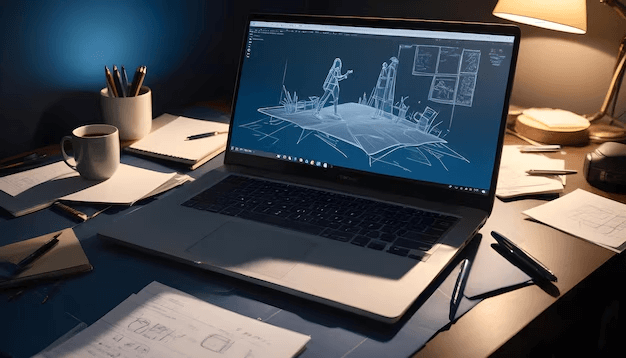
When setting up a home office for remote work, it’s not just about placing a laptop on a table; it’s about creating a space that supports your body, reduces distractions, and encourages consistent productivity with the right tools, like remote desktop software AnyViewer.
This guide covers how to set up a work-from-home office that’s functional and inspiring, from the desk you choose to the lighting and décor that help you feel at ease. Whether you live in a small apartment or a spacious house, these tips can guide your remote work home office setup effectively.
Why does a proper home office matter?
A proper home office is more than a corner with a laptop; it’s the foundation of your focus, productivity, and well-being. A dedicated workspace becomes a mental trigger that tells your brain: “It’s time to work.”
A well-designed home office helps prevent physical strain, supports good posture, and reduces back or eye fatigue. It also sets emotional boundaries, signaling when work starts and ends, which is crucial for maintaining a healthy work–life balance.
10 tips for setting up a home office for remote work
Creating an effective home office involves more than just picking a desk and chair. Here are practical steps for creating an efficient remote work home office setup.
1. Choosing the perfect location in your home
Select a quiet, low-traffic area with good natural light. Balance privacy and comfort, considering temperature, airflow, and electricity availability. The right location makes setting up a home office for remote work easier and more productive.
Start with this rule: Pick a quiet, low-traffic area whenever possible. Your workspace should ideally be away from household noise, TVs, kids playing, kitchen activity, and street sounds. If you live in a small apartment, even a corner of your bedroom can work, as long as it's not directly next to distractions.
Another consideration is natural light. Spaces with sunlight improve energy levels, mood, and focus. A window nearby reduces eye strain and helps you stay awake throughout the day. However, avoid placing your desk in direct sunlight that hits your screen, it can cause glare and discomfort.
Accessibility also matters. If your workspace is too isolated, you may feel disconnected or confined. If it's too central, you'll be overwhelmed by noise and activity. The goal is to strike a balance between privacy and comfort.
If you have multiple options, like a spare room, attic, basement, or dedicated nook, consider the temperature, lighting, airflow, and available electricity. Some rooms get hot in summer or cold in winter, so think about long-term comfort.
In the end, choose a location that gives you room to breathe, helps you focus, and feels like “your space.” You'll spend hours there every day, so pick wisely.
2. Designing a distraction-free workspace
Creating a distraction-free workspace is essential if you want to achieve deep, uninterrupted focus. The truth is, remote work comes with more distractions than an office environment, family members, household chores, noise, and even digital notifications. But with a smart setup, you can reduce or eliminate most distractions.
Start with your physical environment. Your workspace should feel tidy, minimal, and intentional. Remove anything that isn't related to your job, such as unrelated paperwork, non-work books, or random household items. A clutter-free desk creates a clutter-free mind, allowing you to think more clearly and stay on task longer.
Next, consider noise. If your home is naturally loud, invest in noise-cancelling headphones or use a white noise machine to drown out distractions. You can also add soft materials like rugs or curtains to absorb sound. If needed, create visual boundaries using a bookshelf, divider, or curtain to mentally separate your workspace from the rest of your home.
Digital distractions are just as important to control. Disable unnecessary notifications, use productivity apps, and avoid having your phone in your immediate reach unless necessary for work.
By designing your environment intentionally, you create a space where your brain can focus effortlessly, without being pulled in different directions.
3. Selecting the right desk for your needs
Your desk is the centerpiece of your home office, and the right one can dramatically improve your comfort, workflow, and focus. Choosing a desk isn't just about looks; it's about finding a design that supports your body, your tasks, and your overall working style. Whether you're writing, coding, designing, or taking calls, the right desk can make your daily routine smoother and more enjoyable.
Start by thinking about size and surface area. A desk that's too small will leave you cramped, constantly shifting items around or stacking things on top of each other. A larger desk gives you room to spread out your laptop, monitor, notebooks, and any tools you use without feeling overwhelmed. But size must also match your available space; you don't want a desk that dominates the room or restricts your movement.
Ergonomics matter just as much. Look for a desk with a height that allows your arms to rest naturally at a 90-degree angle while typing. If the desk is too high, you'll strain your shoulders; too low, and you'll hunch over to reach the keyboard. Adjustable desks, or even better, standing desks, offer flexibility and help reduce discomfort during long workdays.
Consider the type of work you do. If you use multiple monitors, make sure the desk can support them comfortably. If you sketch, draw, or work with physical materials, you may need a wider desktop. Storage is another factor: desks with built-in drawers or shelves help keep clutter out of sight, making it easier to stay organized.
Finally, think about the material and stability. A wobbly desk is the enemy of productivity. Solid wood, steel frames, or high-quality composite materials will hold up better over time. Your desk doesn't just support your equipment; it supports your workday. Choose one that makes every task feel effortless.
4. Choosing an ergonomic chair
Invest in a chair with lumbar support, adjustable armrests, and a comfortable cushion. Ergonomics prevent strain and boost productivity, making your remote work home office setup healthier and more sustainable.
Start with lumbar support. The lower back has a natural curve, and without proper support, it begins to flatten or slump, leading to back pain and stiffness. An ergonomic chair with adjustable lumbar support ensures your spine stays in its natural position, preventing strain even during long work sessions.
Next, consider adjustability. A quality office chair allows you to adjust the seat height, backrest angle, armrests, and even seat depth. These adjustments help you customize the chair to your body, not the other way around. When your chair fits you properly, you maintain better posture and avoid unnecessary tension in your neck, shoulders, and lower back.
The seat cushion matters too. Look for a chair with breathable fabric and firm but comfortable padding. Too soft, and you'll sink in; too hard, and you'll feel pressure points. The best chairs balance support and comfort perfectly.
Don't forget armrests. They should be adjustable and positioned so your arms rest comfortably without lifting your shoulders or forcing your elbows outward. Good arm support relieves tension in your upper back and neck.
An ergonomic chair isn't just a luxury; it's a tool that protects your health, improves your focus, and helps you stay productive without discomfort. When choosing your chair, think long-term. A better chair means a better workday, every day.
5. Optimizing lighting for comfort
Lighting plays a huge role in how well you can focus, how comfortable your eyes feel, and even how energized you stay throughout the day. Too bright, and your eyes hurt. Too dim, and you'll feel tired or strain to see your screen. Getting your lighting right is essential to building a productive home office.
Start with natural light. If possible, place your desk near a window, not directly in front of or behind it, but at an angle that avoids glare on your screen. Natural sunlight boosts your mood, reduces stress, and helps regulate your internal clock, making it easier to stay alert during work hours. It's one of the simplest ways to improve your workspace without spending money.
Next, consider ambient lighting. This is the main source of light in your room, usually an overhead lamp. Make sure it's bright enough to illuminate the space but not so harsh that it creates shadows or makes your screen difficult to see. Soft, warm lighting is generally best for comfort.
Finally, add task lighting, like a desk lamp. A good lamp allows you to focus on specific tasks, writing, reading, or reviewing documents, without straining your eyes. Adjustable lamps are ideal because you can direct the light exactly where you need it.
If you work with screens all day, consider lighting that reduces blue light exposure or helps balance contrast. Proper lighting keeps your eyes comfortable, reduces fatigue, and helps you stay productive from morning to evening.
6. Essential tech and equipment
A productive home office must be equipped with the right tools. Technology is at the heart of remote work, and without reliable, high-quality equipment, even the simplest tasks can become frustrating. Investing in the right tech ensures smoother communication, faster workflow, and a more comfortable working experience overall.
Start with your computer or laptop. Choose a device that suits your profession. Graphic designers may need high-performance computers with strong processors and dedicated graphics cards, while writers or administrative professionals might prioritize portability and battery life. Whichever you choose, ensure it has enough RAM and storage to handle your daily tasks without slowing down.
Next, consider your monitor setup. Many remote workers find a dual-monitor setup to be a game-changer. It allows you to multitask efficiently, view reference materials alongside work documents, and keep communication tools open without switching tabs constantly. If you prefer a single monitor, make sure it's large enough to display content comfortably with minimal eye strain.
Connectivity is another critical factor. A high-speed internet connection is essential, especially if your job involves video conferencing, file transfers, or cloud-based tools. A Wi-Fi extender or a mesh system can help eliminate dead zones in your home, ensuring a stable connection everywhere.
Don't forget audio and video equipment. Invest in a good-quality webcam and microphone or a headset if you participate in virtual meetings. Clear communication creates a more professional appearance and prevents misunderstandings.
Finally, consider additional tools such as external keyboards, ergonomic mice, laptop stands, and surge protectors. These items may seem small, but they significantly improve comfort, efficiency, and safety in your home office.
7. Essential remote desktop tools for productivity
For many remote workers, the ability to access their work computer or other devices from anywhere is crucial. Professional remote desktop tools like AnyViewer make this possible, transforming your home office into a flexible, fully connected workspace. AnyViewer allows you to control your PC or Mac remotely, mirror multiple monitors, and securely access files without being physically present, ideal for teams, freelancers, or anyone managing multiple devices.

One of the key benefits is multi-screen support, which is particularly useful for users who rely on dual monitors or larger setups at the office. You can mirror your full workspace to your home setup, keeping productivity consistent without missing any detail. Additionally, AnyViewer prioritizes security with encrypted connections and reliable authentication, giving you peace of mind while working remotely.
Other advantages include:
- Cross-platform access: Connect Windows, Mac, and even mobile devices seamlessly.
- Real-time collaboration: Share screens for meetings, training, or troubleshooting.
- Ease of use: A simple, intuitive interface that doesn't require advanced technical knowledge.
- Time efficiency: Quickly access work tools, files, and apps without being tied to a single location.
By integrating AnyViewer or similar professional remote desktop software into your home office, you can maintain a high level of efficiency, replicate your office environment, and stay connected to your work ecosystem no matter where you are. This makes your home office not just a space for working, but a fully functional extension of your professional environment.
8. Creating a productivity-boosting layout
The layout of your home office can determine whether your workday flows smoothly or feels cramped and chaotic. A productivity-boosting layout is efficient, comfortable, and tailored to your work habits.
Start by placing your desk in a strategic spot, ideally near natural light but not directly facing a window to avoid glare. If you participate in virtual meetings, ensure your background is clean and professional.
Organize your tools based on frequency of use. Items you need daily, like notebooks, pens, and your phone, should be within arm's reach. Less frequently used items can be stored on shelves or in drawers to keep your desk clutter-free.
Consider the path you move in throughout your workday. Do you get up often for water? Is your printer nearby? Does your chair move smoothly? These small details influence your overall comfort and productivity.
You can also improve your layout by adding zones, a work zone, a storage zone, and a break zone if space allows. Separating these areas helps your brain switch between tasks more easily and keeps your workspace structured and efficient.
9. Maintaining work–life balance in a home office
One of the biggest challenges of remote work is maintaining a healthy work–life balance. When your job takes place in the same space where you eat, relax, and sleep, it becomes easy for the lines to blur. You might catch yourself working longer hours, checking emails late at night, or feeling guilty when you're not being “productive.” A well-designed home office can help you separate your professional life from your personal life, but you also need intentional routines to maintain balance.
Start by setting clear boundaries. Define specific working hours and stick to them as closely as possible. When the workday ends, close your laptop, turn off notifications, and physically leave your workspace if you can. This act signals your brain that work is finished, allowing you to transition into personal time more easily.
Next, create a pre-work and post-work ritual. This can be something simple, like making coffee before sitting down or journaling at the end of the day. Rituals help your brain shift between roles and avoid the constant feeling of being “always on.”
Breaks are essential as well. Remote workers often skip breaks because there isn't a natural office rhythm reminding them to pause. Use a timer if needed to step away, stretch, hydrate, or just rest your eyes. These moments of rest keep you energized and prevent burnout.
Most importantly, maintain clear communication with your household. Let family members or roommates know your work schedule and office rules so they respect your space during working hours. Work–life balance is something you build intentionally, and with the right habits, you can create a remote lifestyle that feels healthy and sustainable.
10. Storage and organization strategies
A clutter-free workspace leads to a clutter-free mind. Storage and organization are essential for keeping your home office efficient, functional, and visually appealing. When everything has a place, you spend less time searching for things and more time focusing on meaningful tasks.
Start by organizing your desk area. Limit desk items to only what you need daily: your laptop, notepad, phone stand, pens, and perhaps one personal item. Use drawer organizers to separate small items like paper clips, sticky notes, and USB drives. When things are tidy, your mind stays clearer.
Shelving is a great way to maximize vertical space. Use shelves to store books, files, reference materials, and decorative pieces. If you handle a lot of documents, invest in a filing system with labeled folders. This prevents paper from piling up and keeps your work easy to access.
Digital organization is just as important. Keep your computer files structured with clear folders, regular backups, and cloud storage. A well-organized digital workspace saves time and reduces frustration.
Baskets, bins, and storage boxes also help keep everything contained. Choose containers that match your office aesthetic to keep the space cohesive. A clean office reduces frustration and boosts motivation, helping you learn how to set up a work-from-home office effectively.
Conclusion
Setting up a home office for remote work is more than arranging a desk and chair; it’s about creating a space that supports focus, comfort, and productivity. By choosing the right location, designing a distraction-free environment, investing in ergonomic furniture, optimizing lighting, equipping yourself with essential tech and remote desktop tools like AnyViewer, and organizing your layout and storage, you can transform any room into a professional workspace. A well-planned home office not only boosts efficiency but also protects your health, maintains work–life balance, and makes remote work a more enjoyable and sustainable experience.



 as a preferred
source on Google
as a preferred
source on Google