2026 Zoho Assist vs LogMeIn Hangisi En İyisi
Zoho Assist vs LogMeIn arasında hangisini seçeceğinizi mi merak ediyorsunuz? Bu yazı, Zoho Assist vs LogMeIn'i birkaç açıdan karşılaştırıyor. Uzak masaüstü yazılımı arıyorsanız lütfen okumaya devam edin. Hangisinin ihtiyaçlarınızı en iyi karşıladığını keşfedeceksiniz.

Yazan Tyler / Yayın tarihi: August 26, 2026


Genel Bakış: Zoho Assist ve LogMeIn
Remote support software is an important tool that people use for remote access. It enables users to connect to any remote desktop or device to provide remote support and quick remote access and remote control. Zoho Assist and LogMeIn are both popular remote desktop software. But Zoho Assist vs LogMeIn, which one should you choose?
What is Zoho Assist
Zoho Assist, powered by Zoho, a leading cloud software company, is a reliable and secure remote desktop solution that enables you to perform on-demand or scheduled remote connections, as well as provide organizations with easy on-demand remote support to efficiently serve their customers. It is a cloud-based platform that requires no installation to use and offers a free version and a variety of pricing options to meet the different needs of businesses and individuals.

LogMeIn Nedir
LogMeIn, LogMeIn Pro olarak da bilinir, en popülerlerinden biridir remote access software programs on the market. It belongs to the same company that created the collaboration tool GoToMeeting, which is aimed at large organizations. It is an application that allows you to control another computer from anywhere in the world. LogMeIn also has remote desktop products such as LogMeIn Rescue, Central, and Pro. One of them, LogMeIn Rescue, is a product designed to provide users with professional remote support services.
Zoho Assist ve LogMeIn Rescue Karşılaştırması
LogMeIn mi Zoho Assist mi, hangisini seçmelisiniz? Bu makalede, Zoho Assist ile LogMeIn Remote Support'u aşağıdaki parametrelere göre karşılaştırarak farklarını anlamanıza ve sizin için doğru aracı daha iyi seçmenize yardımcı olacağız.
İşletim sistemleri
Zoho Assist ve LogMeIn Rescue aşağıdaki birçok popüler işletim sistemini destekler:
|
Operating System |
Zoho Assist |
LogMeInRescue |
|
Windows |
√ |
√ |
|
MacOS |
√ |
√ |
|
Android |
√ |
√ |
|
iOS |
√ |
√ |
|
Linux |
√ |
√ |
Features
Both Zoho Assist and LogMeIn offer several features that make remote collaboration more effective. Below are the basic remote access features they offer. However, the majority of features are only available in subscription plans. And there is no free version of LogMeIn.
| Özellikler | Zoho Assist | LogMeInRescue |
| Gözetimsiz uzaktan erişim | √ | √ |
| Dosya aktarımı | √ | √ |
| Ekran paylaşımı | √ | √ |
| Çok kanallı iletişim | √ | × |
| Anlık sohbet | √ | √ |
| Uzaktan destek | √ | √ |
| Ekran yakalama | × | √ |
| Ekran kaydı | × | √ |
Güvenlik
Güvenlik, uzaktan teknoloji kullanan birçok kullanıcı için önemli bir konudur. Zoho Assist vs LogMeIn, hangisi daha güvenli? Zoho vs LogMeIn güvenliğine bir göz atalım.
Zoho Assist
Güvenli ve şifrelenmiş iletişim sağlamak için Zoho Assist, SSL 256-bit AES şifrelemesi kullanır, oturum günlüklerini tutar ve denetim izi sağlar. Bulut tabanlı bir çözüm olduğundan, indirilecek bir yazılım yoktur ve Zoho Assist düzenli güncellemelerle ilgilenir. Ayrıca, kullanıcı dostu bir güvenlik duvarına sahiptir ve sorunsuz bir iş akışı için kolayca yapılandırılabilir.
LogMeIn
Is LogMeIn safe? LogMeIn solutions use industry-standard encryption and authentication technologies and protocols for all connections. It is protected using SSL/TLS (OpenSSL). the LogMeIn server's PKI certificate is used to authenticate its identity. Pre-assigned identifiers and shared secrets are used to authenticate the host. These credentials are exchanged between the host and the server via an encrypted SSL/TLS connection. It provides authentication and defense against eavesdropping, tampering, and forged messages.
Pricing
When considering a remote access solution, it's critical to think about pricing. Both Zoho Assist and LogMeIn offer a variety of pricing options, and by comparing them below, you can find the pricing option that best fits your budget and needs. But you need to know that there is no free version of LogMeIn.
Zoho Assist
It is worth mentioning that Zoho Assistant has a free version. The free version supports five unattended PCs and one remote technician. It offers many features including live chat, clipboard sharing, user management, multi-monitor navigation, two-factor authentication, and support for multiple operating systems.
In addition to this, Zoho Assist offers other paid options:
LogMeIn
Ne yazık ki LogMeIn Rescue ücretsiz bir plan sunmuyor ve kullanıcıların erişim için ödeme yapmalarını gerektiriyor. Ve LogMeIn Rescue $108.25 aylık (yıllık faturalandırılır).
AnyViewer: Best free remote support & remote access software
If you want ücretsiz uzaktan destek yazılımı, LogMeIn ücretsiz bir plan sunmadığı için sizin tercihiniz değildir. Zoho Assist'in ücretsiz sürümünü kullanabilirsiniz, ancak işlevselliği sınırlıdır ve size hoş bir deneyim sunmaz.
Zoho Assist ve LogMeIn'den daha iyi ne olabilir? Profesyonel uzak masaüstü yazılımı şiddetle tavsiye edilir. AnyViewer en iyi seçiminizdir!
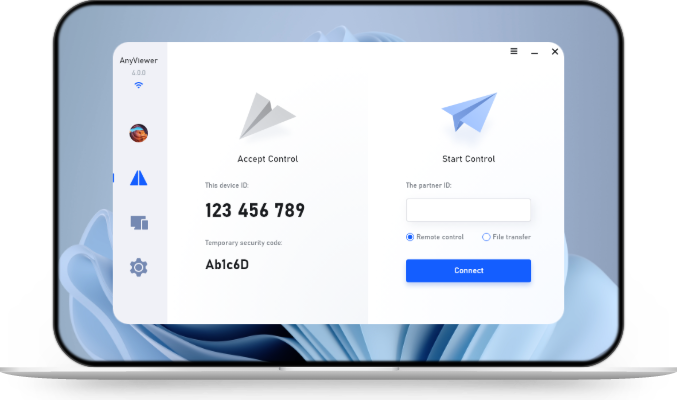
AnyViewer, hepsi bir arada bir uzaktan erişim ve uzaktan destek yazılımıdır ve AnyViewer'ın ücretsiz sürümüyle birçok özelliğin keyfini çıkarabilirsiniz. AnyViewer ve Zoho Assist'in ücretsiz sürümlerini karşılaştıralım.
Adım 1. Her iki cihazınıza da AnyViewer'ı kurun ve başlatın. Bilgisayarlardan birinde "Giriş yap" bölümüne gidin ve "Kaydol" seçeneğine tıklayın (resmi web sitesine zaten katıldıysanız şimdi giriş yapabilirsiniz).
Step 2. Fill out the sign-up information to create an AnyViewer new account.
Adım 3. AnyViewer'a başarıyla giriş yaptıktan sonra cihazınız otomatik olarak assigned to the account you logged into.
Adım 4. Diğer cihazda, aynı AnyViewer hesabıyla oturum açın. Ardından bağlanmak istediğiniz bilgisayarı "Cihazlar" bölümünde seçin. Bilgisayara gözetimsiz uzaktan erişim elde etmek için tıklayın ve "Tek tıkla kontrol" seçeneğini seçin.
- ★Tips: You can update your account to a profesyonel veya kurumsal plan. Ardından şu haklara sahip olacaksınız:
- Aynı anda 10'a kadar cihaza bağlanın.
- 100'e kadar gözetimsiz cihazı yönetin.
- Çok sayıda kullanışlı özelliğin keyfini çıkarın, örneğin Gizlilik Modu, uzak PC'nin klavyesini ve faresini devre dışı bırakmanıza ve ekranı karartmanıza olanak tanır.
- Aynı anda sınırsız sayıda büyük dosya aktarabilirsiniz (dosya başına 1 TB).
- Yüksek görüntü kalitesinin keyfini çıkarın
- ...
Sonuç
Bu makale öncelikle Zoho Assist ile LogMeIn'i karşılaştırmaktadır. Bütçenize ve ihtiyaç duyduğunuz özelliklere göre seçim yapabilirsiniz. Ancak AnyViewer, fiyat ve özellikler açısından en iyi seçeneklerden biridir. Şimdi indirin ve deneyin!