

Remote Tracking Software for Computers: The Complete Guide
This guide explains remote tracking software for computers, covering how it works, why it's important, key features, and top solutions like Absolute, Prey, and AnyViewer. It helps businesses, schools, and individuals protect devices, recover lost laptops, and stay secure.

By Ellie / Updated on September 22, 2025


Introduction to Remote Tracking Software
In today's digital-first world, computers have become more than just machines for browsing or working; they are now the central hub for storing sensitive data, business information, financial records, and even personal memories. With the growing dependency on digital systems, the risk of theft, data breaches, and misuse of technology has skyrocketed. That's where remote tracking software for computers comes into play.

Remote tracking software isn't just about locating a lost device; it has evolved into a sophisticated solution that provides security, productivity insights, and even peace of mind for both businesses and individuals. In many cases, it overlaps with remote monitoring software for PC, which focuses more on user activity and performance tracking. Whether you're a business owner worried about insider threats or a parent wanting to keep an eye on your child's online activity, these tools offer unmatched control over how a computer is being used and where it is located.
This guide dives deep into what remote tracking software is, how it works, its benefits, and how you can choose the best solution tailored to your needs. By the end, you'll understand not just why this software is essential, but also how to implement it effectively in your daily digital life.
What is Remote Tracking Software?
At its core, remote tracking software is a digital tool designed to monitor, manage, and track the activity or location of a computer remotely. Think of it as a digital watchdog, it works in the background, collecting data about how a device is being used, where it is physically located, and even what files are being accessed.
Unlike standard monitoring software, remote tracking tools often operate covertly, meaning users of the device may not even realize the software is running. This stealth capability is crucial in cases of theft or unauthorized usage, where notifying the person misusing the system could be counterproductive.
The software typically connects to a cloud-based dashboard or a secure portal, where administrators or owners can access detailed reports in real time. From keystroke logging and screen captures to geo-location and network activity, remote tracking software provides an in-depth look into the digital and physical footprint of a computer.
Why Remote Tracking is Important in Today's Digital Age?
Imagine this scenario: your company laptop, containing sensitive customer data, is stolen during a business trip. Without tracking software, your data is at the mercy of whoever has that device. With remote tracking enabled, however, you can instantly lock the system, erase critical files, or pinpoint its location for recovery.
The importance of this software has surged in the modern era for several reasons:
- Cybersecurity Threats: Hackers and malicious insiders are constantly targeting unprotected systems. Remote tracking adds a layer of defense.
- Work-from-Home Trends: With more employees working remotely, companies need visibility into how their assets are being used outside office walls.
- Device Theft and Loss: Portable laptops and tablets are easy targets for theft. Tracking software ensures stolen devices don't become data leaks.
- Parental Oversight: For parents, knowing what their children are doing online provides safety against harmful content and cyber predators.
- Business Compliance: In industries where data privacy regulations are strict, remote tracking helps meet compliance by ensuring device accountability.
In essence, the digital age has created both incredible opportunities and unprecedented risks. Remote tracking software bridges this gap by offering visibility, security, and control that wasn't possible a decade ago.
How Remote Tracking Software Works
The functionality of remote tracking software may sound complex, but it operates on a fairly straightforward principle: constant monitoring and secure reporting. Let's break it down.
Core Features of Remote Tracking Tools
Most remote tracking software solutions come packed with a wide range of features. Here are the most common ones:
- Geo-Location Tracking: Uses Wi-Fi signals, IP addresses, and sometimes GPS to identify the location of a device.
- User Activity Monitoring: Tracks keystrokes, websites visited, and applications used.
- Remote Lock & Wipe: Allows owners to lock the system or erase files in case of theft.
- Screenshots & Screen Recording: Captures visuals of what the user is doing.
- Network Monitoring: Logs IP addresses and networks connected to the device.
- Alerts and Notifications: Sends instant alerts when suspicious activity is detected.
These tools work together to give users a clear picture of what's happening on their devices, both physically and digitally.
The Technology Behind Computer Tracking
Behind the scenes, remote tracking software uses a combination of cloud computing, encryption, and stealth technology to function effectively.
- Cloud Dashboards: All collected data is sent securely to a cloud server, allowing owners or administrators to log in from anywhere and monitor in real-time.
- Encryption: Sensitive data is encrypted during transmission to prevent interception by unauthorized parties.
- Stealth Mode: Most software runs discreetly in the background, without appearing in task managers or control panels, making it nearly impossible for an unauthorized user to detect.
- Cross-Platform Compatibility: Modern solutions work across Windows, macOS, Linux, and sometimes even Chromebooks, ensuring comprehensive coverage. For Windows users, specialized remote monitoring software for Windows provides enhanced compatibility and advanced reporting features designed specifically for Microsoft's ecosystem.
This combination ensures that the software not only provides detailed insights but also keeps the monitoring process secure and hidden when necessary.
Benefits of Remote Tracking Software
Why invest in remote tracking software? Because the benefits far outweigh the costs. Whether you're a business, school, or individual, these tools provide value in multiple ways.
Enhanced Security for Businesses and Individuals
For businesses, remote tracking software acts as a security guardian. It prevents data leaks, insider threats, and unauthorized usage by ensuring all devices are accounted for. For individuals, it protects personal data like photos, financial information, and confidential files from misuse in case of theft.
- Businesses can ensure compliance with data protection laws.
- Individuals can track stolen laptops for recovery.
- Companies can prevent ex-employees from misusing devices.
Security has become more than just firewalls and antivirus software, remote tracking is the missing piece of the puzzle.
Increased Productivity and Employee Monitoring
Let's face it, when employees work from home, distractions are everywhere. Remote tracking software allows managers to see how time is being spent, which apps are being used, and whether tasks are being completed on schedule.
While some may see this as micromanagement, it actually fosters accountability and helps organizations identify bottlenecks or training needs. Employees also tend to stay more focused when they know their work devices are being tracked.
Data Recovery and Theft Prevention
Losing a device doesn't just mean losing hardware; it means losing valuable data. With remote tracking, you can:
- Recover stolen or lost laptops using location tracking.
- Prevent data breaches by remotely wiping sensitive information.
- Securely lock down a computer until it's retrieved.
This combination of prevention and recovery makes remote tracking software a must-have in the modern era of cyber risks.
Common Use Cases of Remote Tracking Software
Remote tracking isn't just for tech-savvy companies, it's widely used across industries and by individuals.
Business Applications
Companies use remote tracking to:
- Protect trade secrets and intellectual property.
- Monitor employee productivity.
- Secure devices used by remote teams.
- Ensure compliance with GDPR, HIPAA, or other data protection laws.
For example, if a sales employee leaves with a company laptop full of customer data, the IT team can instantly lock or wipe the device to protect information.
Educational Institutions
Schools and universities distribute thousands of laptops to students. Remote tracking helps:
- Prevent loss or theft of school-owned devices.
- Monitor student activity for inappropriate content.
- Enforce digital learning rules and exam integrity.
This ensures educational resources are used for their intended purpose.
Personal and Family Use
For families, remote tracking offers peace of mind. Parents can monitor their children's online activities, set screen time limits, and even track the location of devices when kids travel.
Individuals benefit by securing their personal laptops, especially when traveling abroad or working in public spaces like cafes.
Key Features to Look for in Remote Tracking Software
Not all tracking software is created equal. When choosing a solution, here are the key features you should prioritize.
- Real-Time Location Monitoring: A top-tier tracking software should provide precise, real-time updates on where your device is located. Delayed updates can make recovery efforts difficult.
- Activity Logs and Reporting: Detailed logs of user activity, such as visited websites, opened apps, and time spent online, allow for effective monitoring and accountability.
- Stealth Mode and Anti-Theft Functions: Stealth features ensure that unauthorized users remain unaware of tracking. Anti-theft functions like alarms, screen locks, and camera snapshots further increase chances of recovery.
- Compatibility Across Operating Systems: Since businesses and families often use different devices, compatibility with multiple operating systems is crucial. Look for solutions that work seamlessly across Windows, macOS, Linux, and even Chromebook environments.
Popular Remote Tracking Software Solutions
When it comes to remote tracking software for computers, the market offers a wide range of solutions tailored to different needs, businesses, educational institutions, and personal users. Choosing the right one depends on the balance between features, ease of use, and cost. Let's explore some of the most popular and reliable options available today.
Top Business-Oriented Tracking Tools
For companies that rely heavily on digital infrastructure, business-grade tracking solutions are a must. These tools don't just help recover lost devices but also safeguard confidential business data and ensure compliance.
- Absolute: Known as one of the pioneers in computer tracking, Absolute offers persistence technology embedded in the BIOS of laptops. This means that even if the hard drive is replaced or the system is wiped, the tracking feature still works. It's a favorite among enterprises that require military-grade security.
- Prey Project: A lightweight and versatile option that supports multiple operating systems. Prey allows businesses to monitor large fleets of devices from a single dashboard, making it ideal for IT teams.
- Veriato: Best suited for employee monitoring, Veriato provides in-depth activity logging, keystroke monitoring, and productivity insights. It's commonly used to track insider threats and enhance workforce accountability.
These tools are not only about locating a stolen device but also about protecting digital assets in the broader sense.
Tools for Educational Institutions
Schools and universities need affordable yet powerful tracking software to manage thousands of distributed laptops. Some popular solutions include:
- LanSchool: Developed specifically for education, LanSchool helps teachers monitor student activity in real time, control screens, and block inappropriate websites.
- NetSupport School: Goes beyond simple tracking by offering teaching tools like quiz distribution, screen sharing, and digital collaboration, while still providing theft protection.
- Prey EDU: A cost-effective solution designed for schools, offering both theft recovery and monitoring of student-issued devices.
With these tools, schools can ensure safer learning environments while reducing the costs of replacing lost or stolen devices.
Personal and Family-Friendly Options
For individual users, simplicity and affordability matter the most. Here are some go-to options:
- Find My Device (Windows & Microsoft Account): A built-in free feature for Windows devices, allowing users to track, lock, and erase their laptops using their Microsoft account.
- Find My Mac (Apple): Apple's ecosystem comes with built-in tracking tools that let users locate, lock, and wipe Macs remotely through iCloud.
- Prey Free Version: A no-cost option for individuals with up to three devices, providing essential location tracking and security alerts.
These tools give peace of mind to everyday users without requiring technical expertise.
Challenges and Risks of Remote Tracking Software
While remote tracking software for computers offers numerous benefits, it's not without its challenges and potential downsides. Understanding these risks can help users make informed decisions and implement safeguards.
Privacy Concerns
The biggest concern surrounding remote tracking is privacy. Employees or family members may feel their privacy is being invaded if the software monitors every move. Some governments even have strict laws that regulate the extent to which companies can monitor their workers.
- Employers must ensure transparency when using monitoring software.
- Consent is often required to stay compliant with privacy regulations.
- Misuse of such tools can result in lawsuits or reputational damage.
Balancing security with privacy is one of the key challenges for organizations.
Software Limitations
Not all tracking software is foolproof. Some limitations include:
- Internet Dependency: If a device is offline or disconnected, live tracking won't work until it reconnects.
- Bypass Attempts: Skilled thieves may try to disable or bypass software by reinstalling the operating system.
- False Positives: Activity monitoring may sometimes flag harmless behavior as suspicious, leading to unnecessary alerts.
These challenges highlight the need to pair tracking tools with other cybersecurity practices.
Legal and Ethical Issues
The use of tracking software must always align with local laws and ethical considerations. For instance:
- In the workplace, employees must be informed if monitoring software is installed on their devices.
- Parental monitoring has limits; children, especially teens, may view it as invasive if not communicated properly.
- Unauthorized surveillance on someone else's device without their knowledge is illegal in many jurisdictions.
Users must always ensure that their use of tracking software remains legal and responsible.
How to Choose the Right Remote Tracking Software
Given the abundance of options in the market, how do you pick the right tool for your needs? The process involves evaluating your goals, budget, and technical requirements.
Define Your Purpose
The first step is to clearly outline why you need remote tracking software:
- Business Security? Go for enterprise-grade solutions like Absolute or Veriato.
- Education? Opt for classroom-oriented tools like NetSupport School.
- Personal Use? Built-in options like Find My Device may suffice.
Knowing your purpose narrows down the choices significantly.
Consider Features and Scalability
Look for software that:
- Provides real-time monitoring.
- Has reliable anti-theft functions.
- Supports multiple operating systems.
- Can scale as your needs grow (especially important for businesses).
A scalable solution ensures you don't have to switch providers as your requirements expand.
Check Security and Compliance Standards
Especially for businesses, ensure the software complies with:
- GDPR (General Data Protection Regulation)
- HIPAA (Health Insurance Portability and Accountability Act)
- CCPA (California Consumer Privacy Act)
Compliance not only ensures legal safety but also protects sensitive customer data.
Evaluate Cost vs. Value
Pricing varies widely, from free personal tools to enterprise solutions costing hundreds of dollars per license annually. Instead of focusing only on cost, assess the value provided:
- Does it protect against costly data breaches?
- Can it prevent theft-related financial losses?
- Does it improve productivity and accountability?
Often, the ROI of tracking software outweighs the subscription fees.
Best Practices for Using Remote Tracking Software
Simply installing software isn't enough, you need to follow best practices to maximize its effectiveness.
Maintain Transparency in Work Environments
Businesses should always communicate with employees about monitoring practices. This avoids distrust and builds a culture of accountability. A clear employee IT policy can outline:
- What data is collected.
- Why it's being collected.
- How the company uses the data.
Transparency reduces resistance and ensures smoother adoption.
Pair with Other Security Tools
Tracking software works best when combined with:
- Antivirus and Firewall for malware protection.
- Encryption Tools for safeguarding sensitive files.
- VPNs for secure connections on public Wi-Fi.
A layered security approach provides stronger protection than relying on tracking software alone.
Regularly Update and Maintain
Outdated software can have vulnerabilities. Always:
- Keep the tracking software updated.
- Review logs and reports regularly.
- Test recovery features periodically.
Proactive maintenance ensures the software continues to deliver value.
Integrating Remote Tracking with Cybersecurity Strategies
Remote tracking software shouldn't be viewed as a stand-alone solution, it works best as part of a comprehensive cybersecurity strategy. In today's environment, where cyber threats evolve daily, relying on one tool is never enough. Integration ensures layered protection against both digital and physical risks.
The Role of Tracking in Cyber Defense
Tracking software plays an essential role in securing endpoints, the laptops, desktops, and tablets that often serve as the gateway to sensitive data. By monitoring these devices, organizations can:
- Detect unusual behavior early (such as unauthorized logins).
- React swiftly to breaches by locking down compromised systems.
- Minimize damage by remotely erasing critical files.
Think of it like a digital security camera, while firewalls and antivirus block hackers at the gate, tracking software ensures that if someone slips inside, you'll know immediately.
Pairing with Threat Detection Tools
To maximize effectiveness, tracking software should be combined with:
- Intrusion Detection Systems (IDS): These monitor network activity for suspicious patterns.
- Endpoint Detection and Response (EDR): Provides real-time monitoring and automated responses to endpoint threats.
- Multi-Factor Authentication (MFA): Ensures only authorized users can access the system, even if credentials are stolen.
When paired with these tools, tracking software becomes part of a layered defense ecosystem that dramatically reduces risks.
Compliance and Risk Management
Regulatory compliance is another reason to integrate tracking into broader security strategies. For industries like healthcare, finance, or government, proving that you can track and secure devices helps meet strict legal standards.
For example:
- HIPAA requires secure handling of patient data. Remote tracking helps prevent unauthorized access in case of device theft.
- GDPR enforces accountability for personal data. Tracking ensures you can respond swiftly to data breaches.
By aligning tracking tools with compliance efforts, organizations not only strengthen security but also reduce the risk of costly penalties.
AnyViewer: A Versatile Remote Tracking and Access Solution
Among the modern solutions available, AnyViewer stands out as an all-in-one remote access and managing tool that caters to businesses, educational institutions, and individuals alike. Unlike traditional tracking software that focuses mainly on monitoring, AnyViewer combines remote control, device management, and security features in a single platform.
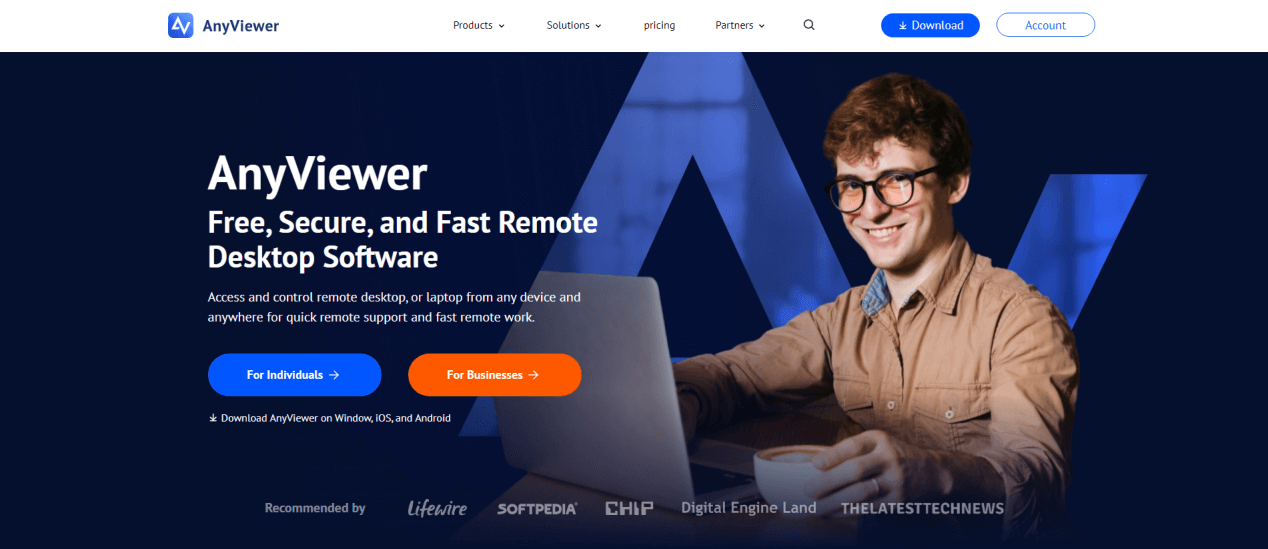
Key advantages of using AnyViewer include:
- Cross-Platform Compatibility: Works seamlessly across Windows, iOS, and Android, making it easy to monitor and access devices from anywhere.
- Remote Lock and Control: In case of theft or unauthorized access, users can lock devices or take control remotely to protect sensitive data.
- Secure Connection: Built with end-to-end encryption, AnyViewer ensures that all remote sessions remain private and tamper-proof.
- Ease of Use: Unlike some enterprise-level tools that require complex setup, AnyViewer is user-friendly and quick to deploy for both IT teams and personal users.
- Scalability: From individual users securing a laptop to businesses managing hundreds of endpoints, AnyViewer adapts easily to different needs.
By combining remote tracking with real-time access and management capabilities, AnyViewer not only helps recover lost devices but also enhances productivity and strengthens cybersecurity. This makes it a smart choice for small businesses, remote teams, and even families who want peace of mind when managing their digital assets.
Conclusion
Remote tracking software for computers has transformed from a niche tool into an essential component of digital security. Whether you're a business protecting intellectual property, a school managing student devices, or an individual safeguarding personal data, these solutions offer security, productivity, and peace of mind.
By understanding how remote tracking works, recognizing its benefits, and choosing the right software, you can stay ahead in an era where data is the new currency. And as technology evolves, tracking solutions will only become smarter, more secure, and more integrated into our digital lives.
The bottom line? If you value your data, devices, and peace of mind, remote tracking software isn't just an option; it's a necessity.
FAQs
1. Is remote tracking software legal?
Yes, but it depends on how it's used. Employers must inform staff if monitoring is in place, and individuals should only track devices they own. Unauthorized surveillance is illegal.
2. Can tracking software work if my laptop is offline?
Most software logs activity locally and uploads it once the device reconnects to the internet. Some features, like real-time location, require active internet access.
3. Is free tracking software reliable?
Free tools like “Find My Device” or “Find My Mac” are effective for basic tracking. However, businesses and schools often need premium solutions with advanced features.
4. Can a thief disable tracking software?
Some basic tools can be disabled, but advanced solutions like Absolute have persistence technology that survives OS reinstalls or hard drive replacements.
5. What's the best remote tracking software for small businesses?
Prey Project is popular for small businesses due to its affordability, cross-platform support, and easy management dashboard.



 as a preferred
source on Google
as a preferred
source on Google