

Remote Access Policy for Healthcare Providers: Why It Matters
Discover how a remote access policy for a healthcare provider safeguards sensitive patient data, ensures HIPAA compliance, and supports secure telehealth workflows. Learn how AnyViewer enhances healthcare remote access security.

By Ellie / Updated on July 16, 2025


What is a remote access policy for healthcare providers?
A remote access policy for a healthcare provider outlines strict security guidelines for how employees, contractors, and third-party vendors connect to sensitive health systems from off-site locations. Whether it's accessing patient records, clinical applications, or internal databases, this remote access policy healthcare ensures that all remote connections are authorized, secure, and compliant.
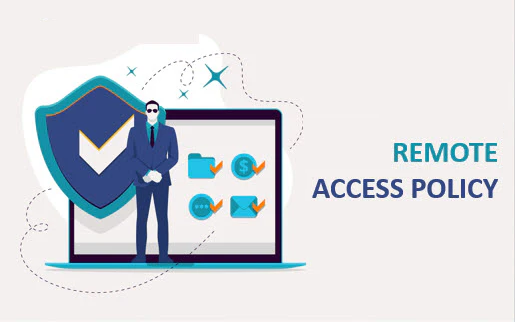
The policy lays out specific login protocols, authentication procedures, and access control measures designed to safeguard protected health information (PHI) and uphold patient confidentiality. In the healthcare sector, where privacy and data security are paramount, these controls must go beyond the typical business standards.
Unlike general corporate policies, a remote access policy for a healthcare provider must comply with rigorous federal regulations such as HIPAA and the HITECH Act. They also need to account for emergency scenarios, clinical workflows, and uninterrupted patient care, all without compromising security.
Remote users are expected to adhere strictly to these protocols, maintaining the same high level of security as they would within the facility. Their responsibilities include following established procedures, using approved devices, and protecting sensitive data at all times.
Why a remote access policy is crucial for healthcare providers
As telehealth and remote care services expand, the demand for secure remote access has never been more critical. Healthcare organizations face immense risks—data breaches now average a staggering $10.93 million per incident. Inadequate security practices can lead to severe HIPAA penalties, ranging from $100 to $50,000 per violation, with total fines reaching into the millions for major infractions.
Why is access important in healthcare? Because HIPAA mandates strict protections for all electronic healthcare communications. A well-defined remote access policy healthcare helps ensure compliance while still supporting flexible work environments and rapid emergency responses.
Robust policies not only secure sensitive data but also safeguard patient trust, prevent operational disruptions, and protect the organization's public image. Without strong access controls in place, healthcare providers face increased vulnerability to cyberattacks, potential legal action, and significant financial and reputational damage.
Key elements of an effective remote access policy for healthcare providers
To truly protect sensitive patient data, a remote access policy for a healthcare provider must be built on multiple layers of security.
Key critical security measures to implement
To protect sensitive healthcare data effectively, organizations must implement a range of foundational security measures that address different aspects of access and data protection.
- Multi-Factor Authentication (MFA)
MFA is a foundational security requirement, allowing access only to verified users. It adds an extra layer of protection by requiring users to present multiple credentials before gaining entry to healthcare systems.
- Role-Based Access Controls (RBAC)
Access permissions should be aligned with each employee's job function. RBAC ensures that users can only interact with applications and systems relevant to their role, significantly reducing the risk of unauthorized access to protected health information (PHI).
- ECC-256 Encryption
To secure data in transit and at rest, ECC-256 encryption is essential. It renders confidential information unreadable to unauthorized users, ensuring that intercepted data remains protected.
- Zero-Trust Security Model
This model assumes no user or device is inherently trusted. It continuously verifies user identity and device status before granting access, reducing the chances of breaches due to compromised credentials or insecure devices.
- Network Segmentation
Separating critical systems into isolated network zones helps limit the scope of potential breaches. This containment strategy prevents attackers from moving laterally across the network, protecting vital healthcare infrastructure.
Managing temporary vs. permanent remote access
Differentiating between temporary and permanent remote access helps balance operational flexibility with stringent security controls.
- Temporary Access
Temporary access should be granted only when necessary and for specific, time-limited purposes. It must be pre-approved and closely monitored to prevent misuse or prolonged exposure.
- Permanent Access
Regular staff requiring ongoing remote access must undergo background checks and receive security training. Their access should be continuously evaluated and updated based on changes in roles or responsibilities.
- Strict Privilege Management
All access rights, whether short-term or long-term, should be governed by documented processes. Regular audits and access reviews are crucial to minimize security gaps and enforce accountability.
Additional safeguards to enhance security
Beyond access management, implementing proactive detection and session controls can further strengthen the security posture against remote threats.
- Automated Intrusion Detection Systems (IDS): Actively monitor and detect suspicious activity in real time.
- Session Monitoring: Tracks user behavior during remote sessions to identify anomalies.
- Auto-Logout and Timeout Settings: Automatically disconnect idle sessions to prevent unauthorized access.
- Secure VPN Connections: Encrypts data transmitted between remote users and internal networks.
- Device Integrity Checks: Verifies that connecting devices meet security standards before access is granted.
Here is the optimized and professionally rewritten version of your content, with improved structure, clarity, and flow for a polished presentation:
How AnyViewer supports remote access compliance for healthcare providers
AnyViewer offers a secure, healthcare-focused remote access solution tailored to meet stringent compliance requirements. Designed with privacy and data protection in mind, it helps healthcare organizations maintain regulatory adherence while enabling flexible remote connectivity.
End-to-end encryption for data security
All remote sessions on the AnyViewer platform are secured using ECC-256 encryption, protecting sensitive patient data from interception or unauthorized access. This level of encryption ensures that Protected Health Information (PHI) remains confidential and that all remote interactions comply with HIPAA and other regulatory standards.
Secure access for business associates and vendors
AnyViewer makes it easy for healthcare organizations to grant secure remote access to third-party vendors and business associates who provide product support or technical services. The platform supports the enforcement of Business Associate Agreements (BAAs), ensuring that all external connections align with internal security policies and legal obligations.
Managing role permissions and access rights
Administrators can define custom roles and adjust permission levels for each role, ensuring that users only access the systems and data necessary for their responsibilities. This role-based control strengthens security and simplifies access governance across the organization.
AnyViewer further enhances control through its Block and Allowlist features. These tools give administrators the flexibility to restrict access by blocking specific devices or limiting connections to only approved user accounts. This added layer of access filtering helps prevent unauthorized connections and strengthens overall remote access security.
Comprehensive session monitoring and reporting
To support compliance and oversight, AnyViewer logs all remote access activity in real-time. Detailed session logs help IT teams detect anomalies, investigate potential breaches, and generate audit-ready reports. These logs not only strengthen incident response but also simplify compliance documentation and accountability.
Cross-platform compatibility with centralized management
AnyViewer supports cross-platform remote desktop. It supports a wide range of devices, including Windows, macOS, iOS, and Android, allowing staff, clinicians, and partners to connect securely from virtually any endpoint. Through a centralized dashboard, IT administrators can monitor remote activity, enforce access controls, and manage permissions with precision.
Wrapping up
A strong remote access policy for a healthcare provider not only protects patient information but also supports the growth of modern digital healthcare. Why is access important in healthcare? Because timely and secure access is key to delivering care, maintaining compliance, and ensuring patient trust.
AnyViewer provides healthcare organizations with a secure, compliant solution that supports various access needs while enhancing clinical workflows and IT efficiency. Customizing the policy based on organizational needs ensures comprehensive coverage for all remote healthcare scenarios.



 as a preferred
source on Google
as a preferred
source on Google